
Shopify Product Page SEO Architecture Guide
A technical Shopify product-page SEO guide to canonicals, variant URLs, Product schema, internal linking and Core Web Vitals at catalog scale.

Published

Most Shopify product SEO advice starts with keyword placement. That's usually the wrong starting point for an established catalog. When hundreds or thousands of products share a Liquid template, app stack, collection structure, and variant logic, a small architectural mistake can affect every page at once.
Effective Shopify product page SEO depends on whether the storefront exposes one coherent product representation to shoppers and crawlers. Titles and descriptions matter, but so do canonical URLs, variant parameters, JSON-LD, collection context, internal links, rendered availability, and the JavaScript required to make the page usable. The strongest implementation is built into the template and data model, not patched manually product by product.
Where Shopify Product SEO Actually Breaks
A product page can have polished copy and still underperform when its template publishes duplicate Product markup, hides important information until JavaScript runs, or generates inconsistent variant URLs. Those architectural defects affect indexability and interpretation across the catalog. Manual copy changes affect individual products only.
For established DTC and B2B brands, the useful questions are practical: What does the product template publish? Which URL should search engines consolidate? Can the catalog data support the claims shown in the page, feeds, and structured data? Liquid templates, JSON templates, product objects, variants, metafields, theme sections, and app blocks all shape the answer.
A lean Online Store 2.0 theme can provide a strong foundation when the implementation team controls Liquid output, JSON-LD, canonicals, internal linking, and app loading. A premium theme may perform better than a heavily customized SEO theme when its architecture is cleaner and its app dependencies are limited. No theme produces the same result in every store.
Architecture rule: Fix decisions that repeat across the template before fixing copy on individual products.
Why app output creates catalog-wide problems
A theme may publish Product JSON-LD from its product section. A review app can add another Product or AggregateRating block, while a merchandising app injects additional offer data. Each block may be valid on its own, yet the combined page can expose conflicting prices, availability, identifiers, or ratings.
The conflict often extends to links. A product card may use a direct product URL, while a collection template adds collection context. A quick-view component can generate a parameterized URL that does not preserve the selected variant. Search engines then encounter several representations of a product that the merchant treats as one catalog item.
SEO fields are rarely the constraint. Ownership of the product representation is.
Teams diagnosing injected app markup should start with Shugert's guide to isolating app bottlenecks before disabling apps at random. The goal is to identify which system owns each markup block, link, script, and rendered product attribute.
What architecture-level work changes
A technical review should map the relationships between:
- Product data, including titles, descriptions, media, SKU or GTIN, prices, inventory, and metafields.
- Template output, including headings, canonical tags, robots directives, breadcrumbs, links, and structured data.
- Variant behavior, including selectable options, URL parameters, preselection, and availability.
- App behavior, including injected markup, scripts, widgets, and product information rendered late.
- Indexing controls, including XML sitemap inclusion, rendered HTML, canonical consolidation, and Search Console status.
Shugert's Shopify Technical SEO service addresses the intersection of Shopify engineering and technical SEO, including cases where theme architecture, app output, and indexing behavior interact.
Treat the product template as a system. During a Magento to Shopify migration, a WooCommerce to Shopify migration, or Shopify Plus replatforming, define the product-page model before importing data and finalizing redirects. Legacy products may become variants, separate products may be consolidated, and discontinued records may require different destinations. A direct URL-to-URL rule cannot represent those catalog decisions.
Resolving Structured Data and JSON-LD Conflicts
Structured data can help Google understand product information and can support eligibility for product rich results, but it doesn't guarantee that a rich result will appear. The markup must accurately represent visible storefront content, feed data, and the product model.
For a Shopify implementation, structured data, Merchant Center data, and crawlable variant URLs should be handled as one integrated workflow. The catalog team should inventory every sellable SKU and map each product to a stable parent identifier before the template publishes markup.
Build one accurate product representation
A baseline Product entity should contain accurate:
- Name, image, and description, matching the rendered product page.
- SKU or GTIN, using a stable identifier for the relevant sellable item.
- Offers, including price, currency, availability, and condition.
- Brand and product relationships, where the underlying catalog data supports them.
- Variant relationships, when the product has size, color, material, or other selectable attributes.
For a product with variants, the parent can be modeled with ProductGroup, including productGroupID and variesBy. Each variant can be associated through hasVariant. Google requires every variant to have a unique identifier and recommends that each variant be directly selectable through a distinct URL, such as a query-parameter URL. The implementation details are documented in Google's guidance for product structured data.
Offer data must agree with what the customer sees after selecting an option. If a sale price is visible in the storefront but the JSON-LD contains the regular price, the markup is not a reliable representation. The same problem occurs when inventory changes in Shopify but the rendered page or Merchant Center feed remains stale.
Remove duplicate Product markup
A common failure looks like this:
- The theme outputs Product and Offer JSON-LD.
- A review app injects Product and AggregateRating markup.
- A merchandising app adds another Product entity with different availability.
- The page passes a syntax check, but the entities disagree.
The fix isn't adding more properties to all four blocks. The fix is assigning ownership. The product template should usually publish the core Product and Offer representation, while review data should be merged only when the underlying reviews are valid and visibly associated with the product. BreadcrumbList should describe the page hierarchy rather than duplicate product details.
A review widget that injects markup for a rating not visible on the page creates a trust and eligibility problem. If the review app's data can't be reconciled with the main product entity, its markup should be disabled or replaced with a controlled integration.
Validate meaning, not only syntax
Validation should use representative products across single-SKU, multi-variant, sale-price, out-of-stock, and international-currency scenarios. Rich Results Test can identify detected features and errors. URL Inspection and Search Console provide additional evidence about rendered content and indexing. Merchant Center diagnostics should be checked against the same catalog.
"Valid" only means the implementation satisfies the validator's conditions. It doesn't prove that the canonical URL is intentional, the visible price matches the feed, every variant is selectable, or the markup describes the product that customers see.
The safest architecture is one controlled JSON-LD implementation, fed by Shopify product and variant data, with app-generated overlap removed. That approach is more maintainable than allowing every app to publish its own interpretation.
Canonical Tags and Variant URL Architecture
Shopify products can be reached through collection context, direct product paths, and variant parameters. The page may look identical to a shopper while the crawler sees multiple URLs. Canonical logic needs to make the intended primary product URL clear without hiding meaningful, indexable product entities.
Decide the canonical at the catalog level
For most size and color combinations that share one product story, one canonical product page is appropriate. Variant parameters can select the option without creating a separate primary page for every combination. The product template should confirm that the parameter resolves to the correct preselected option, exposes the corresponding availability and price, and doesn't create an unintended indexable duplicate.
A different architecture may be appropriate when a colorway or configuration has its own search demand, unique content, distinct media, separate inventory logic, or a substantively different customer decision. In that case, separate product records can be more defensible than forcing materially different products into one parent page. The choice should come from the catalog model, not from a blanket rule that every variant must share a URL.
Product cards must use a consistent URL policy. If collection cards point to parameterized variant URLs, quick-view links use another format, and breadcrumbs point to a third representation, the store sends mixed signals. The implementation should define whether cards link to the parent product or to a selected variant, then apply that rule across collections, recommendations, search results, and editorial modules.
Handle collection paths deliberately
A product linked through multiple collections shouldn't receive a different canonical just because the shopper entered through a particular collection. The canonical should identify the intended product URL, while breadcrumbs and visible navigation can preserve the relevant collection context.
A common defect occurs when a product is linked through several collection URLs but the canonical points to a collection-specific path that isn't stable across the catalog. That can fragment reporting and create competing URL representations. Canonical behavior should be tested from each collection, direct navigation, internal search, and variant selection.
The Shopify canonical tags resource provides additional context on Shopify defaults and failure modes.
Treat discontinued products as catalog decisions
An out-of-stock product and a discontinued product aren't the same state. A temporarily unavailable item may deserve a live URL with clear availability, related products, and a notification path. A discontinued product may remain live when it has useful search value, historical demand, or a close replacement path.
A redirect makes sense when a replacement satisfies the same intent. A redirect to an irrelevant homepage is a poor substitute because it removes product context and gives users no meaningful destination. If no relevant replacement exists, the product may need to remain accessible with a clear discontinued message, or be removed according to the store's broader indexation strategy.
During migration, redirect destinations should follow the new catalog model. Products can be consolidated, split into variants, or retired, so automatic one-to-one mappings create redirect chains, irrelevant redirects, orphaned products, and duplicate URLs.
Internal Linking and Collection Context
Internal linking determines how a product enters the site's navigational graph. A product that exists in Shopify's admin but isn't linked from collections, navigation, editorial content, related products, or buying guides may be technically accessible yet difficult to discover and prioritize.
Collection pages usually provide the strongest scalable connection to product pages. They should link to stable product URLs, not inconsistent parameter combinations generated by different components. Navigation can support important category paths, while editorial content and buying guides can connect products to informational intent and use cases.
Build multiple discovery routes
A product linking model typically combines:
- Collections, organized around durable category, use-case, or market logic.
- Navigation, connecting priority product groups without forcing every SKU into the main menu.
- Related products, selected through controlled merchandising rather than indiscriminate widgets.
- Buying guides, which explain selection criteria and link to relevant products.
- Editorial content, where product recommendations support the topic.
- Breadcrumbs, reflecting the preferred hierarchy and helping users return to broader contexts.
BreadcrumbList structured data should agree with the visible breadcrumb trail. If the visible path says “Outdoor / Footwear” but the markup and internal links imply a different hierarchy, the page carries conflicting context.
Reduce orphaning and excessive depth
Orphaned products have no meaningful internal links from crawlable pages. Weak link depth can also occur when products are reachable only through JavaScript filters, paginated collection states, or a search interface that isn't consistently crawlable.
An internal link audit should inspect destination URLs, anchor context, status codes, canonical targets, and the number of clicks required to reach priority products. Teams that need a practical framework can use these internal link audit techniques to evaluate the graph rather than reviewing isolated pages.
Product cards deserve special attention. A card that links to /products/item, while a related-products component links to a parameterized variant and a buying guide links through a collection path, creates unnecessary variation. The template should normalize these destinations and preserve meaningful variant selection only when the catalog model requires it.
For large catalogs, internal-link rules should be driven by product type, collection membership, inventory state, market, and merchandising priority. Manual link insertion doesn't scale and tends to decay when products are renamed, discontinued, or reorganized.
Product Page Performance and Core Web Vitals
Product-page performance is shaped by the entire storefront, not just the theme's first paint. Hero media, variant selectors, reviews, recommendations, bundles, subscriptions, personalization, tracking, and cart drawers can all add transfer size or main-thread work.
Google's current good thresholds are LCP within 2.5 seconds, INP under 200 milliseconds, and CLS below 0.1, as documented in the guidance on Core Web Vitals. These are field-oriented measures, so a developer's Lighthouse run isn't enough to describe how real shoppers experience the product template.
Start with field data
Teams should segment real-user performance by mobile, country, template, and traffic source in Chrome UX Report or Search Console. Prioritization should consider both the volume of poor URLs and the commercial value of the affected product templates.
LCP diagnosis usually starts with the main product image and the code required before it can render. Oversized media, render-blocking app scripts, theme JavaScript, late fonts, and third-party widgets are frequent contributors. The solution isn't to preload every image. It's to preload only the true above-the-fold image, serve correctly sized responsive formats, and defer nonessential code.
INP requires a different investigation. Variant selectors, personalization controls, review interactions, and cart drawers can all compete for the main thread. Reducing event-handler work, deferring noncritical modules, and removing redundant tracking often produces a better result than just compressing assets.
Optimize media and app execution
Image filenames can provide useful organization, while descriptive alt text supports accessibility and gives search engines context. Lazy loading is appropriate for below-the-fold gallery media, but the primary product image should not be delayed indiscriminately. Every image needs reserved dimensions so the gallery doesn't shift as media loads.
Video can improve merchandising, but autoplay, oversized files, and third-party players can delay meaningful rendering. Product templates should load video deliberately and preserve a stable layout when the player initializes.
The review and recommendation stack deserves an isolate-and-measure process. An app that improves conversion may still be too expensive to load globally. App blocks should be limited to templates that need them, and scripts should execute only when their component is present. Teams evaluating broader ecommerce SEO services should expect performance analysis to connect technical changes with crawlability and commercial template priorities, not treat speed as a standalone score.
For implementation guidance, the Shopify speed optimization and Core Web Vitals resource addresses template, media, and app-related performance issues.
The Technical Product Template Audit Checklist
A useful audit tests the rendered product template across catalog states, not just one visually polished URL. The sample should include single-SKU products, variant products, sale pricing, unavailable inventory, discontinued records, and markets with different currencies or catalogs.
Validate page controls
- Title tag: Confirm that Liquid produces a useful, product-specific title without relying on a rigid keyword formula.
- H1: Check that the visible product name has one clear primary heading and remains accurate across selected variants.
- Canonical: Verify that collection paths and variant parameters resolve to the intended canonical URL.
- Robots directives: Confirm that indexable products aren't blocked and that parameter handling matches the catalog strategy.
- Indexability: Compare rendered HTML, sitemap inclusion, canonical signals, and Search Console URL Inspection.
- Breadcrumbs: Ensure visible breadcrumbs, internal links, and BreadcrumbList markup describe the same hierarchy.
Validate product entities and variant behavior
- Structured data: Find every Product, ProductGroup, Offer, AggregateRating, and BreadcrumbList block. Remove duplicate app-generated markup and reconcile visible price, availability, identifiers, and ratings.
- Variant behavior: Select each representative option, test its URL, confirm preselection, and verify that the corresponding offer data changes accurately.
- Internal links: Check collection cards, recommendations, navigation, editorial links, and buying guides for consistent destinations.
- Discontinued handling: Keep live pages that still serve useful intent, redirect only to relevant replacements, and avoid sending retired product URLs to the homepage.
- Product media: Review filenames, alt text, responsive sizing, loading behavior, gallery dimensions, and video initialization.
Test the app stack and field performance
- App-generated markup: Identify review, bundle, subscription, recommendation, and merchandising injections. Assign one owner for each data type.
- Performance: Measure field LCP, INP, and CLS in Search Console or Chrome UX Report, then use lab traces to identify the responsible code.
- JavaScript rendering: Confirm that product name, price, availability, variant options, and important descriptive content are available without depending entirely on late client-side rendering.
- Operations: Re-test after app installation, theme releases, catalog imports, inventory changes, and checkout or merchandising changes.
A spreadsheet can record the URL, template, product type, issue, owner, severity, and remediation. The most valuable fixes usually apply to the Liquid product template, JSON templates, metafield definitions, app configuration, or catalog rules. Manual edits should be reserved for genuine product-level differences, not used to compensate for a repeated architectural defect.
Practical rule: A template fix that improves every correctly assigned product is usually more valuable than a manual fix that improves one page.
Shugert works with established Shopify and Shopify Plus merchants on product architecture, migrations, technical SEO, performance, Shopify Functions, Checkout Extensibility, and complex catalog implementations. Visit Shugert to discuss an audit or implementation plan for product templates, variant URLs, structured data, internal linking, and scalable Shopify engineering.
Keep exploring this topic
Deeper references from the Shugert library and the service that turns this work into a fixed scope.
Related services
Keep reading
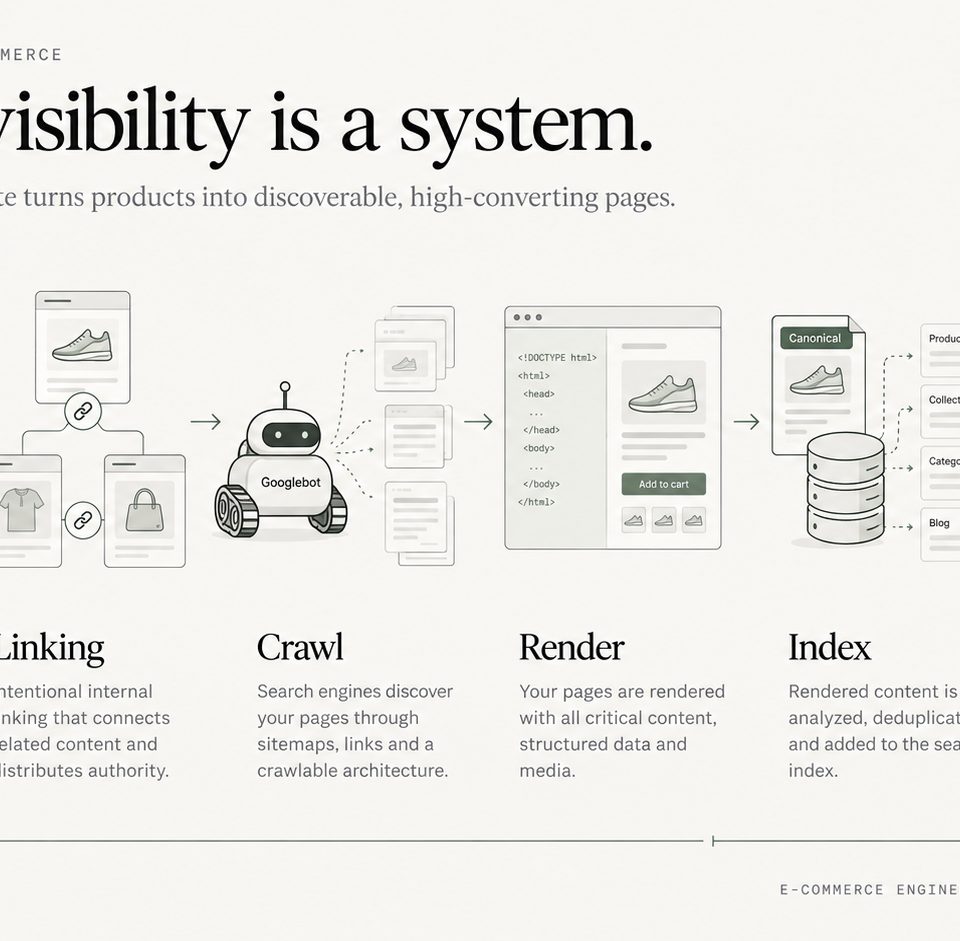
Technical SEO for Ecommerce: An Engineering Playbook
A systems-level guide to crawl allocation, faceted navigation, rendering, Core Web Vitals, migration SEO, and release governance for large ecommerce stores.
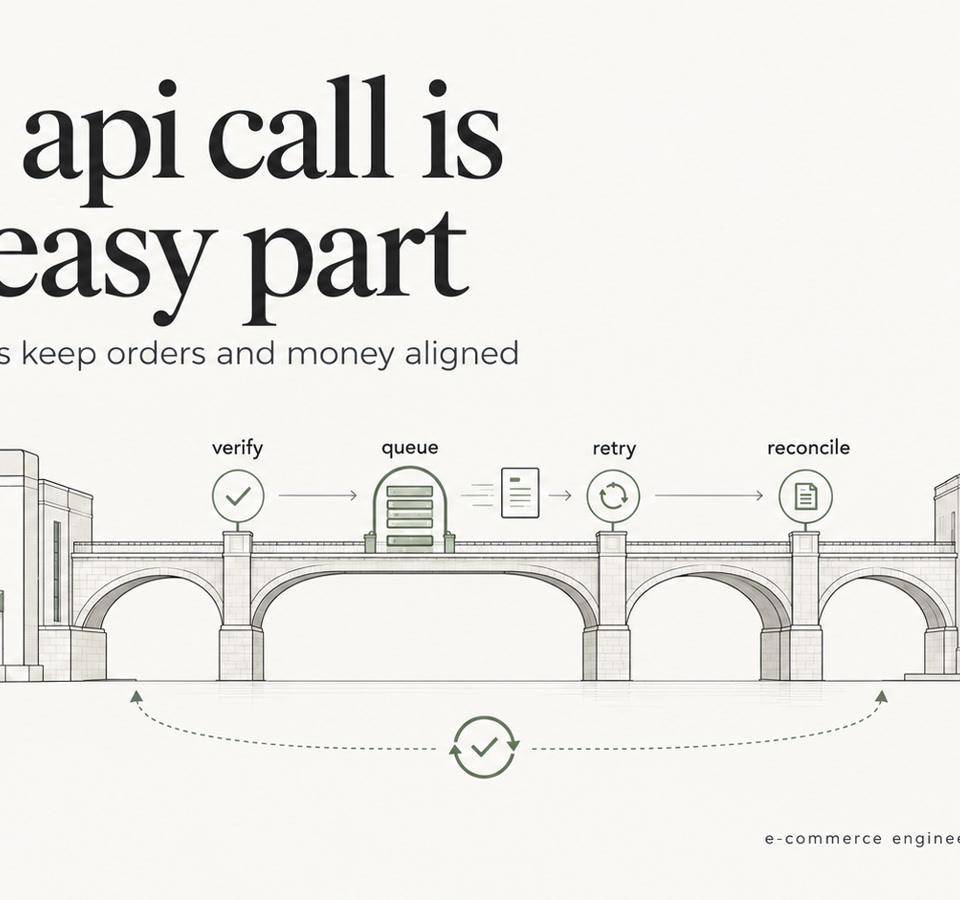
Shopify ERP Integration: Webhooks, Retries, Reconciliation
Shopify ERP Integration guide: data ownership, webhooks vs batch sync, idempotent retries, failed-event handling and reconciliation for Shopify Plus teams.
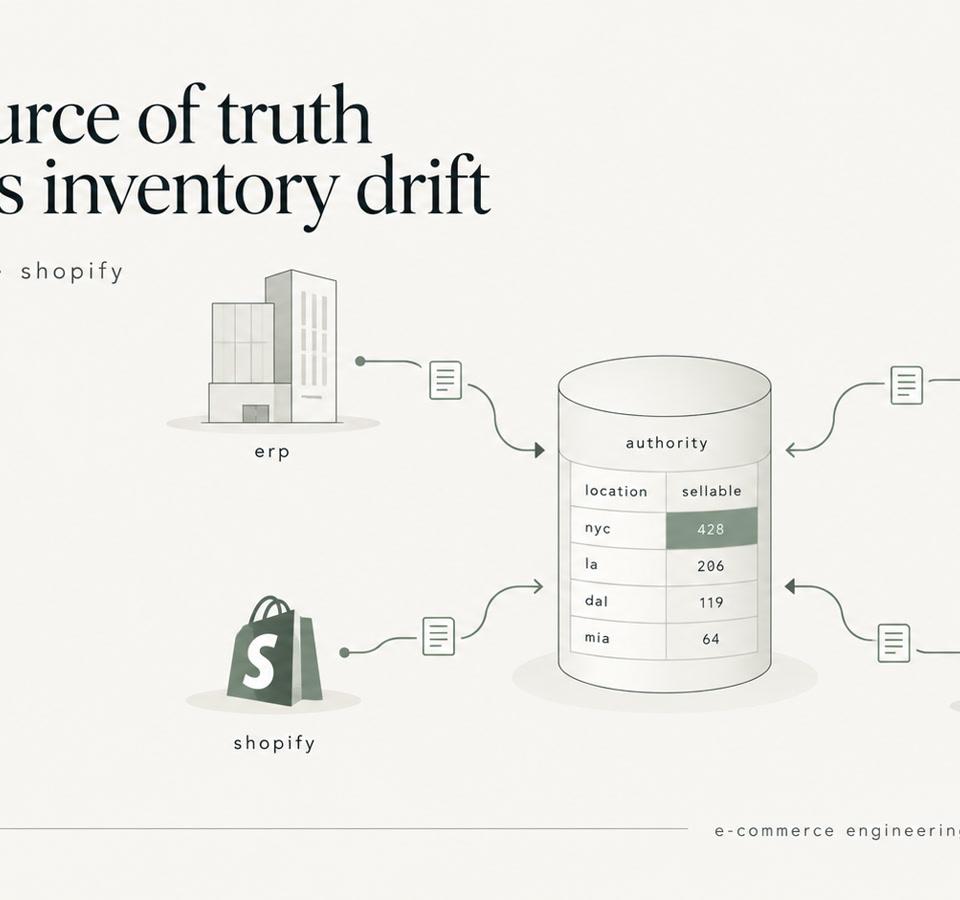
Shopify Inventory Sync: ERP, WMS, 3PL, and the Source of Truth
Shopify inventory sync explained for enterprise catalogs. Learn how to design ERP, WMS, and 3PL integrations that prevent race conditions and stock drift.