
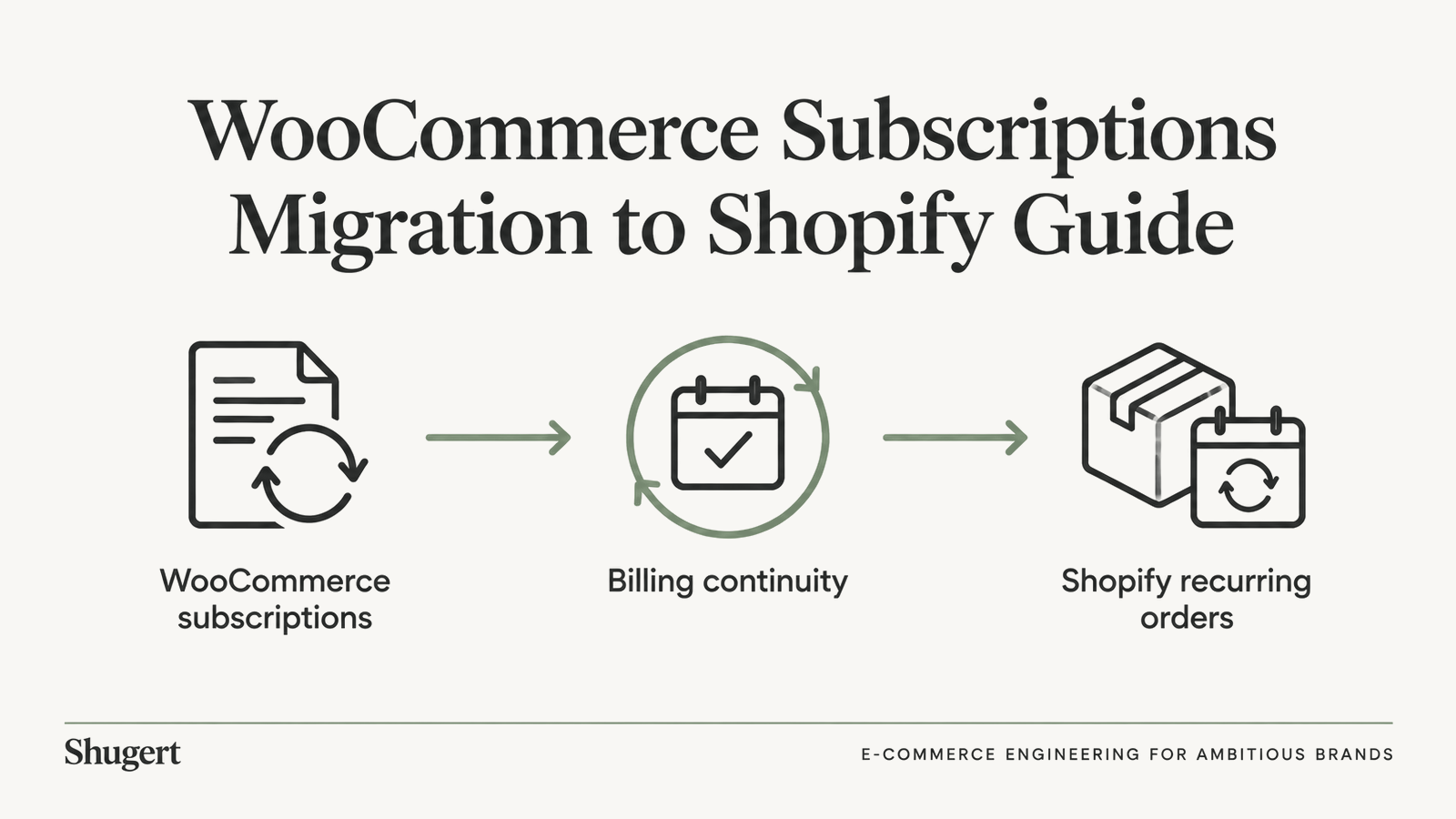
WooCommerce Subscriptions Migration to Shopify Guide
Plan your WooCommerce Subscriptions Migration to Shopify with gateway token checks, contract mapping, edge-case tests and a safe billing cutover.

Published
The cutover report looked clean. Every customer record landed in Shopify, the contract count matched the WooCommerce export line for line, and the reconciliation tab showed zero discrepancies. Then the first renewal cycle ran and the support inbox filled: one subscriber charged twice, another charged a price that was retired two years ago, a paused account that started billing again on its own, and a handful of renewals that never happened.
None of those failures appear in a record count. A migration can move every subscriber and still break the commercial promise attached to each one. Billing continuity is the only honest success metric, and record counts don't measure it, because a transferred row says nothing about whether the next charge matches what the customer agreed to pay.
The difficulty is not the data volume. It is that a subscription is a standing agreement about price, cadence and payment method, and a migration that changes any of those without notice has broken the agreement, however clean the import looks. For market context on how often stores make this move, see PageSpeed Matters' search-volume analysis and the migration tracking reported by EcommerceManager.
Table of Contents
- Which Subscribers Can Keep Billing After the Move
- Choosing a Subscription App That Preserves Contracts
- Mapping WooCommerce Subscriptions to Shopify Objects
- How to Import Customers, Payment Methods and Contracts
- Edge Cases That Break Renewals Silently
- Cutover Without Duplicate or Missed Renewals
- Protecting SEO and Storefront Continuity During Cutover
- Confirm Billing Parity Before You Switch Live Billing
Which Subscribers Can Keep Billing After the Move
A migrated customer record is not a working subscription. Shopify can recreate a subscription contract only after the customer profile and a usable payment method already exist in the store, which makes payment portability the riskiest dependency in the whole project. Shopify's guide to migrating payment methods draws a line most project plans blur: moving a stored payment token is a different operation from moving a primary account number.
| Gateway | Shopify documented path | Payment method constraint | Action before commitment |
|---|---|---|---|
| Stripe | Documented customer and contract import | Tokens migrate with subscription-app developer support | Get written token compatibility and test authorization |
| Braintree | Documented customer and contract import | Card payment methods export, PayPal payment methods do not | Plan a re-consent route for PayPal subscribers |
| PayPal Express | Documented customer and contract import | Export completeness for stored methods needs confirmation | Confirm exportable methods with the vendor |
| Authorize.net | Documented customer and contract import | Export completeness for stored methods needs confirmation | Confirm exportable methods with the vendor |
| Primary account number migration (any gateway) | Direct card data transfer | Requires Shopify Plus or Enterprise and Shopify Professional Services | Use only when token paths are not viable |
The gap between those paths drives cost and calendar time. Token migration depends on support from the subscription-app developer, so the vendor relationship matters as much as the gateway contract. Card data migration needs Shopify Plus or Enterprise plus Shopify Professional Services, and the merchant still creates every customer profile before a payment method can attach to it. Teams treat that route as the safe fallback. It's the expensive one, and it usually adds weeks.
Gateway exports are also uneven. Braintree exports customers and card payment methods but not PayPal payment methods, so a store accepting both finishes with a subscriber segment that cannot be billed at all. A reconciliation report comparing customer totals will never surface that gap, because the customers transferred perfectly.
Three checks, in this order
- Segment by gateway and payment method type. Do this before scoping anything else, since the segment counts decide whether the project is a data job or a reauthorization campaign.
- Get token compatibility confirmed in writing by both the gateway and the subscription-app vendor. Verbal assurance from a sales call isn't a commitment you can plan billing against.
- Test a representative cohort end to end. Authorization behavior, mandate wording and retry semantics differ by method, and only a real billing attempt proves them.
Working rule: continuity gets promised on ten contracts after those ten bill correctly, never before.
Unsupported records aren't a surprise to handle later. Every subscriber in a segment without token portability needs a re-consent or payment-update journey designed and scheduled before the switch: a timed email sequence, a customer-account path that saves a new card in Shopify, and a decision about the pending shipment while the payment method is broken. Flagging that list during planning is a project cost. Discovering it after a failed renewal is a trust problem.
Choosing a Subscription App That Preserves Contracts
The vendor shortlist comes after the contract inventory, never before it. Start by listing every subscription configuration the WooCommerce store runs: grandfathered prices, custom billing intervals, fixed renewal dates, prepaid multi-month plans, skipped deliveries, contract-level quantity edits, and bundles where one renewal ships several SKUs. Those configurations are the requirements. Storefront widgets and monthly app fees are not.
- Build the matrix first. One row per configuration, one column per candidate app, and a cell that stays empty until the vendor demonstrates the behavior.
- Force a representation answer. For each cell, the vendor should show how an existing contract appears in Shopify, including renewal timing, tax calculation, shipping rules and the stored payment method.
- Check the customer-facing side. Subscribers who edit or skip a delivery need a portal that reflects their real contract. Test skipping, swapping, and pausing on migrated contracts, not only on new ones.
- Test the plumbing. Product and variant mapping, API rate behavior, webhook reliability, and the handoff to ERP or fulfillment systems.
Recharge and Skio are the usual shortlist for established catalogs, and both deserve verification in a sandbox against your own configurations rather than a feature page. Score each candidate on how many contracts it preserves without manual exceptions, and on how clearly it surfaces failed payments and retries to the operations team after launch. The cheapest app that requires 400 manual fixes is the most expensive option on the list. The selling-plan mechanics those contracts depend on are covered in Shopify subscription plans, which is worth reading before the vendor demos start.
Mapping WooCommerce Subscriptions to Shopify Objects
WooCommerce keeps subscription rules in plugin settings, coupons, shipping conditions and custom PHP. Shopify expects selling plans, selling plan groups, checkout discounts, delivery profiles and contracts. Use the table as the row-by-row lookup; two items need prose because a table can't carry them.
| WooCommerce element | Shopify counterpart | Verification |
|---|---|---|
| Billing interval | Selling plan in a SellingPlanGroup | Plan ID reaches the cart with the variant ID |
| Renewal coupon or discount | Checkout discount | Discount stops on its expiry date at renewal |
| Renewal shipping rule | Delivery profile | Renewal shipping charge matches the source |
| Tax behavior | Shopify tax settings | Tax-inclusive pricing and nexus match on a test renewal |
| Stored card or token | Customer payment method | Valid vaulted method exists for each contract |
| Paused or cancelled state | Contract status | Paused contracts stay paused after import |
A billing interval becomes a selling plan inside a SellingPlanGroup attached to products, and Shopify's subscription API documentation is clear that plans group under those objects. Renewal coupons need an expiry rule that fires at renewal rather than at the first order, otherwise a launch promotion discounts every future shipment.
The storefront step that gets skipped
The product page must expose the selling plan and submit its selling plan ID alongside the variant ID when an item enters the cart, whether through Liquid or the Ajax Cart API. Miss this and products look purchasable while checkout never creates a recurring contract. No catalog import fixes it, and Shopify creates the contract automatically only when a recurring selling plan is attached to the purchase.
Tax is calculated from Shopify settings after the move, so tax-inclusive pricing, nexus and shipping tax treatment need a test renewal rather than a spreadsheet assumption.
Working rule: rebuild the commercial model in staging before a single subscriber is imported, and keep a mapping sheet with one row per active subscription type plus its verification result. That sheet becomes the audit trail for everything that follows.
How to Import Customers, Payment Methods and Contracts
Shopify's documented route treats the move as a staged process with payment and contract constraints attached, not a card-data transfer. Shopify's customer and contract migration workflow supplies the reference sequence, and the order of steps matters because each one creates objects the next one references.
The export rarely arrives in a usable shape. Normalization comes first, and it's the step that determines whether the import is auditable at all.
- Normalize the export. Split the flat CSV into customers, variants, billing intervals, discounts, tax behavior, next-charge dates and pause or cancellation states. A single orders file hides recurring logic, so this step is where the data model emerges.
- Build the commercial model first. Create selling plans, selling plan groups, delivery profiles, checkout discounts, shipping configuration and theme changes, because contracts reference all of them.
- Connect the gateway and confirm the token path for each segment identified in the payment audit. This is the gate, not a formality.
- Create customer profiles with at least an email address, first name and last name. A payment method can only attach to a customer that already exists.
- Create contracts with
subscriptionContractAtomicCreate, carrying the variant, selling plan, payment method, billing and shipping addresses, and billing schedule. The app must request protected scopesread_customer_payment_methods,read_own_subscription_contractsandwrite_own_subscription_contracts. For larger subscriber bases, Shopify documents a bulk import path for contracts; confirm its current limits and input format in the developer documentation for your API version before you plan the import window around it. - Create billing attempts for migrated contracts. Use a skip-payment policy only where an unpaid order is intended, since that policy is the only thing that lets a billing attempt proceed without a valid vaulted method.
- Reconcile subscriber counts, contract counts and monetary totals against the source. No billing runs until this reconciliation passes and the variance is explained line by line.
The reason for the order is dependency. Contracts point at selling plans, payment methods point at customers, and billing attempts point at contracts, so any step moved earlier creates orphaned records that look valid until the first charge. This is also where migration scope widens beyond data: a Shopify migration covers data, redirects, SEO preservation, integrations, QA, launch and stabilization, and subscriptions touch every one of those areas.
Edge Cases That Break Renewals Silently
A clean import can still change what a subscriber is charged. Billing continuity is the test: moving every customer and contract is not success if a renewal date, amount, discount, or delivery rule no longer matches the customer's agreement. Shopify's contract migration guidance shows why: contracts carry variants, selling plans, addresses, and delivery logic, while discounts, delivery profiles, taxes, theme behavior, and billing attempts must also be recreated deliberately. WooCommerce stores may encode renewal behavior in plugins, custom PHP, shipping rules, and coupons. These do not map one-to-one by default.
Price and schedule mismatches
A grandfathered price can be lost even when the imported contract looks valid. Compare each destination contract's price with the source agreement, then check the next scheduled amount before live billing. For variable or expired discounts, verify the renewal total both before and after the discount ends. A customer should not discover a changed price on a statement.
| Test case | Expected outcome | How to verify |
|---|---|---|
| Grandfathered price | Original price kept on every renewal | Diff source and destination contract prices |
| Prepaid versus pay-as-you-go | Billing cadence and amount match the source contract | Compare next billing date and amount per contract |
| Skipped or paused renewal | Skip or pause carries over with no billing attempt | Reconcile billing attempts against the source schedule |
| Address change | New address applies to future orders only | Inspect a sample generated order |
| Discount expiry | Discount stops on its expiry date | Compare renewal totals before and after expiry |
| Inventory shortage | Renewal flagged for review, not silently substituted | Review the exception report |
| Failed-payment recovery | Retry schedule matches the WooCommerce behavior | Compare retry logs for a failed-payment sample |
Fulfillment and recovery exceptions
Inventory shortfalls can affect both fulfillment and billing. Whether stock is checked before a charge runs depends on how the contract and inventory systems connect. Confirm the expected behavior for out-of-stock renewals, rather than allowing an automatic substitution or a charge for an order that cannot ship.
Review failed-payment recovery as well. Retry timing and outcomes need to match the source behavior; otherwise, a migrated customer may be charged on an unexpected schedule or left without a clear recovery path. Unsupported configurations should go to manual review. Assigning them to the nearest standard plan can change a grandfathered customer's price or renewal terms.
Keep a source-to-destination contract map after launch. It lets the team trace later billing discrepancies back to the original contract and identify which renewal terms need correction.
Cutover Without Duplicate or Missed Renewals
The switch is a billing handover, and it has one rule: every subscription has exactly one billing owner at any moment. Two schedulers running against the same subscriber produces a double charge. Zero schedulers produces a missed renewal that the customer notices before you do.
Shopify's migration cutover guidance frames the sequence as a controlled data-and-payment operation with staging rehearsal, deterministic external-ID mapping, reconciliation reports, idempotent retry logic, and a short dual-run or freeze window. The board that matters after handover is the one that shows contracts, attempts and outcomes side by side, reconciled daily.
Before the handover point, export active, paused, cancelled and payment-failed subscriptions with next billing dates, contract identifiers, payment status and renewal amounts. List every renewal that falls inside the cutover window, then decide for each one whether it runs in the old system or waits for the new one. Pause the WooCommerce renewal scheduler at the agreed point and record who confirmed it.
- Assign idempotency keys per billing cycle, recorded against the original subscription, so a retry cannot create a second charge.
- Rehearse the full sequence in staging with real contract shapes, not a sample of the three easiest plans.
- Move subscribers in cohorts, starting with a group whose renewals are low risk and whose payment methods are already confirmed.
- Reconcile after each cohort against billing attempts, successful and failed payments, generated orders, webhooks, retry behavior, fulfillment handoffs and the Shopify ERP integration that feeds stock availability.
Then watch the first billing cycle daily. The migration is complete when every subscription due in that cycle has a verified outcome and each exception has a documented resolution, not when the import job returns success.
Protecting SEO and Storefront Continuity During Cutover
Billing isn't the only thing that breaks on cutover day. Product and collection URLs, subscription landing pages, editorial content and customer account access all move at the same time, and organic sessions that feed new subscribers are exposed while renewal logic is being tested.
Redirect mapping covers every indexed product, collection and subscription-related page, with the old path mapped to the closest relevant destination rather than the homepage. Marketing landing pages built for subscription offers deserve explicit attention, because they often carry paid traffic and internal links pointing at them.
Cutover checklist for the storefront:
- Test the cart with a live selling plan in a session that mirrors a real buyer, not a preview theme.
- Confirm the plan selector renders on every product template that supports recurring purchase.
- Check canonical tags and the sitemap after the domain or path changes settle.
- Verify subscriber login on the Shopify customer account, since saved payment methods are now managed there.
- Compare organic landing-page sessions week over week against the pre-migration baseline and review crawl errors in Search Console.
Many merchants add markets or languages soon after a replatform, which multiplies URL surface; PageSpeed Matters' analysis of HTTP Archive data tracks how often WooCommerce-to-Shopify movers expand internationally. If international expansion is on the roadmap, plan the URL structure now rather than layering it over a fresh redirect map.
Freeze theme and app changes during the billing window. When a renewal or a traffic dip looks wrong, you want one variable in play, not four. When the subscription move sits inside a wider replatform, Shopify migration services cover redirects, data and stabilization alongside billing.
Confirm Billing Parity Before You Switch Live Billing
A renewal that moves every customer but changes the amount or the date has already failed. Record counts will look clean. The first live cycle is the test that matters.
Go or no-go depends on four gates, each of which can be verified.
- Payment portability confirmed in writing for every gateway segment, with the unsupported records named and their re-consent path scheduled.
- A completed mapping sheet covering every active subscription type, each with a verification result recorded against a test contract.
- A contract test matrix passed on a representative cohort, including a grandfathered price, a prepaid plan and a payment-failed account.
- A cutover reconciliation and a tested rollback path, with a named billing owner and a documented handover timestamp.
Scope the project only after this audit; the WooCommerce to Shopify migration resource lists what the rest of the move includes. Effort tracks catalog size, data quality, URL count, storefront requirements, integrations, subscriptions, international requirements, SEO exposure and launch coordination, not subscriber count. Shopify owns the platform quote. Scope the migration, integrations, storefront, checkout, B2B and ongoing engineering around that quote so the commercial shape is settled before the technical one.
Shugert takes over existing Shopify stores, and most engagements start with an audit of the current theme and apps. On a subscription move, extend that first pass to gateway configuration and the contract model. That is where the four gates get tested against real data.
This week's action: run the gateway token check and pilot about ten representative contracts through the complete path, including one grandfathered price, one prepaid plan and one payment-failed account. Move the remaining subscribers only when the pilot matches the source on price, next billing date, discounts, tax and shipping.
Shugert migrates WooCommerce stores with live subscriber bases into Shopify and Shopify Plus, mapping contracts, gateways and integrations before anything is cut over, then staying through QA and stabilization so the first billing cycle has an owner. If the payment audit is where the project is stuck, start with a Shopify migration scoping conversation and bring the export, the gateway list and the contract configurations. The conversation starts with what has to bill correctly on day one.
Keep exploring this topic
Deeper references from the Shugert library and the service that turns this work into a fixed scope.
Related services
Keep reading

Shopify Performance Audit: How to Audit Every Store Template
A Shopify performance audit method for product, collection, search, cart, and homepage bottlenecks using real user data.
Shopify ERP Integration: Webhooks, Retries, Reconciliation
Shopify ERP Integration guide: data ownership, webhooks vs batch sync, idempotent retries, failed-event handling and reconciliation for Shopify Plus teams.
Shopify Redirect Chains: How to Find and Fix Them Fast
Trace Shopify redirect chains from legacy URLs to final canonical pages. An eight-step audit shows how to identify each hop, fix the responsible layer, and verify production behavior after migration.