
Shopify Lighthouse vs. Core Web Vitals: How to Interpret Conflicting Results
Understand why Shopify Lighthouse lab scores and real-user Core Web Vitals can disagree, and how to interpret both without confusing diagnostic scores with customer experience.

Published
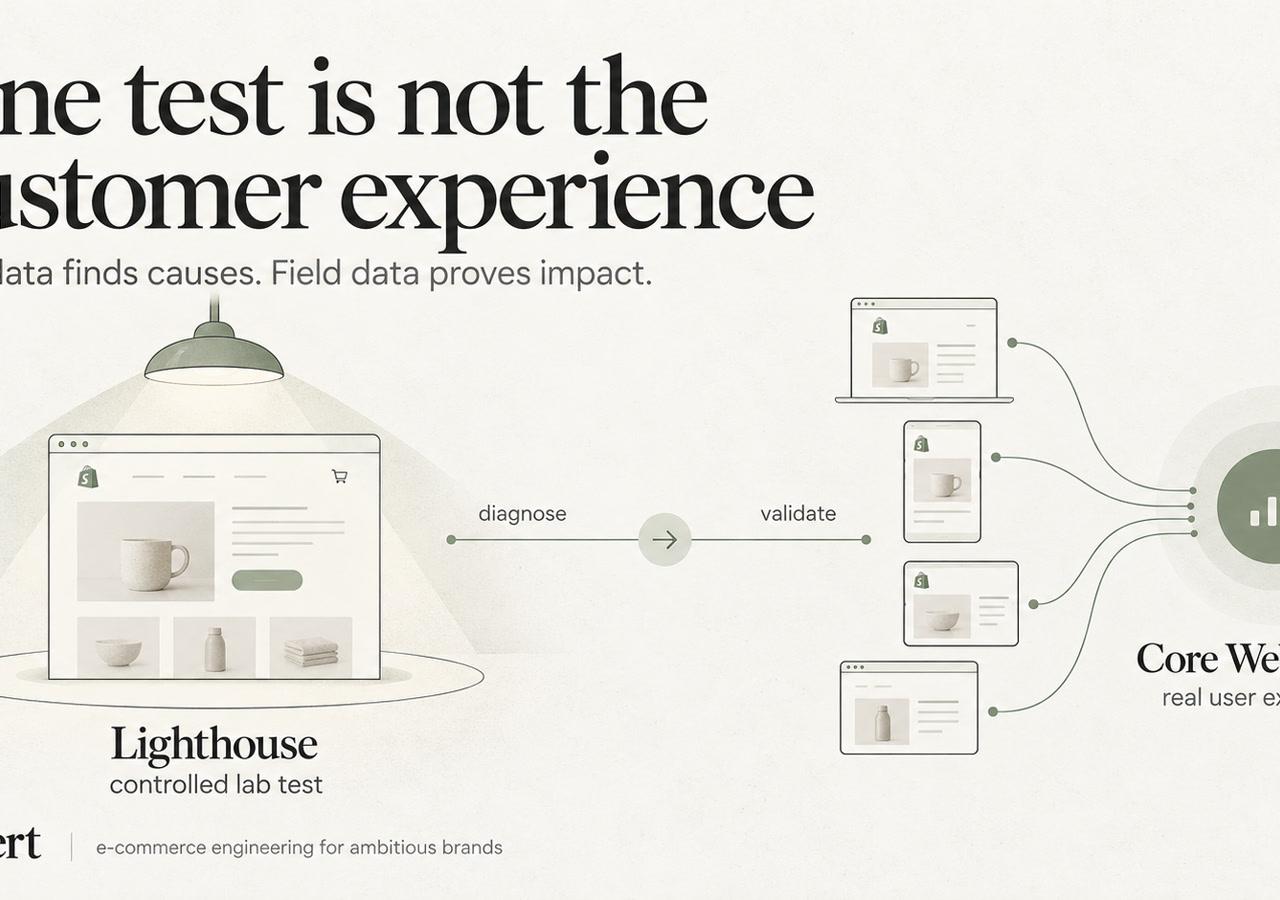
A common performance workflow begins with a single Lighthouse report: run a homepage test, fix the warnings, and celebrate the green result. That can improve a diagnostic report without resolving the delays customers encounter while selecting variants, filtering collections, or opening the cart. Shopify Lighthouse Core Web Vitals diagnosis should start with the customer experience that's failing, not the score that's easiest to screenshot.
Why a Perfect Lighthouse Score Can Still Fail Your Customers
A strong Lighthouse result and a failed Core Web Vitals assessment aren't contradictory. They answer different questions. Lab data describes a controlled, simulated visit; field data describes performance measured during actual visits across different devices, networks, locations, and browsing conditions.
Shopify distinguishes synthetic testing from field measurements and provides real-user performance reporting. Its dashboard separates results by page type, device category, and geographic region, rather than treating a single simulated visit as the definitive measure of storefront quality. That's the foundation of Shopify's performance testing guidance.
What Lighthouse can actually establish
Lighthouse helps engineers investigate loading behavior under a defined test configuration. Its performance diagnostics can expose render blocking, expensive JavaScript execution, inefficient image delivery, and other implementation problems. Accessibility and SEO audits are separate checks, not evidence that real customers experience responsive interactions.
A standard navigation test also isn't a complete shopping session. It doesn't automatically exercise every variant selector, consent state, filter combination, or subscription option.
Practical rule: Use Lighthouse to explain a reproducible technical problem. Don't use its aggregate score to declare an entire storefront healthy.
For established DTC and B2B stores, template-level performance diagnosis and remediation provides a more useful starting point than a homepage screenshot. Product, collection, cart, search, and campaign landing pages have different assets, dependencies, and interaction requirements.
Lighthouse Versus CrUX Field Data
| Dimension | Lighthouse (Lab) | CrUX (Field) |
|---|---|---|
| Main question | What happens under this test configuration? | What have eligible Chrome users experienced? |
| Scope | A tested page and execution path | Aggregated visits at URL or origin level |
| Devices and networks | Selected or simulated conditions | Actual audience conditions |
| Interactions | Only those exercised by the test | Interactions occurring during real visits |
| Best use | Reproduction and technical diagnosis | Experience assessment and validation |
| Main limitation | Doesn't represent the audience distribution | Doesn't identify the responsible code by itself |
Why PageSpeed Insights can show different conclusions
PageSpeed Insights presents Lighthouse lab results alongside Chrome UX Report, or CrUX, field data when available. It doesn't reconcile them into a single measurement because they aren't equivalent observations.
URL-level field data concerns an individual page. Origin-level data combines eligible visits across the site's origin, so an origin result shouldn't be mistaken for proof about a particular product page. Low-traffic URLs may lack sufficient eligible observations for their own CrUX result; missing data isn't a performance pass.
Core Web Vitals assessment uses the 75th percentile, not the average visitor experience. A healthy average can conceal a slower audience segment, particularly when mobile visitors face more constrained processing power or connectivity.
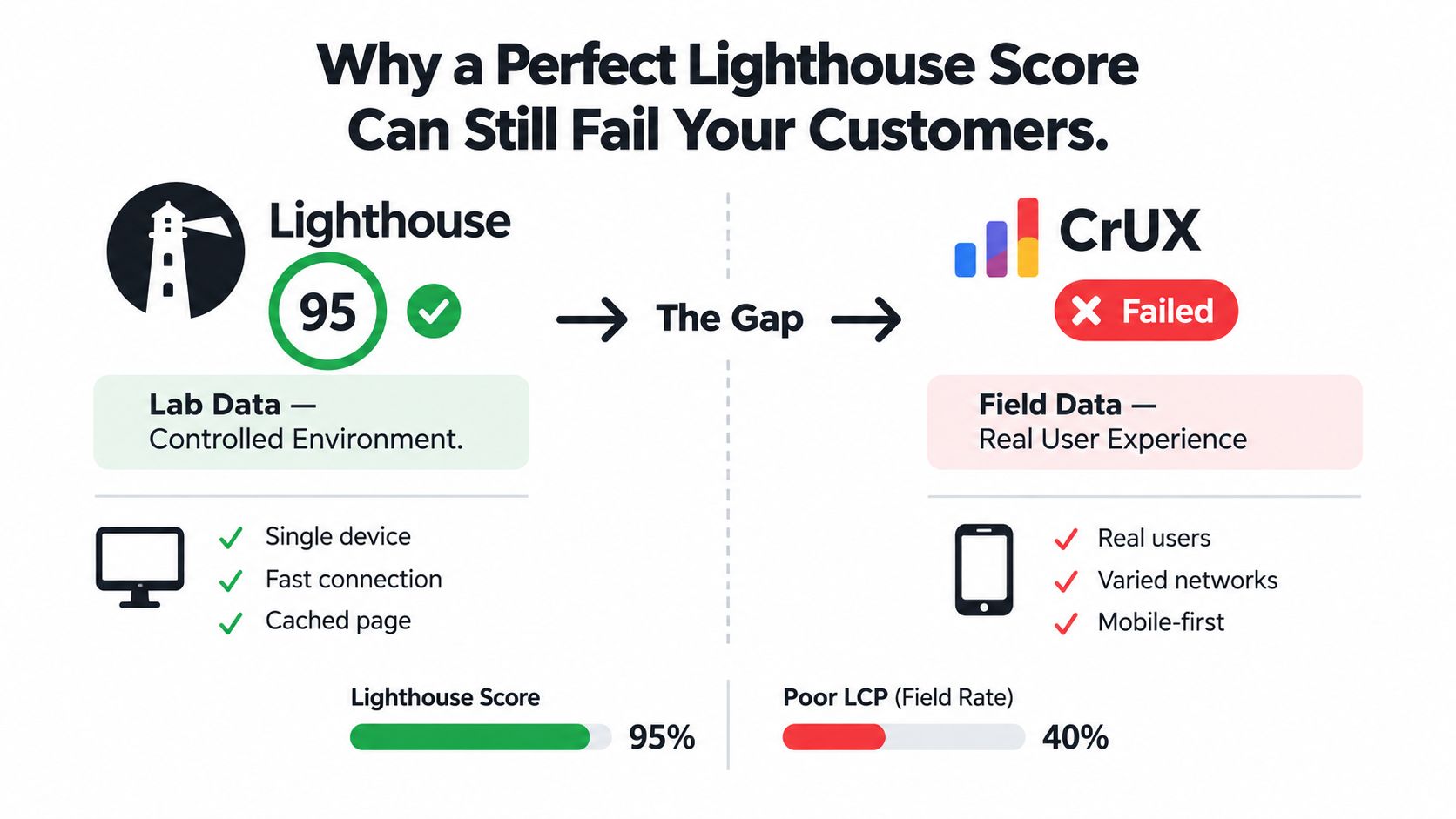
The commercial risk isn't the disagreement between reports. It's approving engineering work because a synthetic score improved while the product pages receiving acquisition traffic remain difficult to use. Search visibility and conversion deserve separate monitoring; neither should be inferred from a green Lighthouse badge.
LCP, INP, and CLS Mapped to Shopify Templates
Shopify Core Web Vitals problems become actionable when engineers connect each metric to a specific template region and browser behavior. “The store feels slow” isn't enough information to choose between image work, JavaScript profiling, and layout stabilization.
LCP concerns the main visible content
For Shopify LCP, inspect the actual Largest Contentful Paint element rather than assuming it's always the product image. A product hero, collection banner, slideshow image, or prominent text block can require different treatment.
- Image discovery: Keep important first-viewport media discoverable in the initial markup. Don't lazy-load the likely LCP image.
- Responsive delivery: Match image candidates and sizing hints to the rendered layout. Delivery through the Shopify CDN doesn't compensate for requesting an unnecessarily large asset.
- Preloading: Prioritize a confirmed critical resource, not every slideshow slide. Competing preloads can undermine the intended benefit.
- Rendering dependencies: Investigate fonts, stylesheets, and other render-blocking resources when the image arrives promptly but appears late.
Compression alone won't resolve delayed discovery or a rendering dependency.
INP concerns the response to interaction
Shopify INP investigation belongs around variant selectors, add-to-cart handlers, search, filtering, mega menus, and cart drawers. Review widgets, subscription apps, recommendation engines, analytics, and marketing scripts can compete for the same main thread even when they don't own the clicked control.
Large JavaScript bundles and long tasks can delay an event handler before it runs. The handler itself can then perform excessive work, followed by expensive rendering before the next paint. That's why debugging Shopify interaction event handlers requires a trace of the interaction, not just a bundle-size report.
A smaller download helps, but execution cost and initialization timing still matter. Deferring everything until the first click can move the bottleneck onto the customer's action.
CLS concerns unexpected movement
For Shopify CLS, reserve space before dynamic content arrives. Images without dimensions, late review widgets, theme app blocks, recommendation sections, and injected buy buttons or financing widgets are useful inspection targets.
Cookie consent interfaces, dynamic banners, font changes, and sticky headers also need attention. A header that changes height after initialization can move the entire page even when the product imagery is correctly sized.
Stable layout requires a contract between the theme and injected content: the space must exist before the widget fills it.
The implementation choice should follow the observed shift. Reserving space, changing placement, or avoiding an in-flow insertion is more defensible than hiding a useful feature solely to improve an audit.
How the Homepage Passes While Real Customers Still Struggle
Consider a hypothetical Shopify Plus storefront launching a redesigned theme. The homepage loads cleanly in Lighthouse: restrained imagery, little visible movement, and a straightforward navigation path. The team approves the release.
The product template is a different application. It initializes variant logic, subscription choices, review content, recommendations, marketing tags, and a cart drawer. A collection page adds filtering, sorting, and quick-add behavior that the homepage test never exercised.
Fast loading doesn't guarantee responsive shopping
In this example, the initial product page looks fast. After consent, several integrations initialize, register event handlers, inspect the DOM, and prepare personalized content. The shopper then changes a variant while that work occupies the main thread.
The browser can't immediately process the action and paint the updated state. The page looked ready before it was reliably responsive. This is a practical path to poor INP without an obviously slow first impression.
- Different visitors: A returning customer's consent and cache state may activate a different loading sequence from a new visitor's.
- Different timing: Third-party work can begin after the initial loading period captured by a navigation test.
- Different hardware: A mobile device may take longer to execute the same JavaScript than the machine used for local testing.
- Different journeys: Search, menus, filters, cart drawers, and account interactions expose behavior absent from a homepage-only test.
Geographic latency adds another variable, particularly when an interaction depends on an external service. A fast asset path doesn't guarantee a fast response from every integration.
Read the template, not the screenshot
Campaign landing pages can carry unique merchandising sections. Search pages can perform work that collection pages don't. B2B account and catalog interactions may introduce dependencies absent from the public storefront.
The correct response isn't to assume every template fails. It's to establish which templates and journeys are affected, then reproduce those conditions.
This example isn't a published client result, and it doesn't establish a conversion loss. It illustrates why funnel friction should be investigated alongside performance evidence rather than dismissed because the homepage looks healthy.
A Field-First Diagnostic Workflow for Shopify Stores
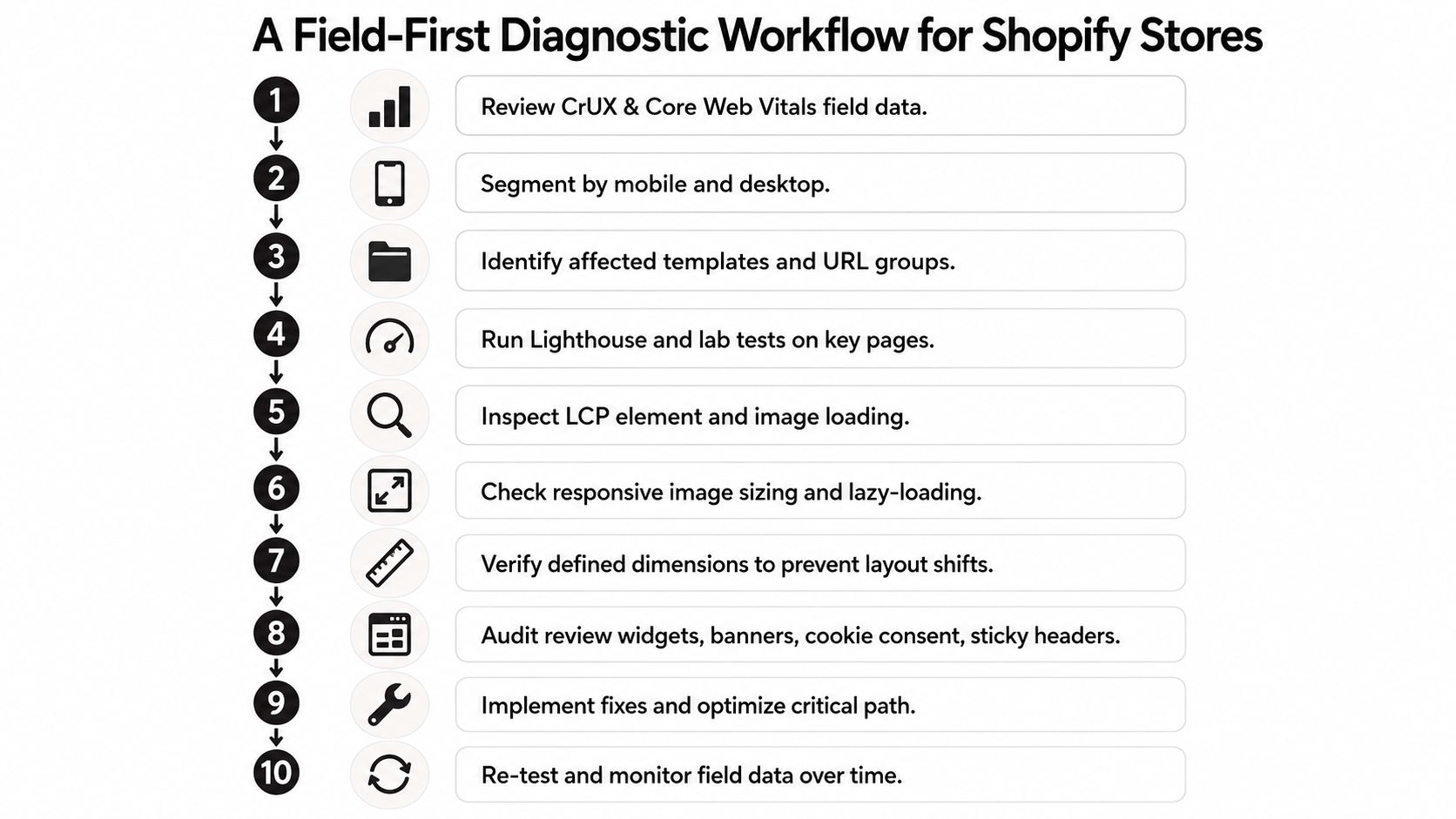
A useful Shopify performance optimization workflow separates detection, reproduction, attribution, and validation. Engineers should know which audience and metric need attention before changing code.
Establish the failing experience
- Review field evidence. Start with CrUX, PageSpeed Insights field data, Search Console Core Web Vitals, and Shopify's performance reporting where available. Record the metric, reporting scope, and affected audience.
- Separate mobile and desktop. Avoid combining materially different device experiences into one conclusion.
- Identify templates and URL groups. Connect affected pages to shared layouts, sections, assets, and integrations.
- Run representative lab tests. Use Lighthouse and Chrome DevTools Performance traces on affected pages, including the interaction sequence that triggers the problem.
- Compare symptoms. Determine whether the trace explains the field metric rather than fixing unrelated audit warnings.
For teams aligning stakeholders around measurement terminology, NZ Apps' guide to how to measure website performance offers supplementary context. The storefront investigation should still follow its own field evidence.
Attribute the cost before deploying
- Inspect app behavior. Compare consent states and initialization paths. Disable suspected functionality in a controlled theme branch, not on the live store without safeguards.
- Profile main-thread work. Inspect long tasks, event handlers, repeated DOM work, and rendering around slow interactions.
- Review media and movement. Identify the LCP resource, its request path, responsive sizing, and layout shifts during loading and shopping.
- Deploy targeted fixes. Include functional QA for variants, subscriptions, search, cart behavior, consent, and analytics.
- Monitor field results. Record release timing, retest comparable lab conditions, and observe aggregated visitor data over time.
A sitewide LCP regression investigation across affected URLs is a relevant reference when multiple pages appear to share a regression. The diagnostic question is whether those pages share a dependency, not whether each needs an isolated patch.
Theme choice alone doesn't identify the source of a regression. Compare the metrics and populations in Shopify's theme-performance data without treating cross-theme figures as causal evidence.
Field validation won't be instantaneous. Aggregated real-user reports retain earlier experiences while new visits accumulate, so an unchanged assessment immediately after deployment doesn't establish that the fix failed.
Where Shopify Performance Actually Breaks
A platform label isn't a root cause. Shopify itself isn't automatically the performance problem, and replacing the theme isn't automatically the solution. Engineers need to distinguish server response, resource delivery, browser execution, and rendering before assigning responsibility.
Theme architecture sets the workload
Liquid rendering deserves investigation when document delivery is slow, but a client-side trace alone doesn't establish that Liquid caused the delay. Section and block complexity also affects the HTML, DOM, styles, and JavaScript the browser must process after receiving the document.
Merchandising flexibility has an operational cost. A section library that permits overlapping sliders, repeated app blocks, and separate initialization routines can make routine content edits performance-sensitive.
| Observed symptom | Investigation target | Useful engineering response |
|---|---|---|
| Main content appears late | Document timing, image discovery, render blocking | Trace the critical path before compressing assets |
| Controls respond slowly | Shared bundles, event handlers, app initialization | Attribute main-thread work to its owner |
| Content moves after loading | Injected widgets, fonts, unstable containers | Reserve space and inspect insertion behavior |
| External results arrive late | App proxies and integration requests | Separate network waiting from browser execution |
Shopify CDN delivery is an opportunity, not a substitute for correct asset selection. An oversized image or late-discovered resource can remain problematic despite a capable delivery layer.
App architecture needs ownership
Theme app extensions provide an integration mechanism; they don't make every injected script inexpensive. Search, recommendations, reviews, subscriptions, personalization, consent managers, and analytics tags should each have an identified owner and a documented loading policy.
An app proxy also deserves scrutiny when a storefront feature depends on its response. Engineers should inspect request timing and fallback behavior rather than assuming every delay comes from JavaScript execution.
A controlled process for isolating Shopify app performance bottlenecks helps distinguish the base theme from app-injected behavior. No app category is universally unacceptable; the relevant questions are where it loads, what it executes, and whether the feature justifies that cost.
Architecture check: A script without a documented owner, loading condition, and business purpose is a maintenance liability even before it causes a measurable regression.
During a migration, rebuilding every legacy widget reproduces the old dependency problem on a new platform. Native capabilities, simpler theme behavior, and narrower integration scope deserve evaluation before carrying that cost forward.
Why Optimizing Only for Lighthouse Is a Trap
The wrong performance objective can produce technically successful work that makes the storefront less useful. Removing a subscription selector might improve a synthetic result while preventing the intended purchase. Delaying consent-dependent functionality without testing its behavior can introduce a different operational failure.
A score is useful evidence. It isn't a complete acceptance criterion.
Decisions that confuse the metric with the outcome
- Removing useful functionality: Prefer reducing execution cost or narrowing template scope before eliminating a feature that supports purchasing.
- Polishing the homepage: Prioritize affected product and collection templates when those pages carry the problematic shopping journeys.
- Chasing minor warnings: Don't let a low-impact audit opportunity displace an interaction trace showing substantial app-related main-thread work.
- Treating perfection as the objective: A perfect Lighthouse score isn't a substitute for stable field performance and functional shopping controls.
The business question is whether customers can see important content, interact promptly, and complete their intended task without unexpected movement. Conversion impact should be measured alongside those changes, not promised from an audit score.
Define acceptance around customer experience
The generally accepted good Core Web Vitals thresholds are LCP at or below 2.5 seconds, INP at or below 200 milliseconds, and CLS at or below 0.1, with at least 75% of page loads meeting the good threshold for each metric. Its performance summary uses the home page, most visited product page, and most visited collection page over the last seven days; reporting can lag by up to 36 hours, with 90 days of available history, according to Shopify's web performance overview.
That reporting scope matters. A summary can guide prioritization without proving that every campaign page or specialized B2B journey is healthy.
TTFB and FCP remain supporting diagnostics rather than scored Core Web Vitals. Improving them is valuable when the evidence connects them to the failing experience, not merely because another audit item becomes green.
Making Core Web Vitals an Ongoing Engineering Practice
Performance work becomes durable when teams manage dependencies and releases, not just isolated fixes. An app installation, theme update, merchandising change, or custom integration can alter the browser workload without anyone intentionally undertaking a performance project.
The operating model should make those changes visible and attributable.
Set release gates that reflect real journeys
Shopify Theme Store submissions are subject to performance requirements. Check the current published requirements rather than using a Theme Store submission threshold as a proxy for a merchant store’s real-user performance. That requirement makes Lighthouse an implementation guardrail, not a guarantee about an individual merchant's production experience, as documented in Shopify's theme performance requirements.
A merchant's release process should add context that a general theme submission can't provide:
- Representative pages: Maintain a testing set covering important templates, merchandising configurations, and account states.
- Interaction checks: Exercise variants, filtering, search, cart drawers, and relevant B2B workflows.
- Dependency records: Associate scripts and app blocks with owners, templates, consent behavior, and expected execution.
- Release annotations: Record app installs, theme changes, and code deployments beside performance observations.
- Rollback criteria: Define which functional failures or reproducible regressions justify reverting a release.
Treat migration acceptance as more than launch approval
A migration should establish comparable baselines before cutover and preserve the information needed to investigate afterward. Redirects, structured data, analytics, catalog behavior, and performance all need separate acceptance checks; a faster-looking theme doesn't prove SEO preservation or integration correctness.
Shopify Functions and Checkout Extensibility decisions should remain distinct from storefront JavaScript diagnosis. Moving an appropriate business rule into the right platform capability can simplify architecture, but it shouldn't be presented as an automatic remedy for an unprofiled browser bottleneck.
External engineering support becomes useful when the problem crosses theme code, app behavior, integrations, and technical SEO ownership. The deliverable should be an attributable diagnosis, tested implementation, and a field-validation plan, not just an improved screenshot.
A useful performance report separates field and lab measurements, identifies affected templates, documents the suspected cause, and compares outcomes after changes. For broader implementation context, see Shugert.
Keep exploring this topic
Deeper references from the Shugert library and the service that turns this work into a fixed scope.
Keep reading
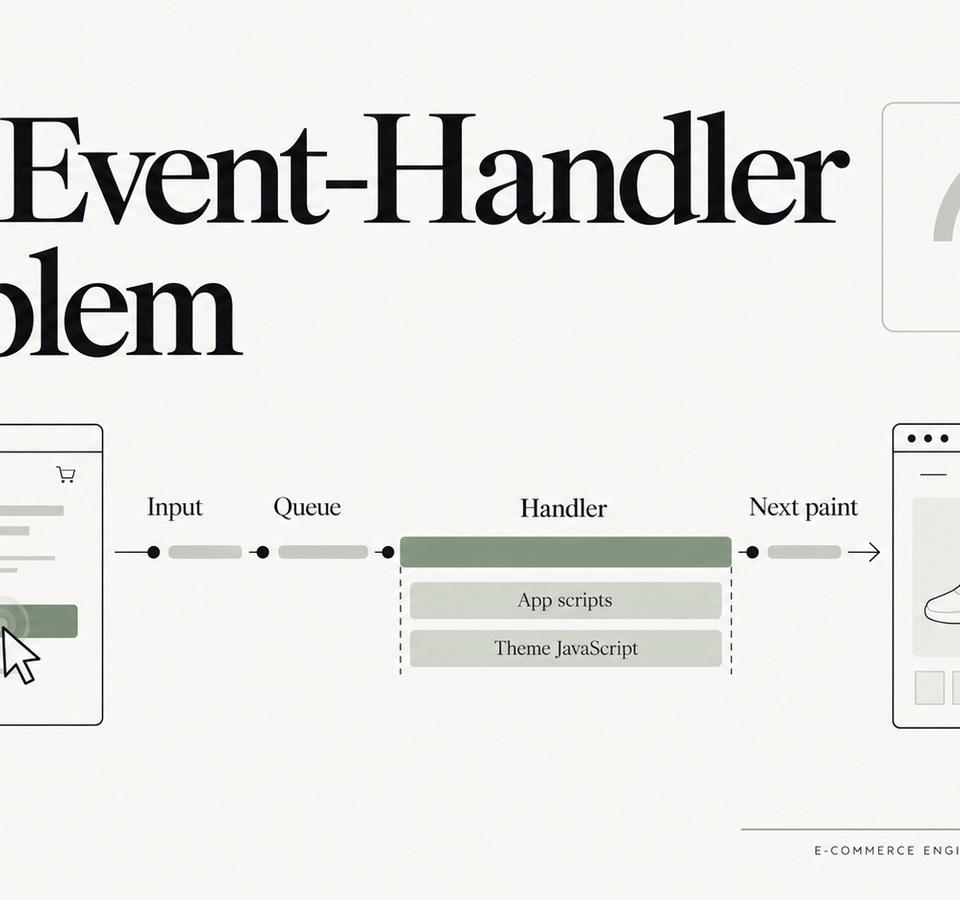
INP on Shopify: The Event-Handler Problems Lighthouse Doesn’t Explain Well
When a Shopify storefront feels sluggish after it has loaded, the problem is often not download size but the work triggered by clicks, taps, typing and DOM updates.
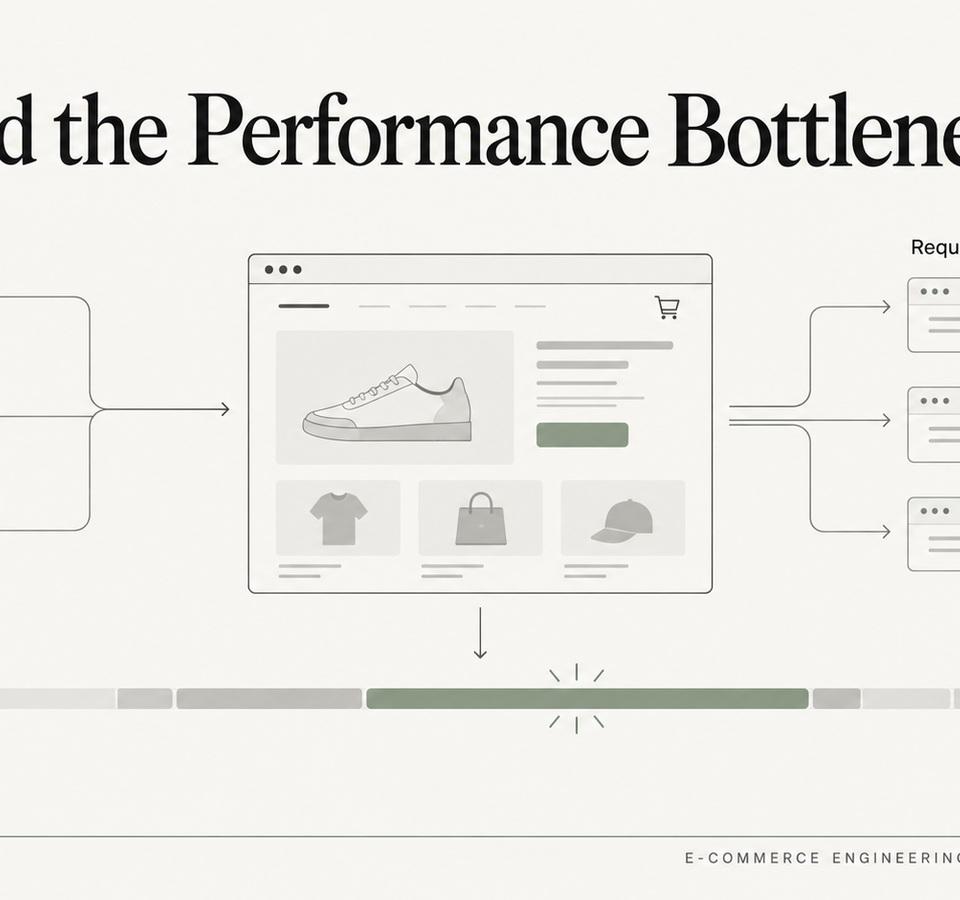
Shopify Store Slower After Installing Apps? How We Isolate the Real Bottleneck
Apps are often blamed for Shopify performance regressions, but the useful question is which network, main-thread, DOM or rendering cost actually changed.
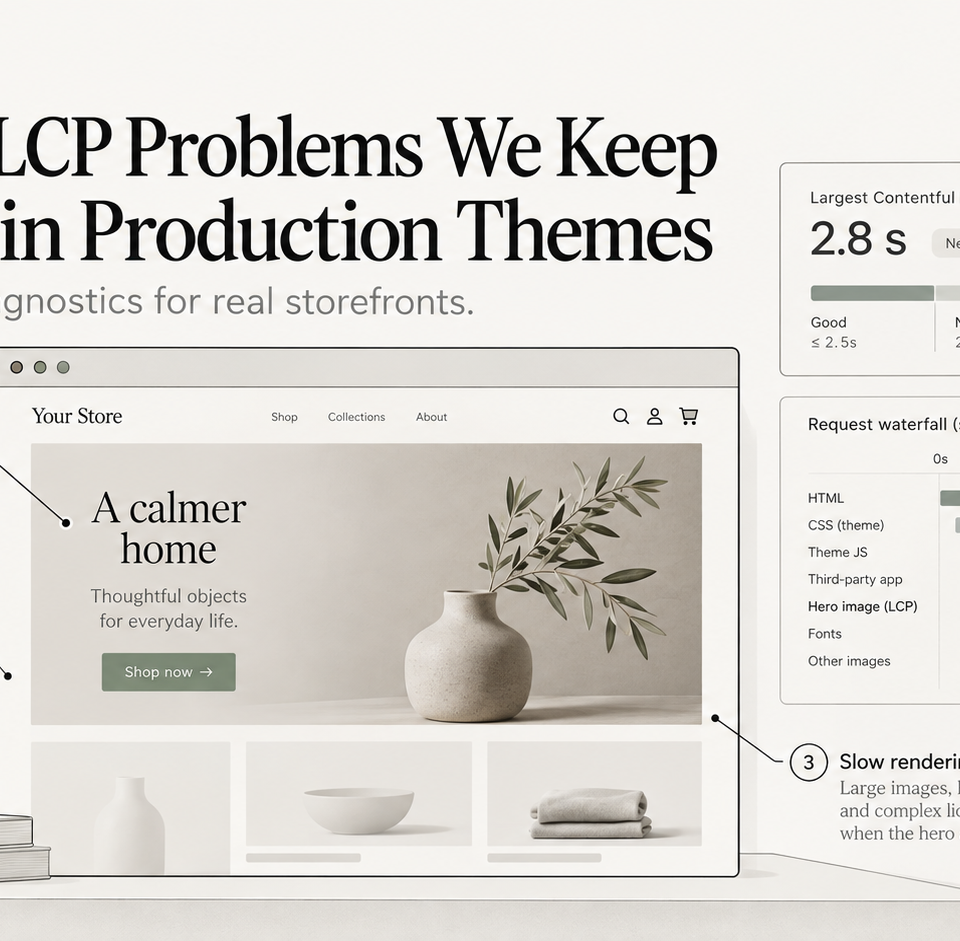
Shopify LCP Problems We Keep Finding in Production Themes
Why Shopify hero images, animations, JavaScript rendering and third-party code repeatedly turn into LCP problems—and what we check first.