
Shopify LCP Problems We Keep Finding in Production Themes
Why Shopify hero images, animations, JavaScript rendering and third-party code repeatedly turn into LCP problems, and what we check first.

Published
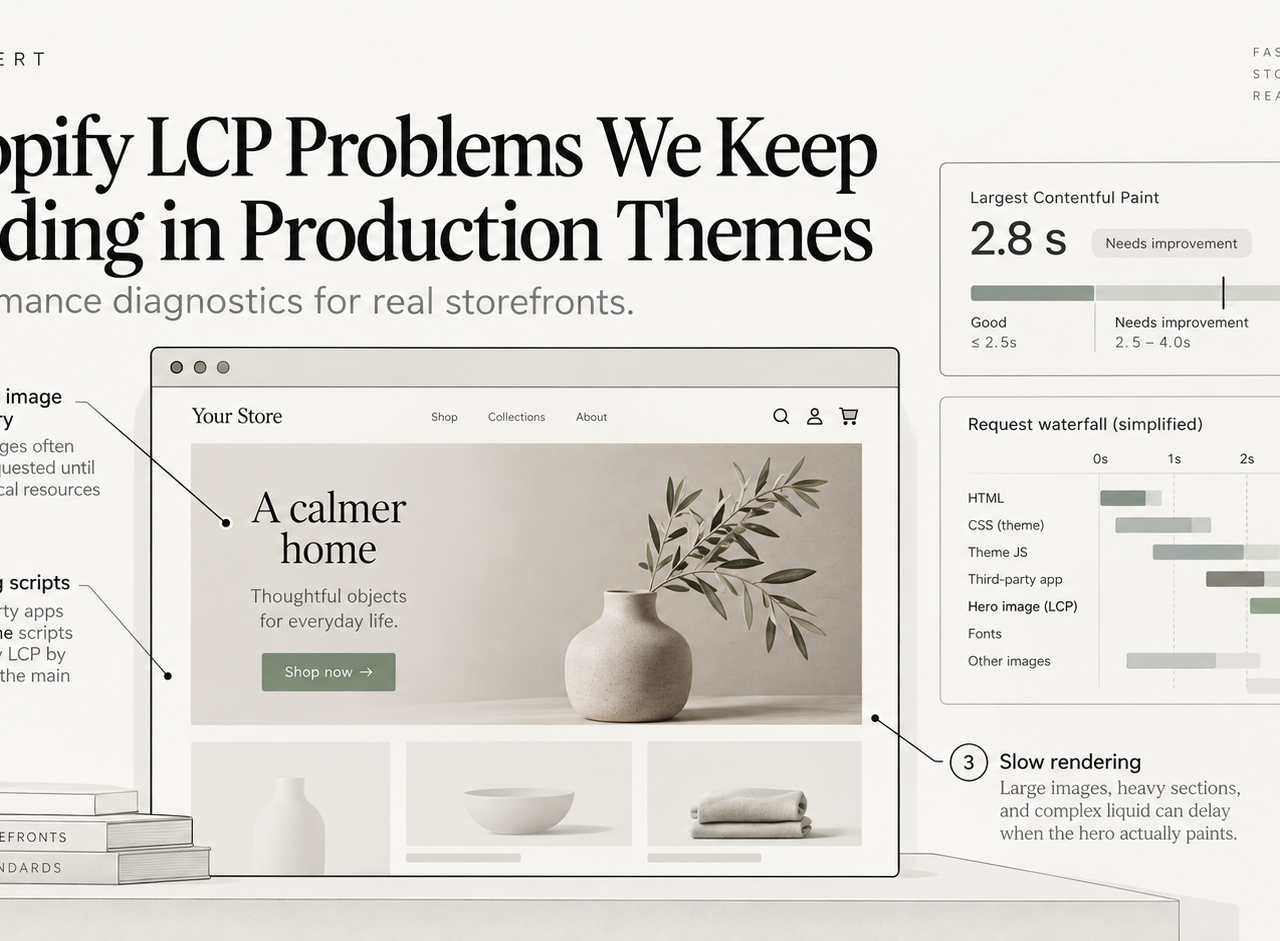
Largest Contentful Paint problems on Shopify are rarely mysterious once you look at the request waterfall and the rendered theme.
The frustrating part is that the same patterns keep returning: the browser discovers the hero too late, the theme intentionally delays the thing that should paint first, JavaScript is asked to render content Liquid could have sent immediately, or third-party code competes for the main thread before the storefront is visually ready.
This field note focuses on those recurring patterns. For the full remediation framework, see our Shopify Core Web Vitals guide.
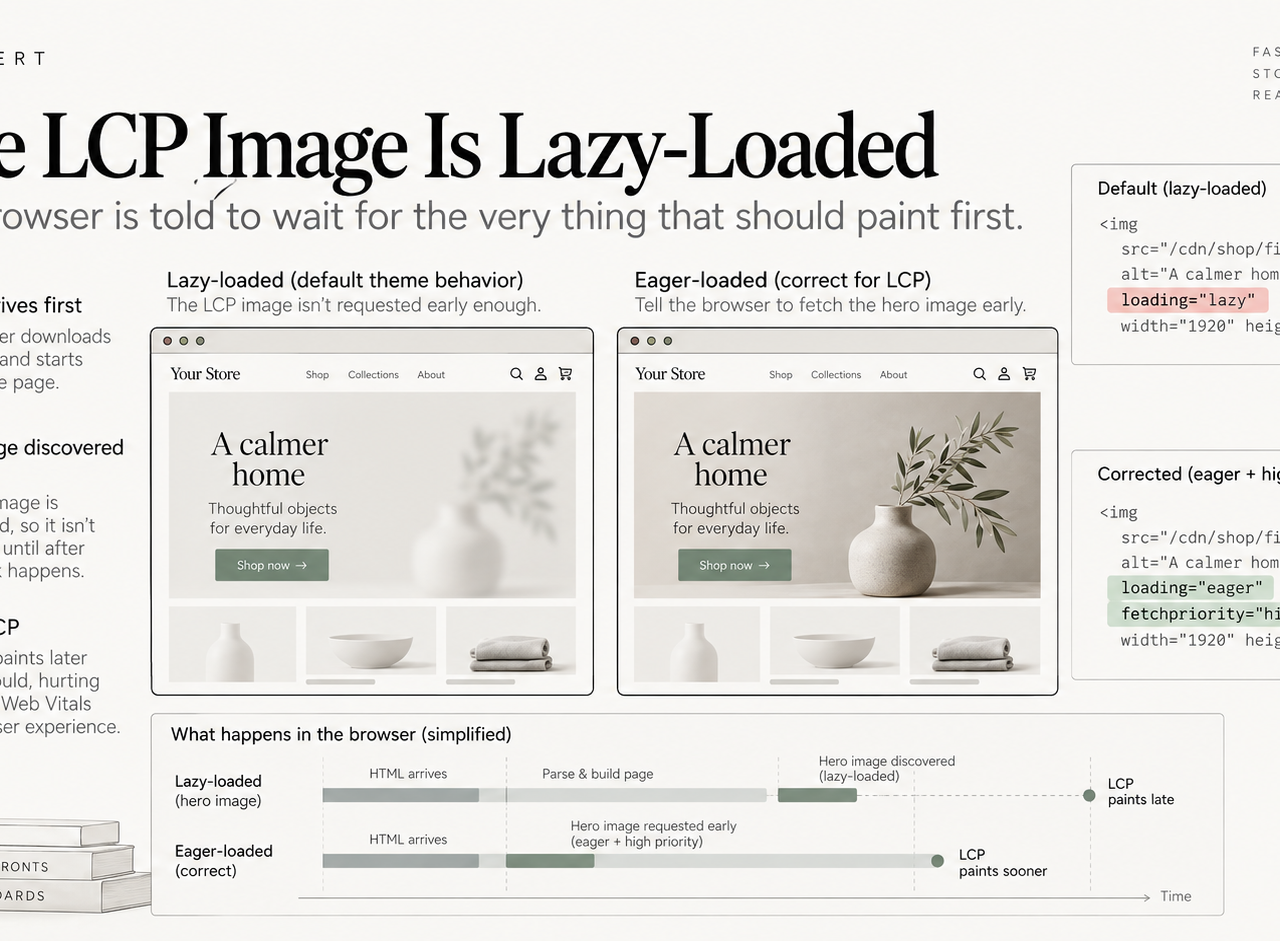
1. The LCP image is lazy-loaded
This is still one of the easiest mistakes to find.
Lazy loading is useful for images below the fold. It is counterproductive for the image that is likely to become LCP because it tells the browser the image can wait.
Shopify's current theme performance guidance is explicit: do not lazy-load the LCP image and use fetchpriority="high" for the primary LCP candidate when appropriate.
The practical check is simple:
- identify the actual LCP element on representative mobile and desktop pages;
- inspect how early its URL appears in the HTML;
- check
loading,fetchpriority, responsivesrcset, and image dimensions; - make sure the browser is not waiting for JavaScript to discover it.
The common failure is applying one global image component rule to every image on the site. Above-the-fold media needs different treatment from the rest of the catalog.
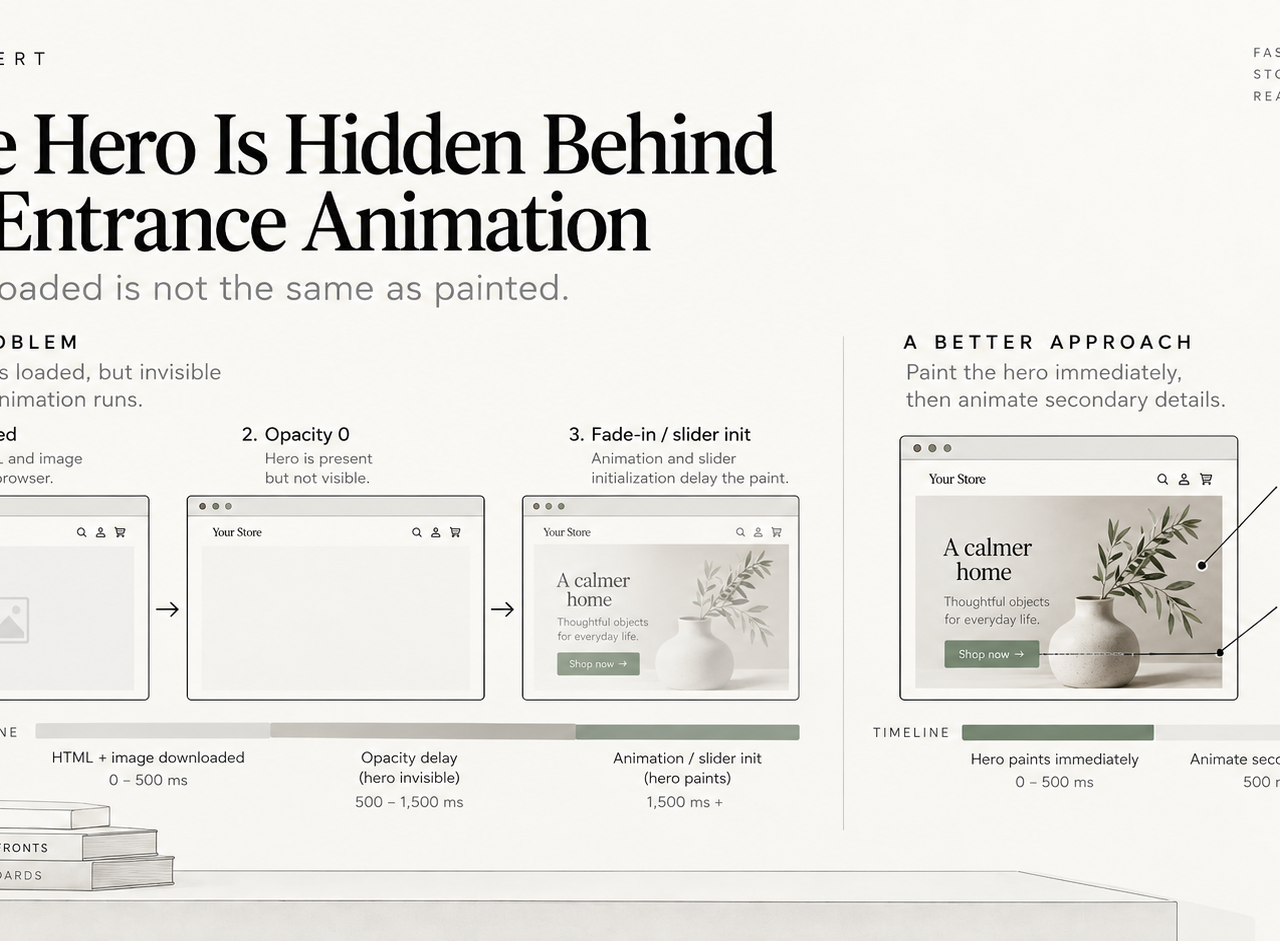
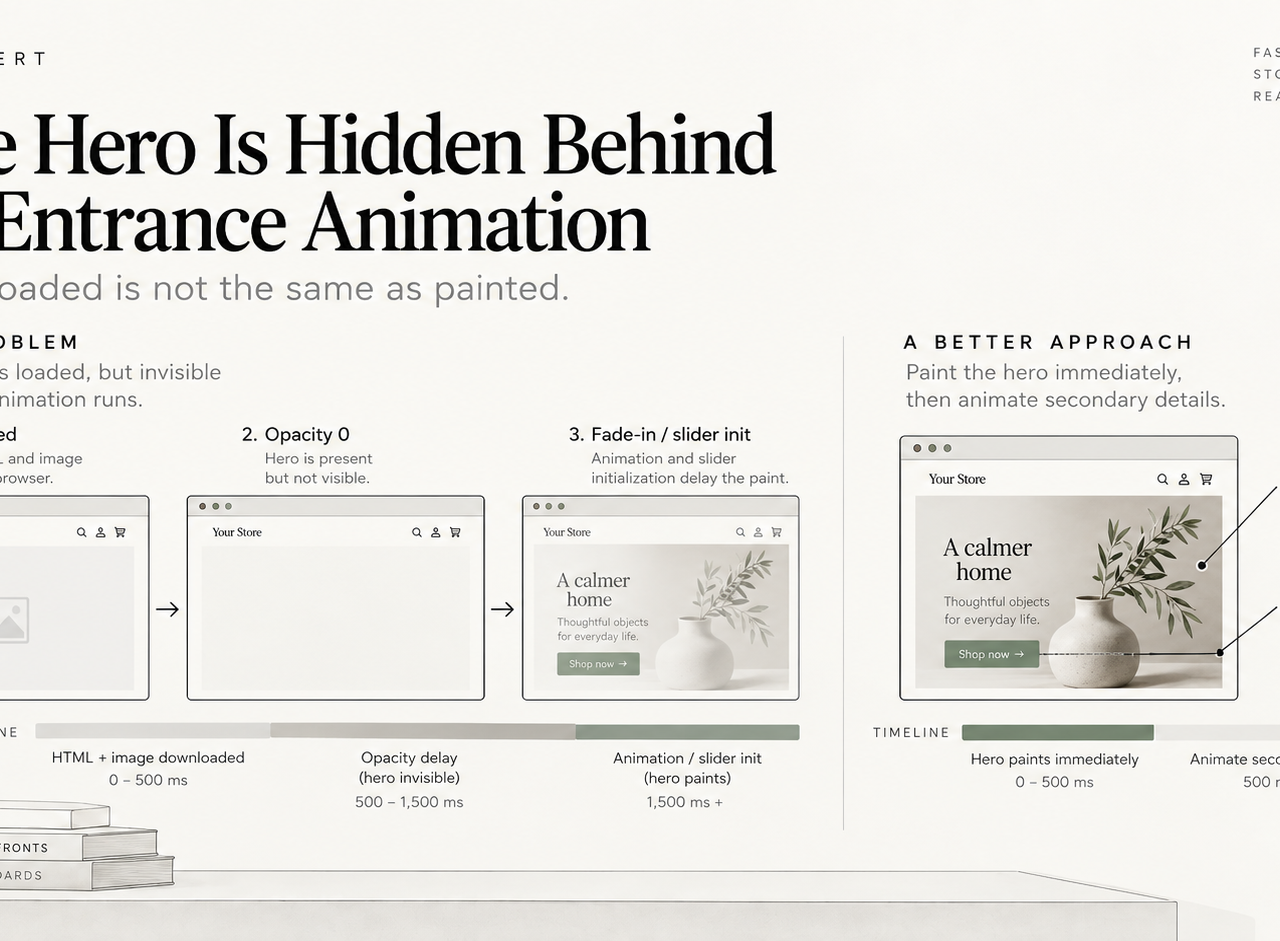
2. The hero is hidden behind an entrance animation
A hero can be fully downloaded and still register late LCP if CSS or JavaScript keeps it invisible while an animation runs.
Fade-ins, opacity transitions, slider initialization and “premium” reveal effects can all delay the moment the browser considers the content painted. Shopify's performance documentation now calls this out directly: hiding the LCP image behind animations delays the metric even after the file has arrived.
We ask a basic product question here: is the animation worth making the most important content arrive later?
Often the best compromise is to paint the first state immediately and animate secondary details after it is visible.
3. Essential content waits for JavaScript
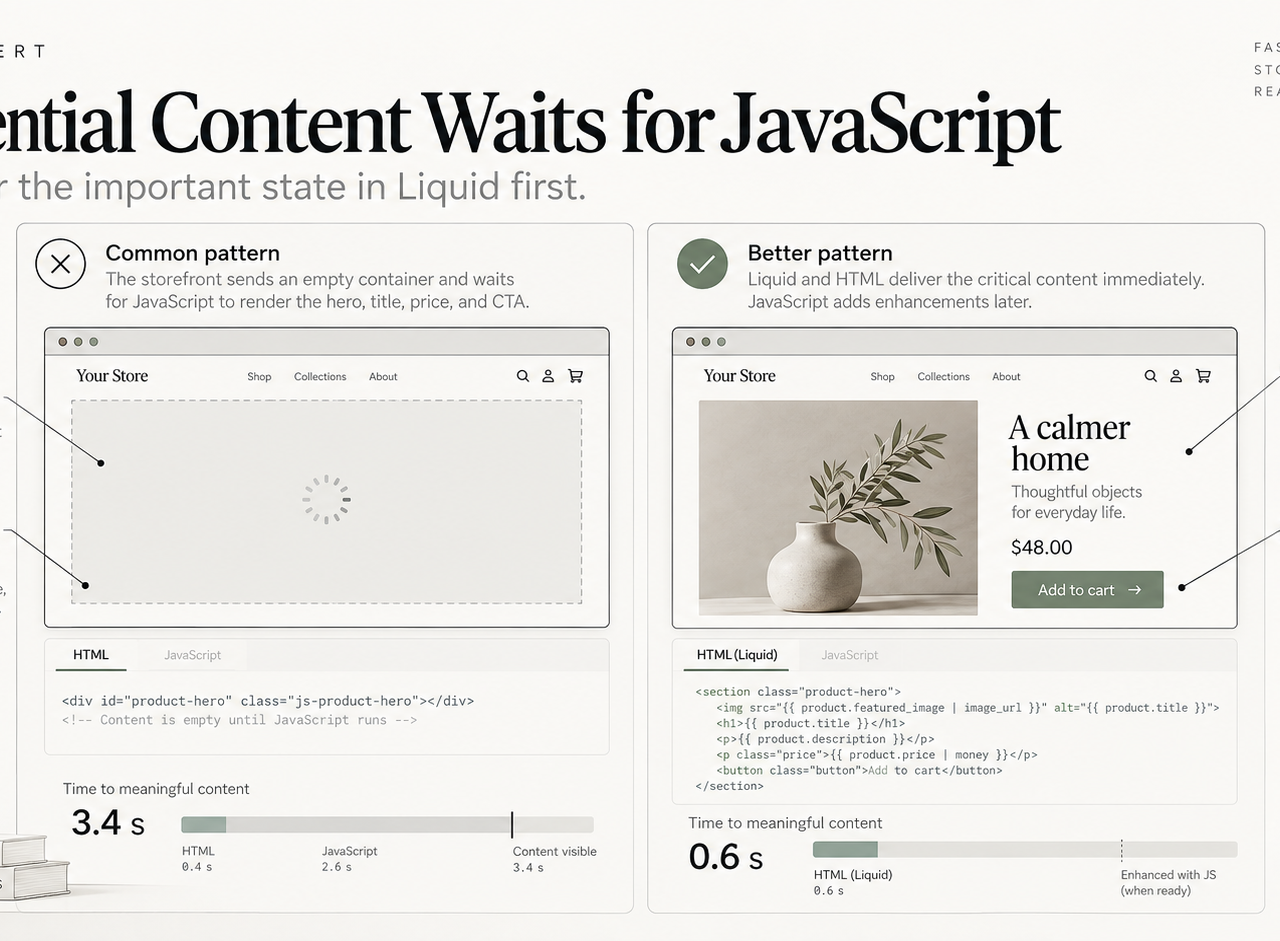
A product title, price, hero, navigation or primary call to action should not need a client-side application to become meaningful on a standard Shopify theme.
Shopify recommends rendering essential content in Liquid and HTML rather than JavaScript when possible. The reason is straightforward: Liquid is rendered server-side, so the browser can parse useful content as soon as the HTML arrives.
If a theme ships an empty container and waits for JavaScript to reconstruct the above-the-fold experience, it adds dependency on script download, parsing, execution and main-thread availability before the customer sees what they came for.
Our default is progressive enhancement: render the important state first, then use JavaScript to add interaction.
4. Preload is used as a superstition
When teams see an LCP problem, they sometimes add preloads everywhere.
That can backfire. Every preload competes for bandwidth and browser priority. Shopify recommends using preload sparingly, generally for the small number of resources the browser discovers late but genuinely needs early.
We prefer to fix discovery order before adding hints:
- Put the important content in the HTML.
- Use the correct image source and responsive attributes.
- Remove unnecessary blockers.
- Then decide whether a resource hint still adds value.
5. Third-party scripts win the race
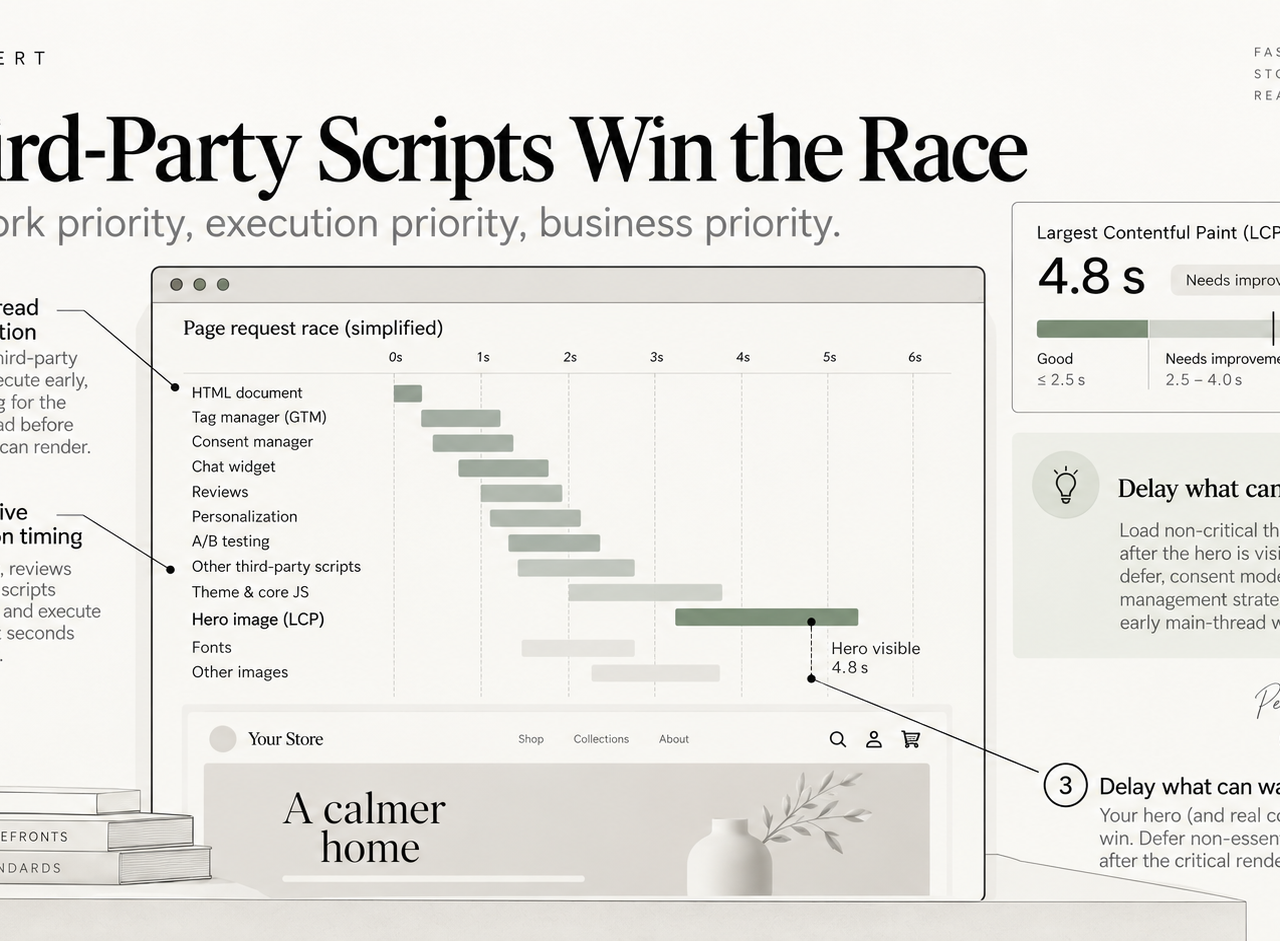
A storefront can have a perfectly reasonable theme and still spend its early main-thread time initializing review widgets, personalization, chat, consent tooling, attribution scripts, A/B testing, recommendations and multiple tag-manager containers.
The question is not “are apps bad?” Apps can be commercially important. The question is whether every script needs to execute before the first useful paint.
We separate three concerns:
- network priority: what downloads first;
- execution priority: what runs first;
- business priority: what genuinely needs to be available immediately.
That audit often finds scripts whose business value is real but whose execution timing is unnecessarily aggressive.
Our Shopify app-bloat diagnostic goes deeper into that layer.
6. The wrong page is being optimized
A home page can score well while product and collection templates are the actual problem.
Shopify's Theme Store performance testing evaluates multiple representative page types for a reason. Real storefronts have different LCP candidates and third-party behavior on home, product and collection pages.
We normally test at least:
- home;
- a high-traffic collection;
- a high-traffic product;
- a product with complex media or subscriptions;
- a page affected by personalization or app blocks.
The goal is not one impressive Lighthouse screenshot. It is consistent behavior across the templates that drive revenue and organic entrances.
7. Lab results and field results are answering different questions
A local Lighthouse run is useful for diagnosis, but it is not the same thing as real-user Core Web Vitals.
Google's LCP guidance explains the metric in terms of when the largest visible content element is rendered for the user. Real-user data includes network variability, devices, geography, cache state and actual third-party behavior.
That is why we use lab tools to find causes and field data to decide whether the fix worked at scale.
Our first-pass LCP order
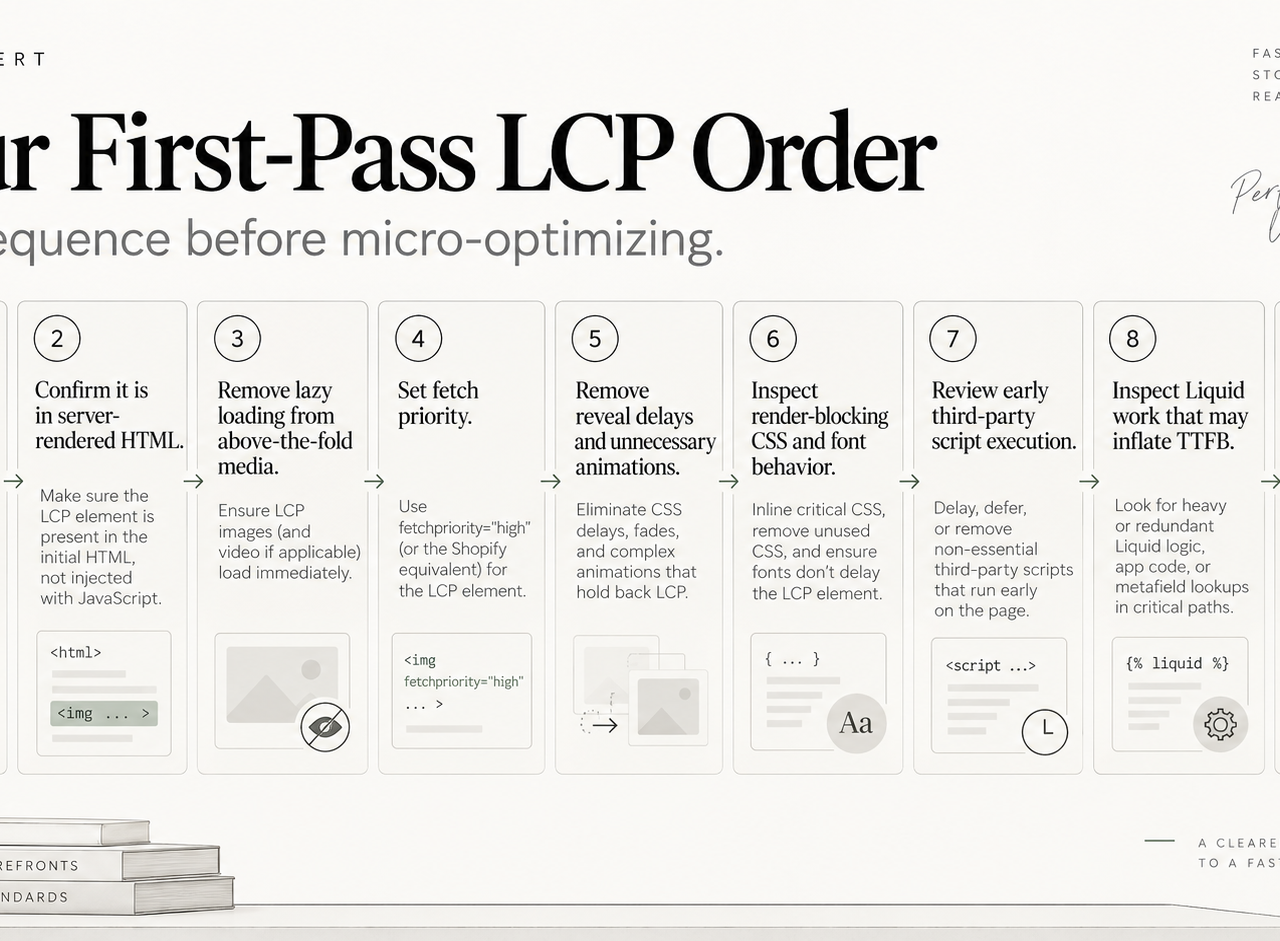
When a Shopify page has weak LCP, we usually check in this order:
- Identify the real LCP element.
- Confirm it is present in server-rendered HTML.
- Remove lazy loading from above-the-fold LCP media.
- Set appropriate fetch priority.
- Remove reveal delays and unnecessary animations.
- Inspect render-blocking CSS and font behavior.
- Review early third-party script execution.
- Inspect Liquid work that may be inflating TTFB.
- Re-test on the templates that actually matter.
The important point is sequence. Performance work gets expensive when teams optimize dozens of small files before identifying which stage of the LCP path is actually slow.
For the broader system, including INP and CLS, use our Shopify Core Web Vitals guide and performance checklist.
Keep exploring this topic
Deeper references from the Shugert library and the service that turns this work into a fixed scope.
Related resources
- PerformanceMoving Core Web Vitals on Shopify: LCP, INP & CLS in 2026What actually moves LCP, INP and CLS on a real Shopify store. For the broader speed framework, see our Shopify Performance Optimization Guide.
- ShopifyShopify Performance Checklist for $500k+ DTC Brands (Field-Tested)A field-tested audit checklist for established Shopify stores. For the full framework, start with our Shopify Performance Optimization Guide, this checklist is the tactical companion.
- PerformanceShopify App Bloat: How Too Many Apps Kill Store PerformanceEvery Shopify app taxes every page load. How to audit your stack, cut the bloat costing you the most LCP and INP, and stop the pattern from repeating.
Related services
Keep reading
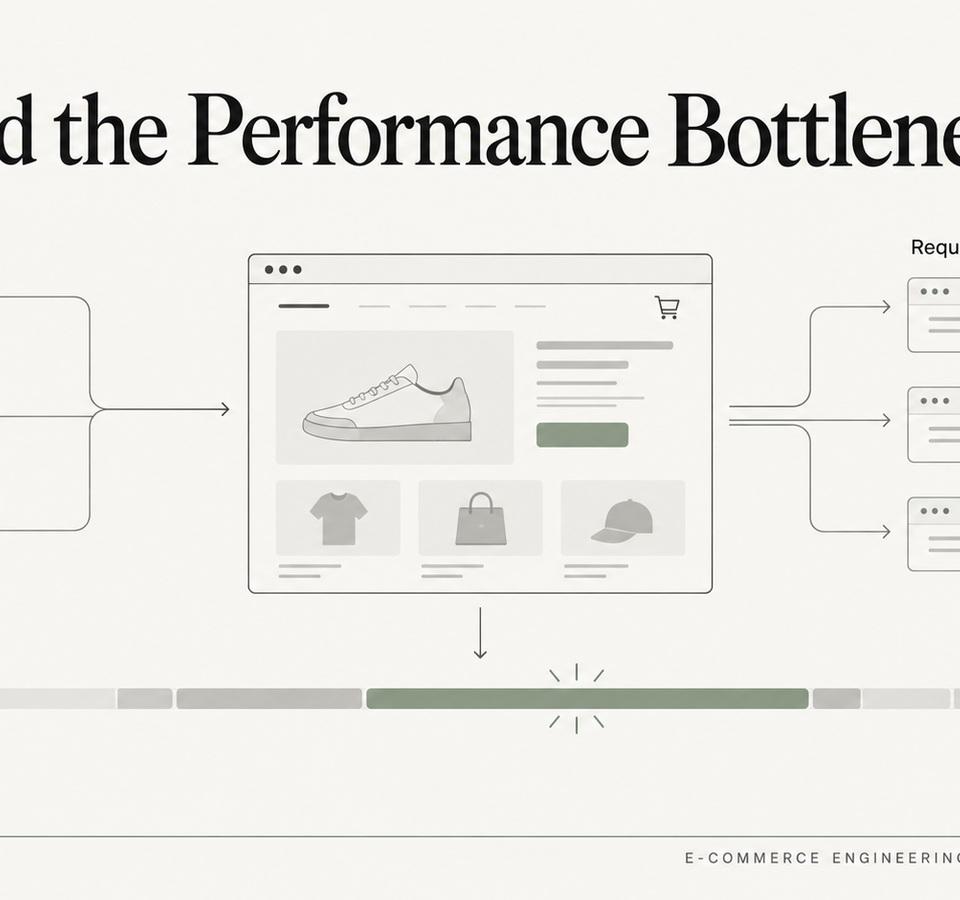
Shopify Store Slower After Installing Apps? How We Isolate the Real Bottleneck
Apps are often blamed for Shopify performance regressions, but the useful question is which network, main-thread, DOM or rendering cost actually changed.
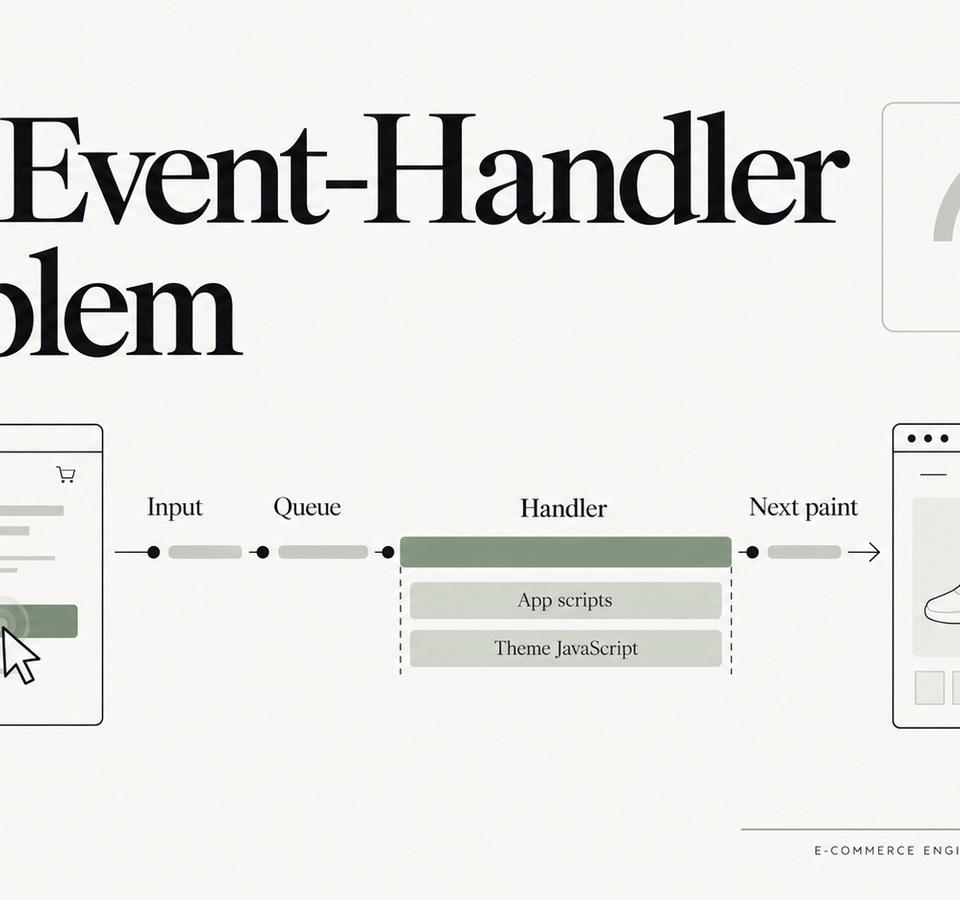
INP on Shopify: The Event-Handler Problems Lighthouse Doesn’t Explain Well
When a Shopify storefront feels sluggish after it has loaded, the problem is often not download size but the work triggered by clicks, taps, typing and DOM updates.
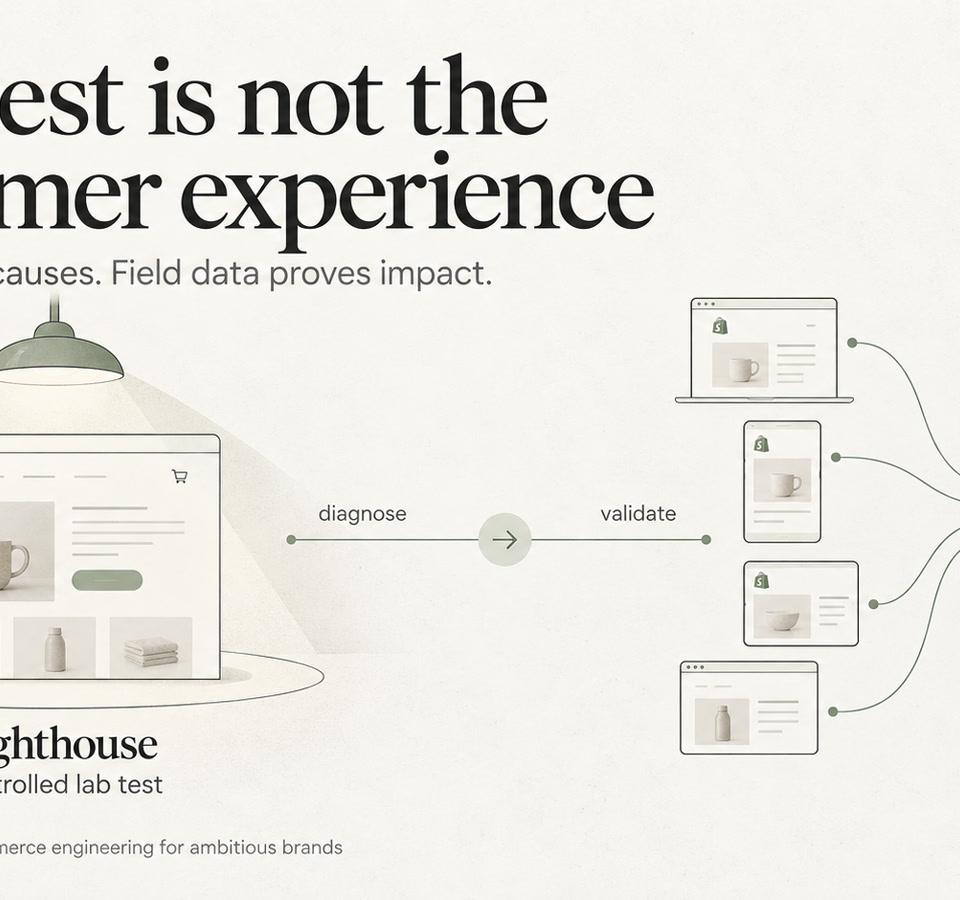
Shopify Lighthouse vs. Core Web Vitals: How to Interpret Conflicting Results
Understand why Shopify Lighthouse lab scores and real-user Core Web Vitals can disagree, and how to interpret both without confusing diagnostic scores with customer experience.