
How to Optimize for Voice Search: A Shopify Guide 2026
A practical Shopify guide to conversational query research, answer-first content, structured data, local discovery, mobile performance, and realistic measurement for voice-oriented search.

Published
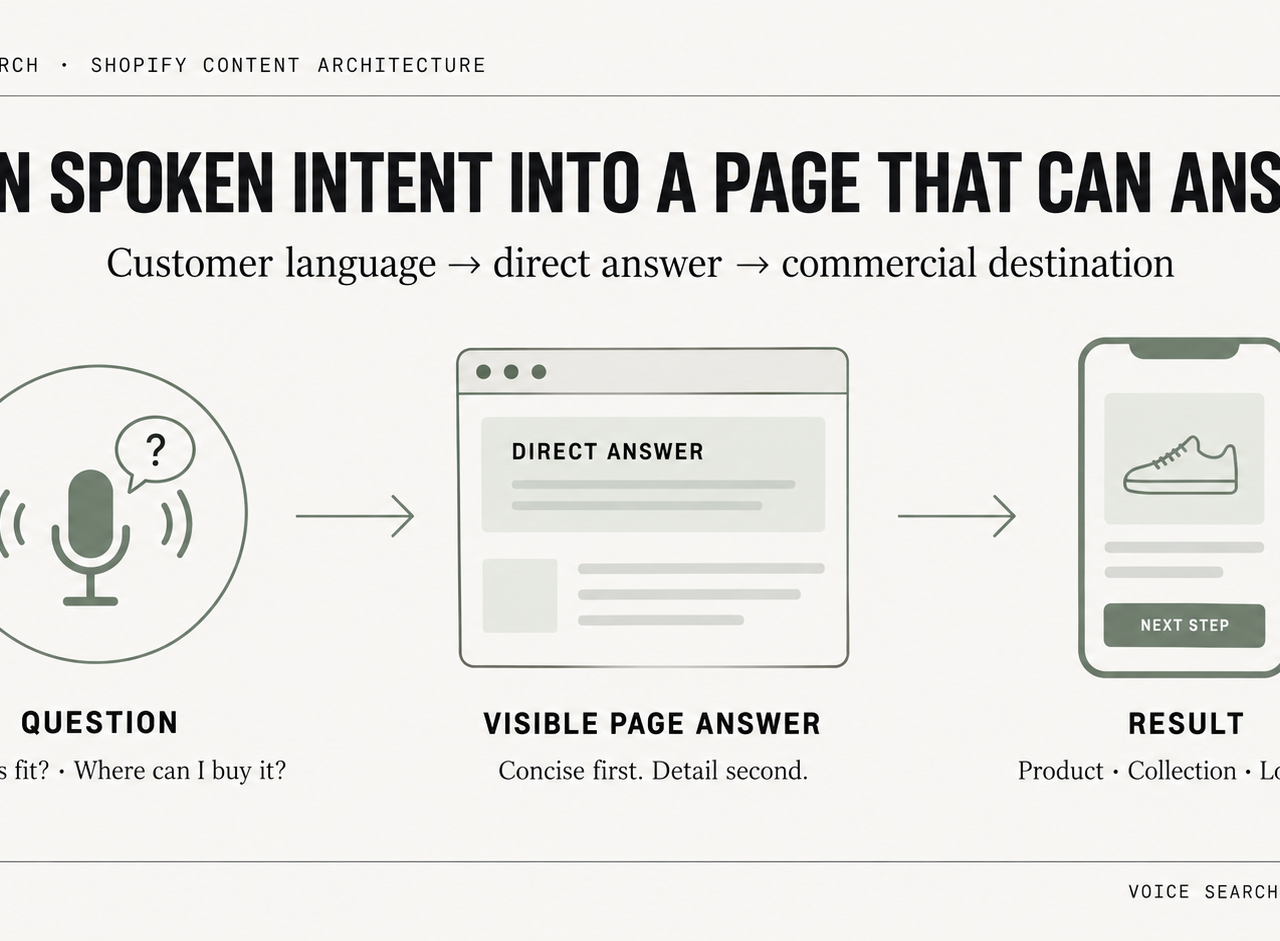
To optimize for voice search on Shopify, start with the questions customers already ask, answer those questions directly in visible page content, keep product and location information crawlable and consistent, use structured data to clarify entities rather than as a voice-ranking shortcut, and keep the relevant mobile templates fast. There is no separate Shopify “voice SEO” switch, and there is no clean universal GA4 channel that isolates voice searches.
For DTC brands, the commercial opportunities are specific. Shoppers ask where to buy a product nearby, whether an item is in stock, how to use it, how to compare variants, and how to fix a post-purchase problem. Support-heavy categories see this clearly. Apparel gets sizing and care questions. Beauty gets ingredient and usage questions. Home goods gets assembly and compatibility questions. Those are not vanity queries: they can influence conversion, returns, support demand, and local discovery.
The bigger mistake is treating voice search as a separate traffic channel with its own neat dashboard. It usually isn't. This voice search report by Keyword Kick is useful as a market snapshot, but the operational reality on Shopify is narrower. The practical goal is to make high-intent answers easy for shoppers and search systems to understand across ordinary search results, local surfaces, and assistant experiences—without pretending there is a special voice-only ranking formula.
Table of Contents
- Beyond the Hype What Voice Search Means for Shopify Brands
- The Conversational Keyword Research Framework
- Architecting Content for Voice-First Answers
- Implementing Voice-Ready Structured Data on Shopify
- Optimizing Speed and Local SEO for Voice Queries
- How to Track and Measure Voice Search ROI
- Frequently Asked Questions
Beyond the Hype What Voice Search Means for Shopify Brands
Voice search matters for Shopify brands when it aligns with buying intent or support intent. That usually means product discovery, local availability, and post-purchase guidance. It rarely means broad informational content with no path to revenue.
A lot of ecommerce teams overestimate the role of novelty and underestimate the role of structure. Conversational wording by itself is not a ranking strategy. A stronger page answers one clear question, demonstrates relevance through the surrounding product or location context, and is usable on mobile without unnecessary friction.
Revenue comes from narrow intents
For most stores, valuable voice-oriented queries fall into a few buckets:
- Local purchase intent: People ask where to buy a product nearby, whether a showroom is open, or which location carries a category.
- Product qualification: Shoppers ask whether a product fits, works with, includes, or compares to something else.
- Post-purchase friction: Customers ask how to assemble, clean, recharge, reset, or return an item.
- Reorder intent: Existing buyers ask for a specific product name, scent, size, or refill.
These aren't content marketing abstractions. They map directly to product page conversion, support deflection, and store visit intent.
Practical rule: If a question can't plausibly influence a sale, reduce support burden, or improve local discovery, it shouldn't sit at the top of the voice roadmap.
What doesn't work
Voice search optimization fails when brands do one of three things. They dump generic FAQs into an app block with weak copy. They hide key answers inside accordions loaded after render. Or they create blog posts that answer a question vaguely without tying the answer back to a product, collection, or location page.
Shopify makes this easier to fix than many teams assume. Online Store 2.0 sections, metafields, and native content blocks can hold structured content cleanly. The challeng isn't platform capability. The challenge is editorial discipline and technical implementation.
A serious program starts by identifying questions buyers already ask. That means using customer language, not invented SEO language.
The Conversational Keyword Research Frameworkm
Most keyword research workflows underperform for voice because they start in external tools and end in spreadsheets. A stronger method starts with the store's own customer language. That's where the highest-intent phrasing lives.
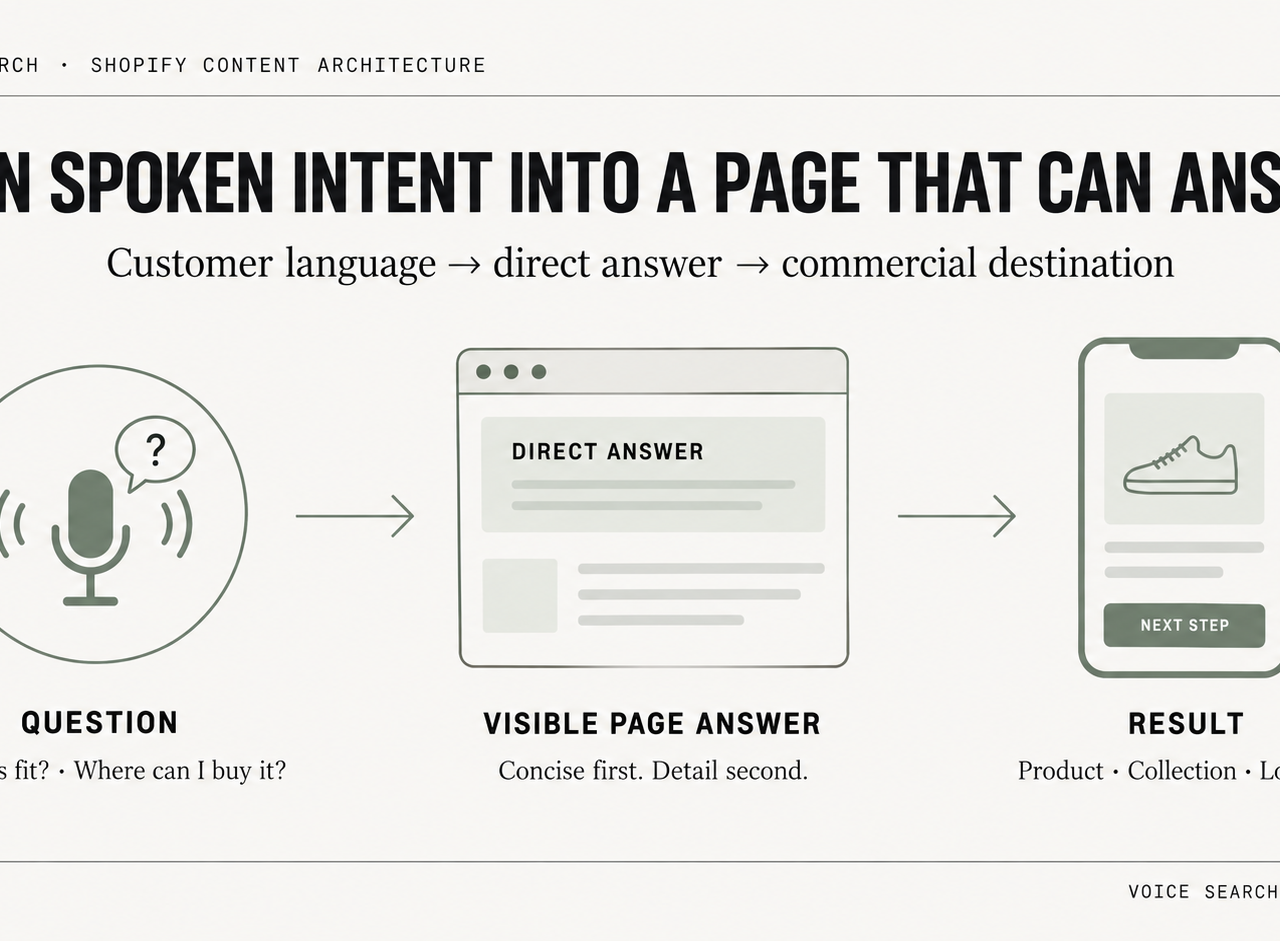
Industry guidance has moved well beyond basic long-tail targeting. The stronger approach combines conversational phrasing, schema, and localized content, while pages are structured to win featured snippets with direct answers first and supporting detail second, as outlined in Surefire Local's voice search guide. For ecommerce teams, that means research has to capture spoken intent in the language customers use.
Start with first-party language
Internal data sources beat generic keyword exports because they reflect real friction, real buying signals, and real product vocabulary.
The most useful inputs are:
- Customer support tickets: Pull subject lines and first-message text from Gorgias, Zendesk, or Help Scout. Look for repeated question stems such as “how do I,” “does this fit,” “can I use,” and “where can I buy.”
- On-site search logs: Search terms from Shopify search apps, Search & Discovery, or site-search analytics show what visitors expected to find but may not have found cleanly.
- Chat transcripts: Live chat reveals natural wording better than keyword tools do because people type the way they talk when they want immediate help.
- Review text and returns notes: These uncover pre-purchase objections and post-purchase confusion that can become snippet-worthy Q&A blocks.
- Sales and CX call notes: If a team has retail staff or wholesale reps, these notes often surface the exact language buyers use before a purchase.
This broader shift in user phrasing matters for teams adapting content from keyword-first SEO to query-first search behavior.
Sort queries by commercial value
Not every question deserves its own page. Some belong on product pages. Others belong on collection intros, store location pages, or support content.
A simple classification model works well:
| Query type | Typical wording | Best Shopify destination |
|---|---|---|
| Informational | how to clean, how to use, what size | Blog article, help center, PDP Q&A block |
| Navigational | where to buy, store hours, nearest location | Location page, contact page, Google Business Profile support content |
| Transactional | buy, order, available near me, best for | Product page, collection page, local landing page |
The quality filter is simple. If the query reflects a hesitation that blocks checkout, place the answer as close as possible to the product or location page. If it reflects onboarding or ownership friction, build support content that can rank and reduce ticket volume.
Teams often bury the most commercially valuable questions in help centers no buyer ever sees. Product qualification questions belong near the add-to-cart area, not three clicks away.
This framework produces cleaner inputs for content architecture. That's where voice performance is won or lost.
Architecting Content for Voice-First Answers
Voice-oriented content usually underperforms for a simple reason. Brands publish broad informational articles while the revenue-driving answers stay buried in tabs, app blocks, or support pages no buyer reaches before checkout.
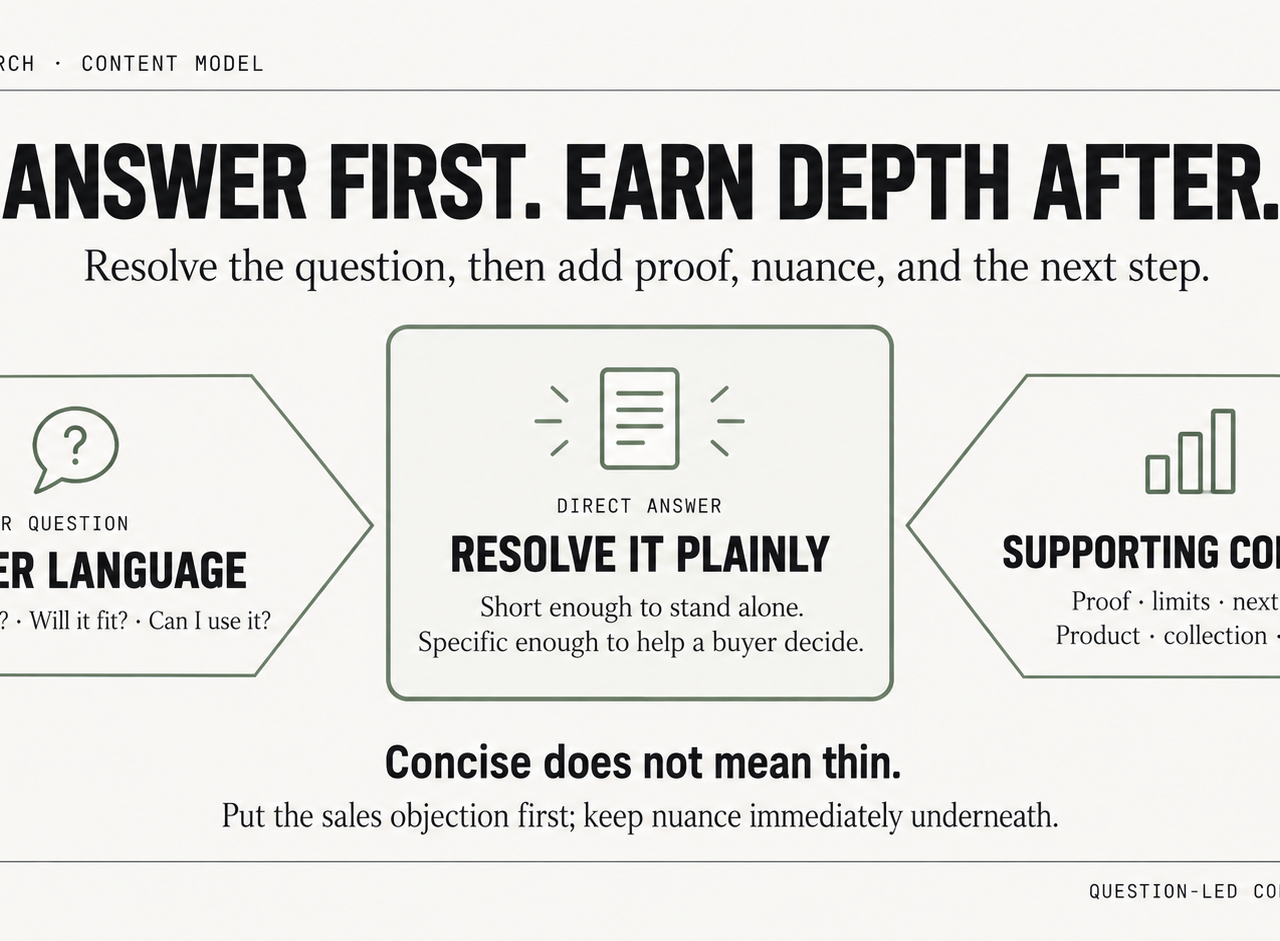
For Shopify stores, the goal is not to make every page sound conversational. The goal is to make high-intent answers easy for search systems to extract and easy for shoppers to act on. That usually means a concise answer near the top of the page, followed by supporting detail, product context, and a clear path to purchase.
Write the answer where it can drive action
Lead with the answer under a question-style heading. Keep the first response short enough to stand on its own. Then add the nuance buyers need before they convert.
That structure serves two jobs at once. The page presents a clear, extractable answer, and shoppers get the next layer of detail without hunting for it.
For Shopify content teams, a practical format looks like this:
- Use a question as an H2 or H3 that matches how buyers ask it.
- Answer it immediately in a short paragraph.
- Add bullets, steps, exceptions, or compatibility notes underneath.
- Place a relevant product, collection, or policy link near the answer if the question influences purchase intent.
Here's the difference in practice.
Weak product FAQ copy
“Choosing the right serum depends on many factors and skin types. There are several ingredients to consider, and customers should review the options carefully before making a final decision.”
Stronger voice-ready copy
“Niacinamide serum works best for oil control and visible pores. Hyaluronic acid serum works better for hydration. If skin is sensitive, start with the gentler formula and patch test before daily use.”
The second version is easier to understand as a standalone answer and gives the shopper a more useful basis for deciding what to buy.
Build answer blocks by page type
A voice-first content model should match the page's commercial role. The structure on a blog article should not be copied blindly onto a product page.
- Product pages: Add visible Q&A blocks for sizing, ingredients, compatibility, care instructions, shipping expectations, and common objections. Keep these in the HTML near the product form or below the main product content, not hidden behind delayed scripts.
- Collection pages: Open with a short answer to a selection question. Explain who the collection is for, how products differ, and what use case the collection covers.
- Support and editorial content: Use step-based layouts for setup, troubleshooting, care, and comparisons. Include direct references back to the products those answers support.
The trade-off is straightforward. A cleaner page layout often pushes teams toward accordions, tabs, and app-based FAQ widgets. That can help UX, but it also increases the chance that your highest-value answers load late, render inconsistently, or sit too far from the commercial content that matters.
I usually recommend a split approach. Put the top purchase-blocking answers in visible page copy. Move lower-priority detail into collapsible sections after that.
Keep answers concise, then earn depth
Short answers are useful. Thin content is not.
The first paragraph should resolve the question plainly. The rest of the section should add proof, edge cases, limitations, and buying guidance. On Shopify, that often means pairing a direct answer with material specs, variant notes, shipping cutoffs, return conditions, or usage instructions pulled from metafields and rendered directly in the template.
For teams refining this at scale, a Shopify technical SEO playbook for template and content architecture helps standardize how those answer blocks appear across PDPs, collections, and support pages.
A common failure point is writing content that sounds informative but never resolves the actual question. Buyers asking “Is this dishwasher safe?” or “Will this fit a 13-inch laptop?” do not need a brand paragraph. They need a direct answer, immediately, with any important condition right after it.
For Shopify, the strongest question-led content usually answers the sales objection first and explains the context second.
That structure makes the answer easier to interpret while also removing friction before checkout.
Implementing Voice-Ready Structured Data on Shopify
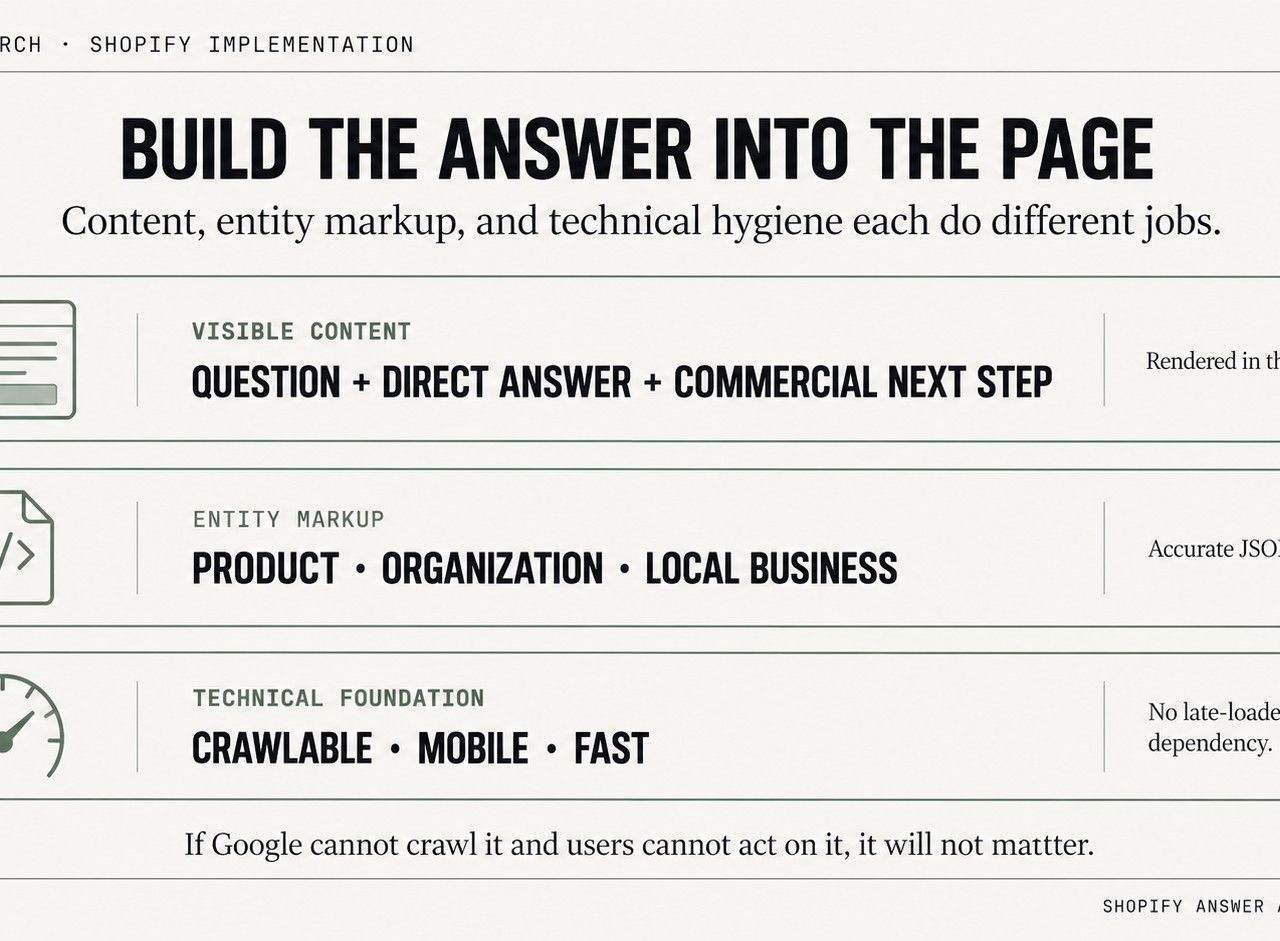
Structured data can clarify what a Shopify page represents, but it is not a voice-search ranking shortcut and it does not guarantee that an assistant will cite or read a page. JSON-LD is still a clean way to express product, organization, and location entities when the markup matches the visible content.
Choose schema that maps to buyer questions
For most stores, start with schema that represents the real commerce entities on the page:
- Product for product identity, offers, availability, and supported descriptive attributes.
- Organization or the appropriate business entity markup for the merchant itself.
- LocalBusiness on genuine location pages when a brand operates physical stores or showrooms.
- FAQPage or HowTo only when those structures accurately describe visible content and are useful to downstream systems.
A key 2026 caveat: valid schema vocabulary is not the same thing as guaranteed Google rich-result eligibility, and neither FAQ nor HowTo markup creates a special voice-search boost. Use structured data for accurate entity clarification, not to manufacture a search feature.
Shopify's official developer documentation is the right reference point for theme architecture, Liquid rendering, metafields, and section-based implementations. Teams should also validate how schema is injected so duplicate entities aren't created by apps and theme code at the same time.
Add JSON-LD in the right Shopify layer
There are three practical implementation paths on Shopify:
| Method | Best use case | Trade-off |
|---|---|---|
| Theme file edit | Stable site-wide schema logic | Requires developer review on theme updates |
| Section or snippet render | Reusable PDP or article components | Easier to maintain, but can drift if copied inconsistently |
| Metafield-driven output | Merchant-manageable FAQs and local data | Strong flexibility, needs careful Liquid conditions |
For stores on Online Store 2.0, metafields are usually the cleanest solution. Product-specific FAQs can live in product metafields, then render both visibly on the page and in JSON-LD. Shopify documents metafields and theme rendering clearly in its official docs, and that's the safest pattern for long-term maintainability.
A technical resource that covers broader structured data and commerce entity implementation on Shopify is this Shopify technical SEO playbook. It's useful for teams deciding what should live in theme code versus merchant-editable data.
Example FAQPage schema for a product page
This is a valid semantic pattern when the questions and answers are visible on the page and specific to the product. It should not be implemented solely in expectation of a Google FAQ rich result or voice-assistant inclusion.
<script type="application/ld+json">
{
  "@context": "https://schema.org",
  "@type": "FAQPage",
  "mainEntity": [
    {
      "@type": "Question",
      "name": "Does this bottle fit standard car cup holders?",
      "acceptedAnswer": {
        "@type": "Answer",
        "text": "Yes. The bottle is designed to fit most standard car cup holders. Buyers should still check the base diameter against smaller console inserts."
      }
    },
    {
      "@type": "Question",
      "name": "Is this bottle dishwasher safe?",
      "acceptedAnswer": {
        "@type": "Answer",
        "text": "The lid should be hand washed. The bottle body can be washed according to the care instructions shown on the product page."
      }
    }
  ]
}
</script>
In Shopify, this usually belongs in a product template snippet rendered only when FAQ metafields exist.
Example LocalBusiness schema for store locations
Brands with showrooms or retail partners should create dedicated location pages, not just a generic contact page.
<script type="application/ld+json">
{
  "@context": "https://schema.org",
  "@type": "LocalBusiness",
  "name": "{{ shop.name }}",
  "url": "{{ shop.url }}",
  "telephone": "{{ shop.phone }}",
  "address": {
    "@type": "PostalAddress",
    "streetAddress": "{{ page.metafields.location.street }}",
    "addressLocality": "{{ page.metafields.location.city }}",
    "addressRegion": "{{ page.metafields.location.region }}",
    "postalCode": "{{ page.metafields.location.postal_code }}",
    "addressCountry": "{{ page.metafields.location.country }}"
  }
}
</script>
The implementation detail matters. Don't hardcode data in multiple templates. Put location attributes in page metafields or metaobjects, then render a single canonical source of truth across visible content and schema.
Schema doesn't rescue weak content. It can clarify entities and relationships, but it cannot create relevance or guarantee a search or assistant feature.
After deployment, validate rendered markup and compare theme output against any SEO app already injecting schema. Duplicate or conflicting entities are common on Shopify, especially after migrations or app churn.
Optimizing Speed and Local SEO for Voice Queries
The same weaknesses that hurt mobile search and conversion also weaken voice-oriented discovery: slow templates, weak location pages, and inconsistent store data. If a page loads poorly or the local entity is unclear, it is a weaker candidate for search experiences that need a fast, trustworthy answer to queries such as “where can I buy this near me” or “is this store open now.”
For Shopify merchants, speed work should start with templates that influence buying decisions, not vanity pages. Collection pages, product pages, store locator pages, and local landing pages carry the most commercial weight for voice-driven discovery.
Speed decides whether the page can compete
In our Shopify audits, the recurring problems are predictable. Third-party app scripts firing site-wide, oversized hero media, themes carrying old code from prior app installs, and FAQ content injected after load instead of rendered in the initial HTML.
The fixes that usually produce measurable gains are straightforward:
- Remove unused app code: Audit
theme.liquid, app embeds, and leftover snippets from uninstalled apps. - Control script scope: Load review widgets, upsells, and personalization scripts only on templates that need them.
- Reduce media weight: Resize collection banners and homepage assets so they do not compete with transactional templates for bandwidth.
- Render answer content early: Keep store hours, pickup details, and common Q&A in the server response, not hidden behind late JavaScript.
On Shopify, this often means editing theme architecture, not just compressing images. A fast homepage does not help much if the location page or PDP still performs poorly on mobile. If you need a technical implementation path, this guide to Shopify speed optimization and Core Web Vitals covers the theme, script, and rendering work that supports mobile usability, conversion, and broader organic search performance. Core Web Vitals are not a standalone “voice ranking factor.”
Local signals decide whether the answer is relevant
A retail brand needs more than a contact page. It needs location pages that can rank, answer local intent, and convert the visit into a store action.
Each location page should include:
- Unique store details: Address, phone, hours, holiday exceptions, and available services
- Store-specific buying info: In-store pickup, fittings, consultations, repairs, or product categories stocked locally
- Local proof: Neighborhood references, parking or transit details, and service area notes where relevant
- Consistent entity data: Visible business details that match Google Business Profile and the page's schema markup
Our audits show many ecommerce teams overfocus on product Q&A while underinvesting in store locator quality. That is a revenue mistake for brands with physical locations. A shopper asking a voice assistant for nearby availability is often closer to purchase than someone asking a top-of-funnel product question.
One implementation detail matters more than teams expect. Do not generate all store pages from a thin template with only the city name swapped out. On Shopify, use metaobjects or page metafields to store location-specific content, then render real details per store. That gives search engines cleaner local signals and gives users the information they need to visit, call, or place a pickup order.
How to Track and Measure Voice Search ROI
There is no clean “voice search” traffic report in GA4, and that gap causes bad decision-making. Teams either claim wins they can't prove or dismiss voice entirely because they can't isolate a channel. Both views miss how search behavior works.
A more grounded view is that measurement is usually indirect. Many guides explain content tweaks and schema but stop short of showing how to tell whether voice optimization is working, especially because assistants can surface answers without a visible click path. In practice, the KPI is often indirect discovery through featured snippets and local packs, as noted in Semrush's discussion of voice search measurement.
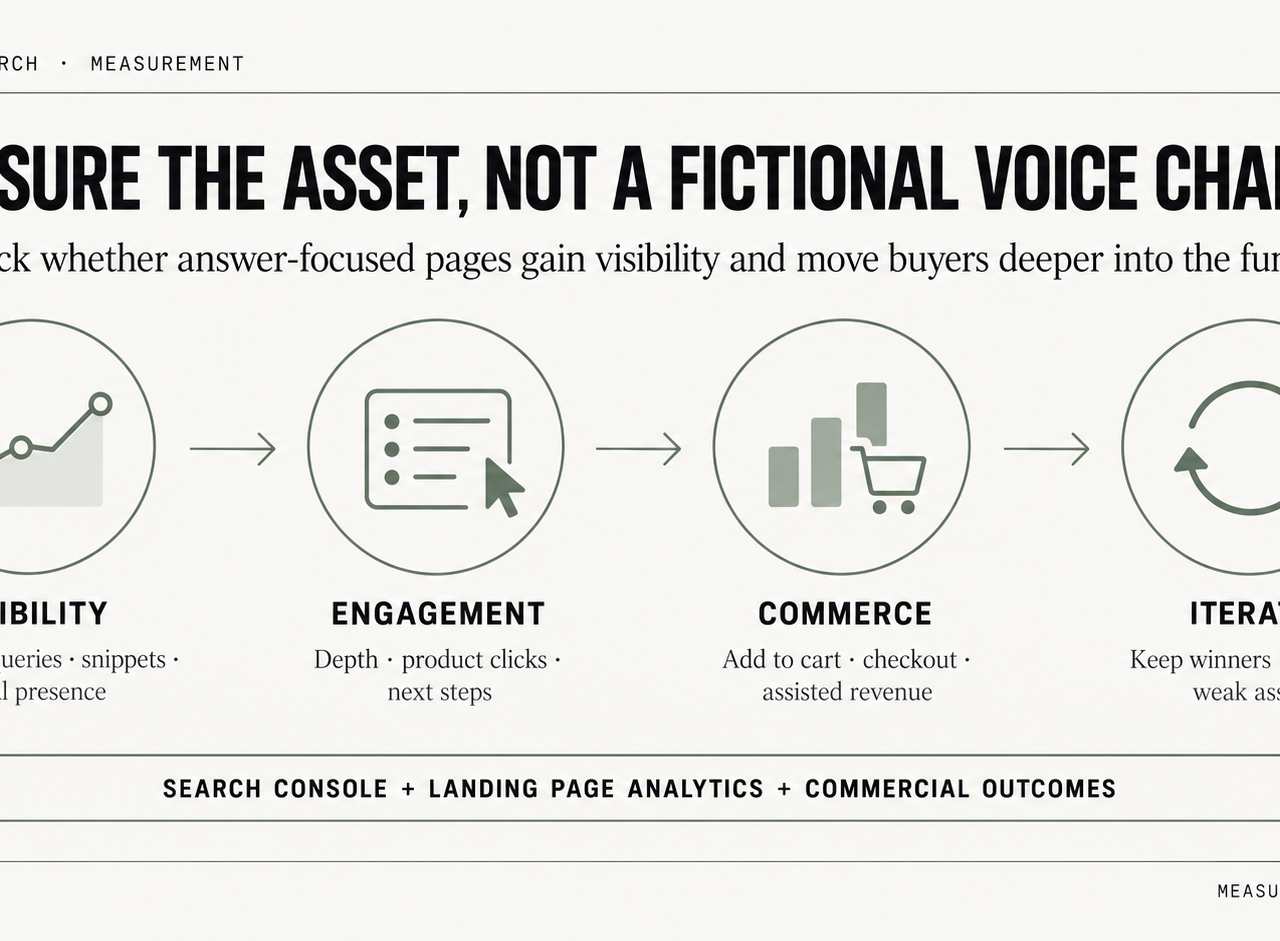
Track assets, not a fictional channel
The practical approach is to measure the pages and SERP features built around question-led, local, and support-oriented search intent rather than pretending there is a voice-only analytics channel.
A workable asset list includes:
- Question-led PDP sections
- FAQ pages
- How-to articles
- Location pages
- Collection intros built around buyer questions
Then monitor them through three lenses.
First, use Google Search Console to review question-based queries. Filter for who, what, where, when, why, and how phrasing, then compare impressions, clicks, and average position over time.
Second, monitor featured snippet ownership for priority queries in a rank-tracking platform. This isn't perfect attribution, but it's one of the closest operational proxies available.
Third, segment GA4 landing page performance for the pages built or revised for voice-oriented intent. Look for changes in engaged sessions, assisted conversion paths, and downstream ecommerce actions.
Build a practical reporting model
A voice ROI report for Shopify should be simple enough to survive monthly review. It doesn't need a speculative model.
A useful framework looks like this:
| Layer | Metric focus | Why it matters |
|---|---|---|
| Visibility | Featured snippets, local pack presence, question-query impressions | Shows whether search systems are surfacing the content |
| Engagement | Landing page engagement, scroll depth, internal clicks to products | Indicates whether the answer leads users deeper into the funnel |
| Commerce | Add-to-cart sessions, checkout starts, assisted revenue from optimized pages | Ties visibility work back to buying behavior |
Analytics teams that want cleaner attribution often need event design and reporting discipline more than another SEO tool. An analytics implementation partner can assist with this. One option is Shugert's analytics and AI work, which focuses on tracking and reporting infrastructure for Shopify.
If reporting starts with “voice traffic,” it usually ends in guesswork. If reporting starts with answer-focused assets, teams can make decisions.
That mental shift matters. The store doesn't need a vanity metric. It needs evidence that answer-ready pages create qualified discovery and support revenue.
Frequently Asked Questions
Does a Shopify store need a voice search app
Usually not. Most stores can implement the important work through theme edits, metafields, structured data, and content changes. Apps may help manage schema at scale, but they also create duplication and code bloat if the theme already outputs markup.
Should FAQs live on separate pages or product pages
Both can work. Product-specific questions belong on the product page because that's where they influence conversion. Broader questions such as care, setup, compatibility across a category, or store policies may deserve standalone pages.
How long does it take to see results
There is no clean timetable for “voice-search results” because the work is usually part of broader organic and UX improvement. Watch question-query coverage, eligible search features, local discovery, and the commercial performance of the pages you changed rather than waiting for a voice-only traffic spike.
Does voice optimization replace traditional SEO
No. It is a way of applying traditional SEO and UX principles to conversational, question-led intent. The same work should still be judged by ordinary technical quality, relevance, crawlability, and commercial usefulness.
What's the biggest mistake Shopify brands make
They publish vague FAQ content that isn't tied to products, locations, or support outcomes. The answer has to be specific, visible, and technically understandable. If it cannot stand on its own as a useful answer, it is poorly structured for conversational discovery regardless of whether the query is typed or spoken. Shugert helps established Shopify and Shopify Plus brands clean up the technical issues that block organic growth, mobile performance, and conversion. For teams that need struct
Keep exploring this topic
Deeper references from the Shugert library and the service that turns this work into a fixed scope.
Related resources
- SEOThe Shopify Technical SEO PlaybookTechnical SEO on Shopify is different from WordPress. Here's the audit checklist we run on every Shopify and Shopify Plus store: indexation, schema, Core…
- PerformanceMoving Core Web Vitals on Shopify: LCP, INP & CLS in 2026What actually moves LCP, INP and CLS on a real Shopify store. For the broader speed framework, see our Shopify Performance Optimization Guide.
Related services
Keep reading
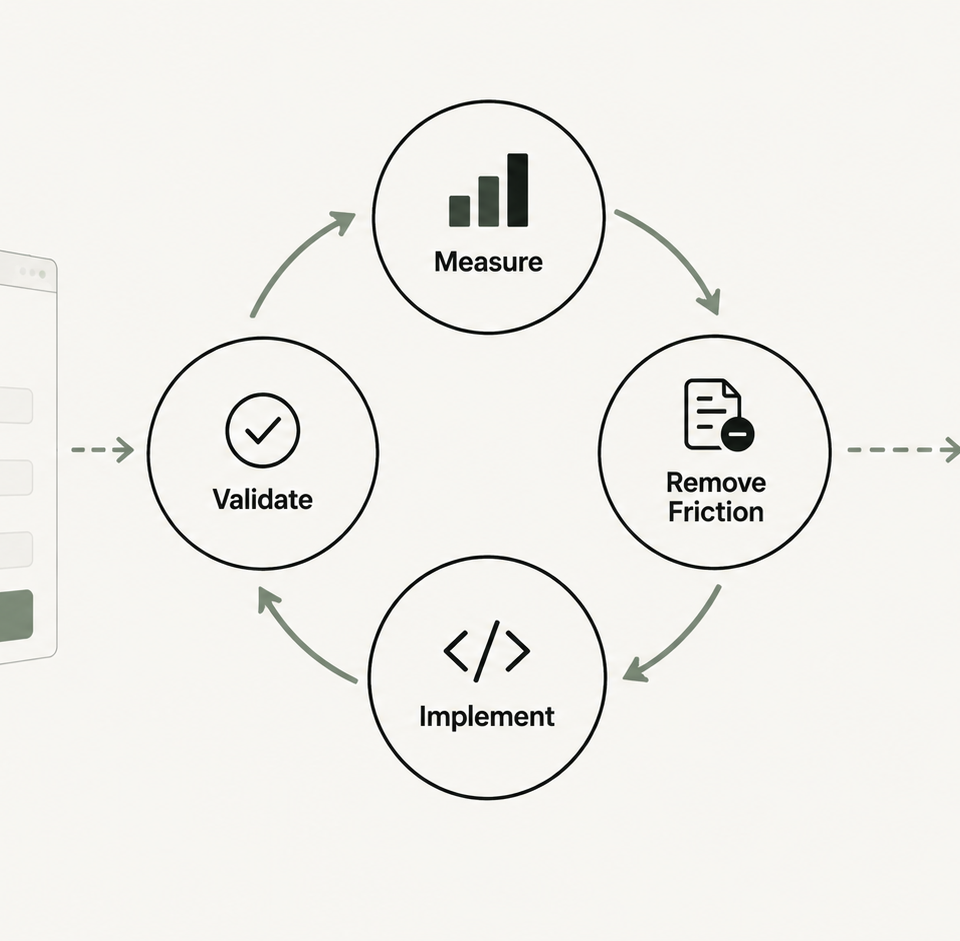
Shopify Checkout Optimization: Playbook for 2026
A measurement-first checkout playbook for established Shopify and Plus brands: instrument the funnel, diagnose friction, prioritize by impact and risk, and implement on the supported surface.
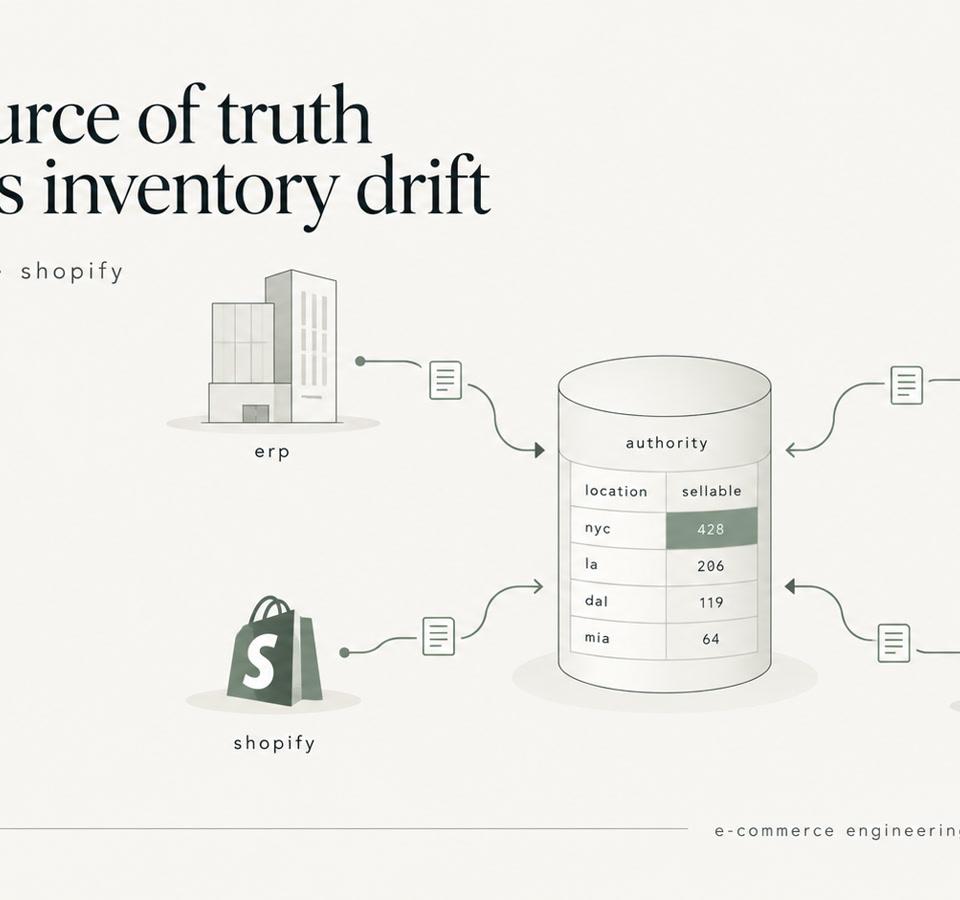
Shopify Inventory Sync: ERP, WMS, 3PL, and the Source of Truth
Shopify inventory sync explained for enterprise catalogs. Learn how to design ERP, WMS, and 3PL integrations that prevent race conditions and stock drift.
Shopify Theme Architecture in 2026: When Liquid Should Win Over JavaScript
JavaScript is essential for interaction, but many Shopify themes ask it to do work that Liquid and HTML can deliver earlier, more reliably and with less main-thread cost.