
Shopify App Development Services: A 2026 Guide for Brands
A decision guide for established Shopify brands evaluating whether to buy an app, simplify the current stack, or build custom software for a durable business workflow.

Published
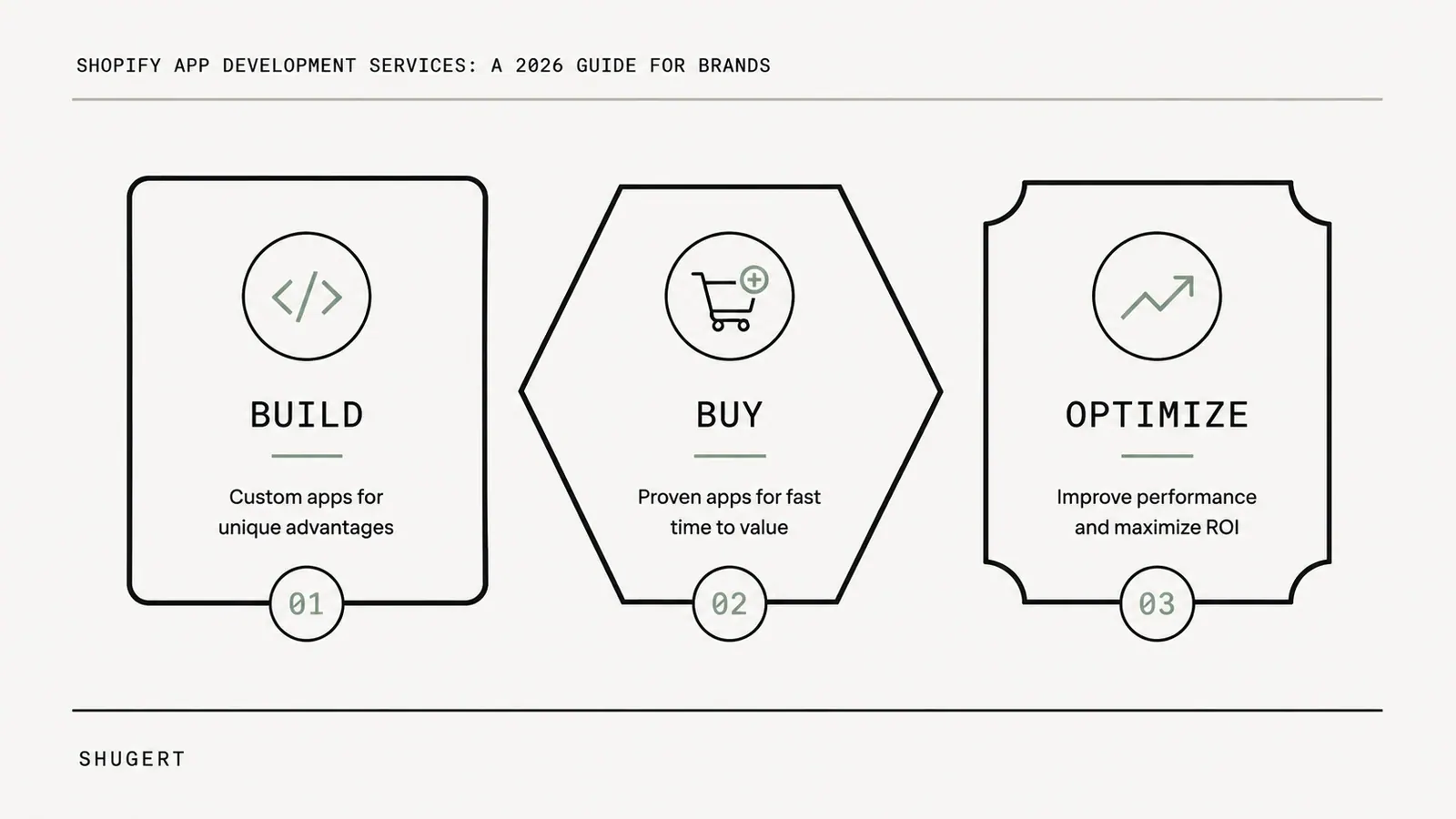
Shopify app development services cover the planning, architecture, engineering, testing, deployment, and ongoing maintenance of software that extends how a Shopify store operates. For established brands, the important question is not simply whether a custom app can be built. It is whether the business should buy an existing product, optimize the current stack, or build custom software at all.
A profitable Shopify store can still feel fragile. Traffic is growing, orders are moving, and the catalog is live, yet teams keep working around the same gaps: one app handles subscriptions, another patches inventory logic, a third manages bundles, and a fourth exports data because the rest of the stack does not communicate cleanly.
That is usually when brands start evaluating Shopify app development services. The goal should not be to add more software. It should be to remove workarounds, reduce operational risk, and build only what the business genuinely needs.
Table of Contents
- What Are Shopify App Development Services?
- When to Consider Shopify App Development Services
- The Core Decision: Build, Buy, or Optimize
- Shopify App Architecture: Choose the Right Layer
- Shopify App Development for Shopify Plus Brands
- Technical Hallmarks of a Professional App Build
- The End-to-End Development Process
- Budgeting and ROI for Custom App Projects
- Choosing a Shopify App Development Partner
- Frequently Asked Questions
What Are Shopify App Development Services?
Shopify app development services help a merchant design and operate software that solves a store-specific workflow, integration, or platform limitation. Depending on the requirement, that software may be:
- a custom Shopify app built for one merchant or business group;
- an embedded admin app used by internal teams;
- middleware connecting Shopify with an ERP, PIM, WMS, 3PL, CRM, or pricing system;
- a customer-facing portal, configurator, or specialized account experience;
- or platform-native logic built through Shopify extension points instead of a conventional standalone application.
The strongest development teams do not begin with code. They begin by asking whether custom software is actually the lowest-complexity way to solve the business problem.
That distinction matters because Shopify already has a large commercial app ecosystem. Uptek's Shopify App Store statistics provides a useful running view of that ecosystem, but app counts and usage statistics change continuously; the strategic takeaway is more durable than any single number. There is often an existing product for a common requirement, which means a custom build needs a stronger business case than “we want more control.”
When to Consider Shopify App Development Services
Most merchants do not need a custom app for a standard merchandising or marketing task. Custom development becomes valuable when the store starts to outgrow the assumptions built into off-the-shelf products.
Common triggers include:
- Complex pricing logic: contract pricing, B2B tiers, customer-specific catalogs, market-specific rules, or approval flows.
- Inventory coordination: multiple locations, external warehouses, preorder logic, manufacturing constraints, or availability rules that must reconcile several systems.
- ERP, PIM, WMS, and 3PL integrations: data must move reliably between systems with different ownership rules, identifiers, and update timing.
- Post-purchase operations: order routing, fraud review, fulfillment exceptions, service-ticket creation, or ERP synchronization.
- Retention mechanics: memberships, subscriptions, loyalty, or account experiences that generic products cannot model cleanly.
- Internal operations: staff repeatedly export spreadsheets, re-enter records, reconcile systems, or manually correct predictable exceptions.
A custom build is justified when a repeatable process creates revenue, protects margin, or reduces operational risk, and standard apps force teams to work around it every day.
There is an equally important opposite case: a merchant asks for an app, but the real problem lives in theme code, Shopify configuration, an existing app setup, or process design. Shopify's own overview of apps and custom apps is useful because it reinforces that custom apps exist for merchant-specific needs; they are not the default answer to every gap.
For an established store, app development is a business-systems decision, not a feature request.
The Core Decision: Build, Buy, or Optimize
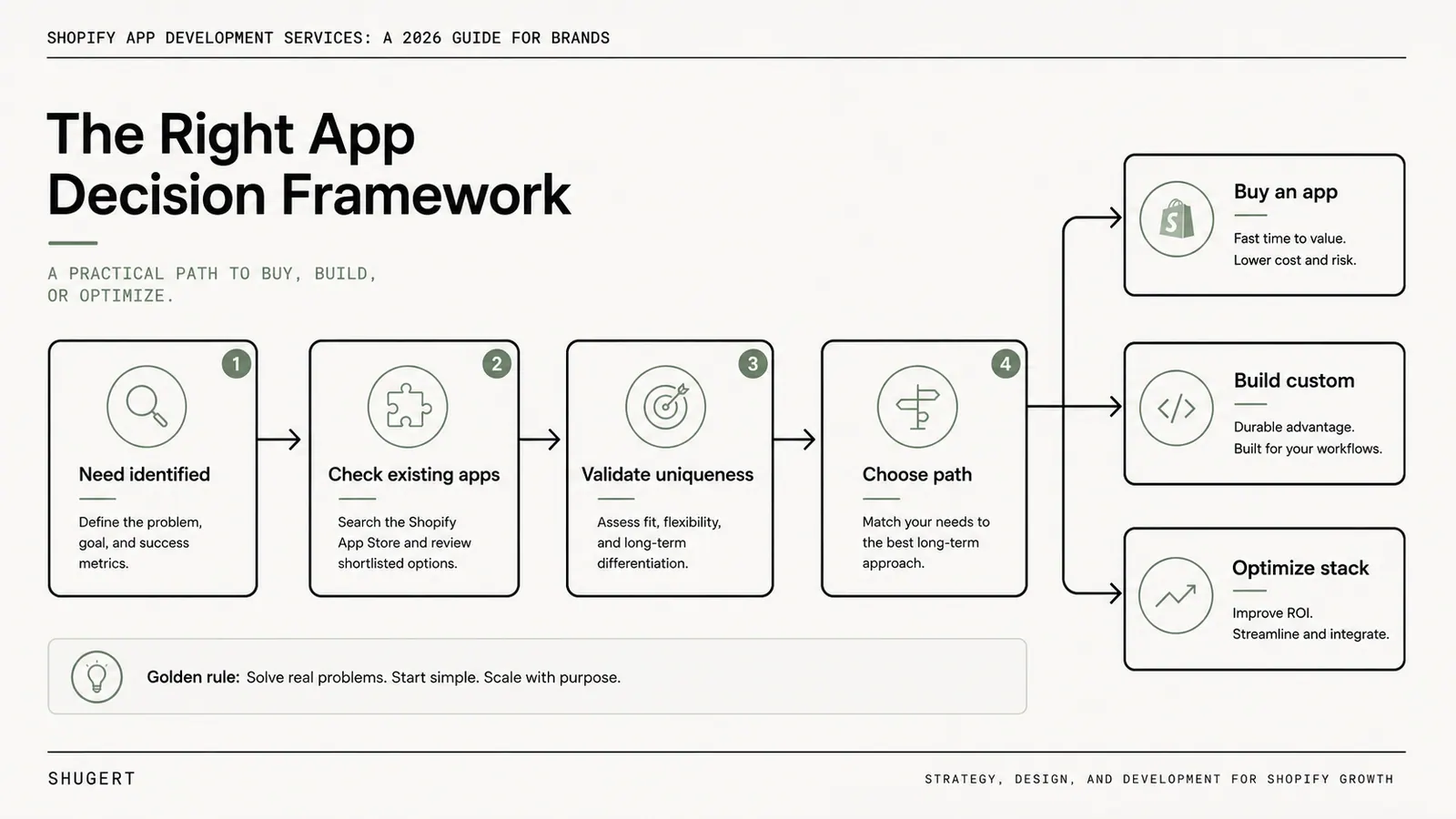
The first useful question is:
What is the lowest-complexity solution that reliably solves the problem?
A build-versus-buy framework is common across software categories. The ownership tradeoff is straightforward: custom systems create control, but they also create lifecycle responsibility. Inside Shopify, the same principle applies.
Buy when the problem is common
A public app is usually the right answer when the workflow is standard and the merchant gains little advantage from reinventing it. Reviews, search, returns, many subscription use cases, and common loyalty mechanics often fit this category.
Buying is strongest when:
- speed matters more than differentiation;
- the category is mature and multiple credible vendors exist;
- the merchant wants the vendor to own maintenance and product evolution;
- and the workflow is necessary but not strategically unique.
The buying decision becomes weaker when the product creates awkward admin workflows, conflicts with other tools, imposes hard data limits, or forces staff into recurring exports and manual correction.
Optimize when the stack is overbuilt
Optimization is the most overlooked choice. Many stores ask for app development when they actually need to remove an app, consolidate overlapping tools, move logic into Shopify's native capabilities, or clean up a workflow.
Optimization is often right when:
- the issue exists only at the storefront layer;
- an existing app can already handle the requirement after proper configuration;
- multiple apps duplicate the same job;
- Shopify has replaced an older workaround with a native capability;
- or the business is paying an ongoing technical-debt tax from stacking tools over time.
If a requirement can be handled with the platform's supported extension layer, custom application infrastructure may be unnecessary. Discount, validation, delivery, and payment customizations are examples where teams should review Shopify Functions implementation patterns before approving a larger app build.
Build when the workflow is unique and durable
Custom app development earns its keep when the process is specific to the business, repeated often, commercially important, and difficult to support through generic software.
Examples include customer-specific B2B pricing, manufacturing-aware product configuration, specialized order approvals, complex routing rules, or back-office automation coordinating several internal systems.
A custom build usually makes sense when all three conditions are true:
- The bottleneck is defined. There is a measurable operating problem, not a vague feature wish list.
- The problem is persistent. The workflow will still matter after the current campaign or season ends.
- The merchant is prepared to own the lifecycle. Hosting, monitoring, updates, QA, incident response, and future Shopify changes are part of the project.
| Decision path | Best fit | Main upside | Main risk |
|---|---|---|---|
| Buy | Common commerce need | Fast deployment | Limited flexibility |
| Optimize | Duplicated or overbuilt stack | Lower complexity | May not solve a unique workflow gap |
| Build | Unique, durable business workflow | Exact fit and control | Ongoing ownership burden |
The strongest Shopify app development teams reduce complexity first and build only where the business case survives that exercise.
Shopify App Architecture: Choose the Right Layer
A merchant can correctly decide to build custom software and still choose the wrong architecture. “Custom app” is not a single technical pattern.
Public vs. custom apps
A public app is built for repeated use across many merchants. Its roadmap has to balance compatibility, support, different themes, different catalogs, and broad product requirements.
A custom app is built for one merchant or one business group. Its data model, permissions, workflows, and releases can be optimized for that specific business.
| Characteristic | Public app | Custom app |
|---|---|---|
| Audience | Many merchants | One merchant/business group |
| Product design | Standardized | Workflow-specific |
| Roadmap | Vendor priorities | Merchant business case |
| Maintenance | Shared through vendor | Owned as a software asset |
| Flexibility | Bounded by product | Bounded by architecture and Shopify APIs |
Embedded, middleware, headless, and platform-native patterns
An embedded admin app is often the best fit for internal workflows: order review, merchandising controls, approvals, account operations, or exception handling. Staff use it where they already work.
Middleware is often the better pattern when the main job is to coordinate Shopify with external systems. The user interface may be minimal or nonexistent; reliability, queueing, reconciliation, and observability matter more than visual polish.
A headless or external application makes sense when the workflow belongs outside Shopify admin: customer portals, field-sales tools, configurators, or experiences that need their own interface and deployment lifecycle.
Some requirements do not need a full app at all. Shopify Functions, theme app extensions, checkout extensions, and other supported extension points can keep custom logic closer to the platform and reduce infrastructure ownership.
Data collection can also sit outside Shopify. If the requirement is public market intelligence or external web-data collection, a service such as Scrapfly's web data platform may belong in the broader commerce architecture without becoming a Shopify app project.
The right architecture puts custom code only where it creates a clear operational or financial return.
Shopify App Development for Shopify Plus Brands
Shopify Plus brands encounter custom-development needs earlier because their operations are usually more complex: larger catalogs, B2B, multiple markets, more integrations, specialized checkout or account workflows, and higher order volume.
Common Shopify Plus scenarios include:
- coordinating Shopify with ERP, PIM, WMS, or 3PL systems;
- customer-specific B2B workflows and account logic;
- complex pricing, inventory, and product rules;
- specialized order routing and post-purchase automation;
- internal tools for merchandising, support, fulfillment, or finance;
- platform-native extensions where business logic exceeds theme customization;
- and migration projects where legacy functionality must be redesigned rather than recreated app-for-app.
Plus does not automatically mean custom apps are necessary. The architecture still needs to map to the actual business requirement.
For brands replatforming, custom app requirements should be reviewed during migration architecture rather than as an afterthought. A migration is the right moment to decide which legacy customizations should be rebuilt, replaced by native Shopify capabilities, consolidated, or retired. The broader replatforming considerations are covered in our Shopify Plus migration guide.
Technical Hallmarks of a Professional App Build
A store launches a promotion, order volume spikes, and an app that looked stable in staging starts duplicating actions, missing updates, or timing out. That is rarely “just traffic.” It is usually architecture and operational discipline being tested for the first time.
A serious build treats the app as part of the merchant's operating system. The framework matters less than the engineering practices behind it.
Authentication and permissions
OAuth/session handling, HMAC verification where applicable, minimal scopes, token storage, and uninstall/reconnect behavior should be designed deliberately. The current Shopify app requirements checklist is the baseline, not an optional launch-week read.
Webhooks, retries, and idempotency
Webhook-driven systems need verification, retry strategy, idempotent handlers, dead-letter/recovery thinking, and monitoring. Shopify's webhooks guidance should inform the implementation rather than a one-off webhook tutorial.
Data ownership and secure storage
The team should be able to explain what data is stored outside Shopify, why it is needed, how long it is retained, who can access it, and what happens when a store uninstalls or a user loses access.
API behavior and versioning
Production systems need to account for API limits, pagination, bulk operations, eventual consistency, dependency failures, and Shopify API version changes. A working demo does not prove a system can survive a large catalog update or campaign spike.
Observability and failure recovery
Logs, alerts, queues, retry visibility, health checks, and rollback procedures are business features when an integration touches orders or inventory.
| Technical concern | Merchant consequence |
|---|---|
| Auth and request verification | Prevents invalid access or actions |
| Install/uninstall/reconnect flows | Avoids broken onboarding and orphaned state |
| Webhooks with retries + idempotency | Prevents duplicate actions and sync drift |
| Secure token/data storage | Reduces exposure and permission risk |
| Load and queue testing | Lowers peak-event failure risk |
| Logging and alerts | Makes failures visible before support discovers them |
If a development partner cannot explain how the app fails, it probably has not operated enough production systems.
The End-to-End Development Process

Custom app projects often fail before the production code is wrong. They fail because the business problem, ownership boundaries, and failure modes were never made explicit.
A disciplined process has four stages.
1. Discovery
Document the current workflow, systems involved, handoffs, exceptions, staff effort, failure cost, and what success would look like. Discovery should be able to stop the project if buying or optimizing is better.
2. Architecture
Define system boundaries, data ownership, permissions, integration paths, queue/retry strategy, hosting, observability, and how Shopify platform capabilities fit into the solution.
3. Build and QA
Implementation should include happy-path and failure-path testing: install/reconnect, webhook retries, duplicate events, external API outages, permissions, real catalog sizes, bulk jobs, and rollback behavior.
4. Operate
Launch is the beginning of ownership. Monitoring, incident handling, dependency updates, Shopify version reviews, performance work, and controlled iteration need named owners and budget.
For established brands, app development is often only one layer of a broader solution. Custom Shopify solutions for established brands may combine app development, Shopify Functions, theme engineering, integrations, and process redesign under one architecture.
The client should leave the project knowing exactly what it owns: source code access, infrastructure, credentials, monitoring, documentation, support responsibilities, and future maintenance.
Budgeting and ROI for Custom App Projects
There is no useful universal price for “a Shopify app.” A narrow internal utility and a revenue-critical ERP integration are not comparable projects.
The more useful budgeting question is:
What problem is expensive enough, frequent enough, and durable enough to justify owning software?
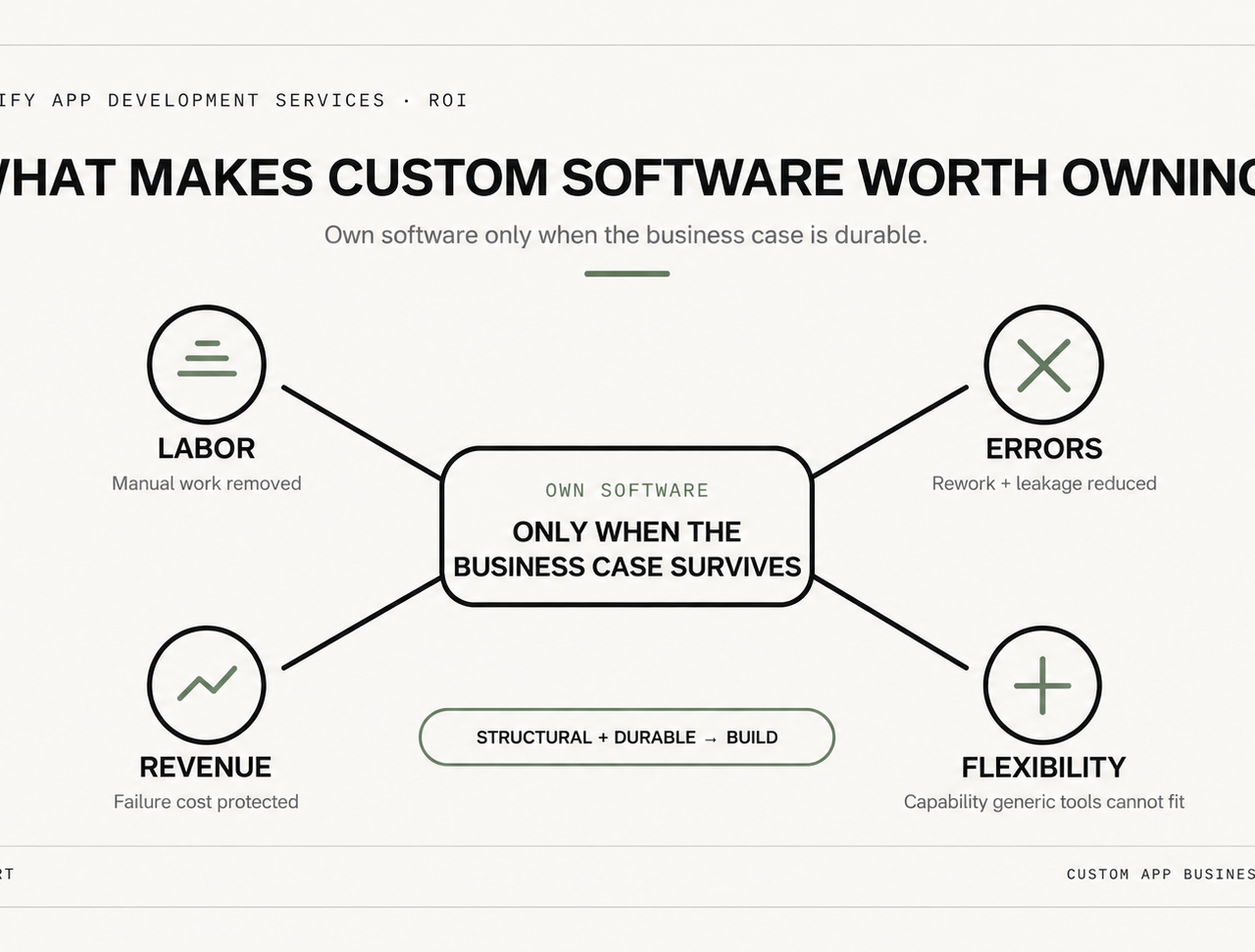
Build the investment case around four value buckets:
- Labor reduction: how much repeated manual work disappears?
- Error reduction: what rework, margin leakage, or support cost is caused by predictable mistakes?
- Revenue protection: what happens when inventory, pricing, checkout-adjacent logic, or order routing fails at a high-volume moment?
- Strategic flexibility: does the business gain a capability generic apps cannot support without recurring compromise?
| ROI question | Why it matters |
|---|---|
| Is the workflow core to operations? | Core workflows justify deeper ownership |
| Does the problem recur daily or weekly? | Frequent pain compounds cost |
| Can complexity be removed instead? | Simpler solutions often outperform custom builds |
| What happens financially when it fails? | Failure cost establishes the value ceiling |
| Will the app still matter next year? | Durable use cases justify maintenance |
Shopify's Partner economics also influence the ecosystem of agencies and product developers. The current terms change over time, so instead of hard-coding revenue-share percentages or registration fees here, verify them in Shopify's official app revenue and Partner policy documentation. The relevant merchant takeaway is that custom software ownership includes more than the initial build: maintenance, platform changes, monitoring, and controlled iteration all belong in total cost of ownership.
Choosing a Shopify App Development Partner
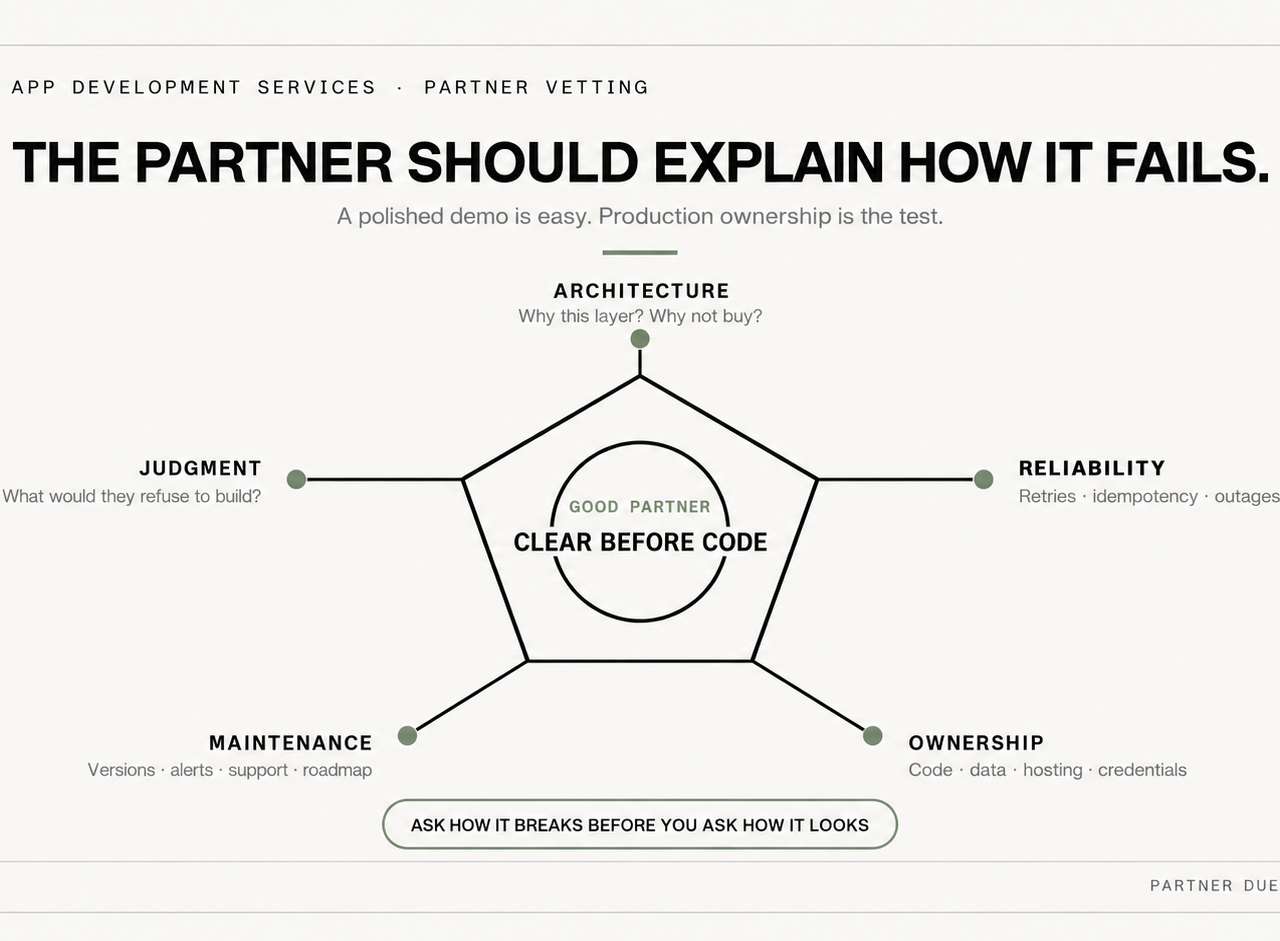
A polished proposal does not prove technical depth. The best evaluation questions force a partner to explain how it thinks and operates.
Ask:
- How do you decide whether this should be an app at all? A strong team should be comfortable recommending buy or optimize.
- How do you handle Shopify API versioning and platform deprecations? Look for a maintenance process, not a promise.
- How do you verify webhooks and recover from duplicate or failed events? The answer should include verification, idempotency, retries, logging, and alerting.
- How do you test install, uninstall, reconnect, and permission changes? Weak teams focus only on feature demos.
- What data lives outside Shopify and why? Permissions and retention should be explicit.
- What happens when an external ERP, PIM, or carrier API is down? Revenue-critical integrations need degraded-mode and recovery thinking.
- What exactly do we own after launch? Code, hosting, documentation, monitoring, and maintenance responsibilities should be unambiguous.
A broader due-diligence framework is available in our guide on how to choose a Shopify development agency.
The best partner often sounds less flashy and more precise. Custom applications fail more often from unclear architecture and weak ownership than from a shortage of features.
Frequently Asked Questions
What are Shopify app development services?
They are professional services for planning, building, integrating, testing, deploying, and maintaining software that extends Shopify beyond standard configuration, themes, or off-the-shelf apps. This can include custom apps, embedded admin tools, middleware, integrations, external applications, and platform-native extensions.
When should a brand build a custom Shopify app?
When a workflow is unique to the business, occurs repeatedly, creates measurable operational or financial value, and cannot be handled cleanly by an existing app or Shopify's native capabilities.
Is a custom Shopify app better than an App Store app?
Not automatically. An App Store product is usually better for a common problem because implementation is faster and maintenance is shared with the vendor. A custom build becomes more attractive when the workflow is strategically important and generic products force recurring compromises.
Do Shopify Plus brands need custom apps?
No. Plus brands often have more complex requirements, but many can still be handled with existing apps, Shopify Functions, extensions, or better system architecture. Custom development is most valuable for durable workflows and integrations standard options cannot support cleanly.
What should a professional Shopify app development project include?
At minimum: discovery, scope definition, architecture, permissions and data planning, implementation, QA, failure-path testing, deployment, documentation, monitoring, and a clear post-launch maintenance model.
How should a merchant evaluate ROI?
Start with the operating problem rather than the feature list. Estimate labor saved, errors reduced, revenue protected, operational risk removed, and strategic flexibility gained. Compare those benefits against the full lifecycle cost of owning the software. Shugert works with established Shopify and Shopify Plus brands that need app development tied to real business constraints: custom workflows, integrations, performance-sensitive storefronts, and maintainable technical stacks. Brands comparing partners can review Shugert alongside other options and use the criteria above to judge fit based on process, technical depth, and post-launch ownership.
Keep exploring this topic
Deeper references from the Shugert library and the service that turns this work into a fixed scope.
Related resources
- Shopify PlusShopify Functions Explained: What They Do for Your StoreA technical explainer on Shopify Functions, the Wasm runtime, supported languages (Rust, JS, TS), the seven Function types, and how the architecture…
- Shopify PlusShopify Plus Migration: Cost, Timeline & ProcessPlan a Shopify Plus migration with realistic costs, timelines, SEO safeguards, checkout, integrations, testing, cutover and stabilization.
- DevelopmentCustom Shopify Solutions for Established BrandsFive places where off-the-shelf Shopify stops scaling, and the custom solutions we build for established DTC brands on Shopify and Shopify Plus.
- ShopifyHow to Choose a Shopify Development Agency (2026)A buyer's guide for Shopify store owners. Plain-language framework: partner tiers, the 8 questions that surface real agencies in 20 minutes, six…
Related services
Keep reading
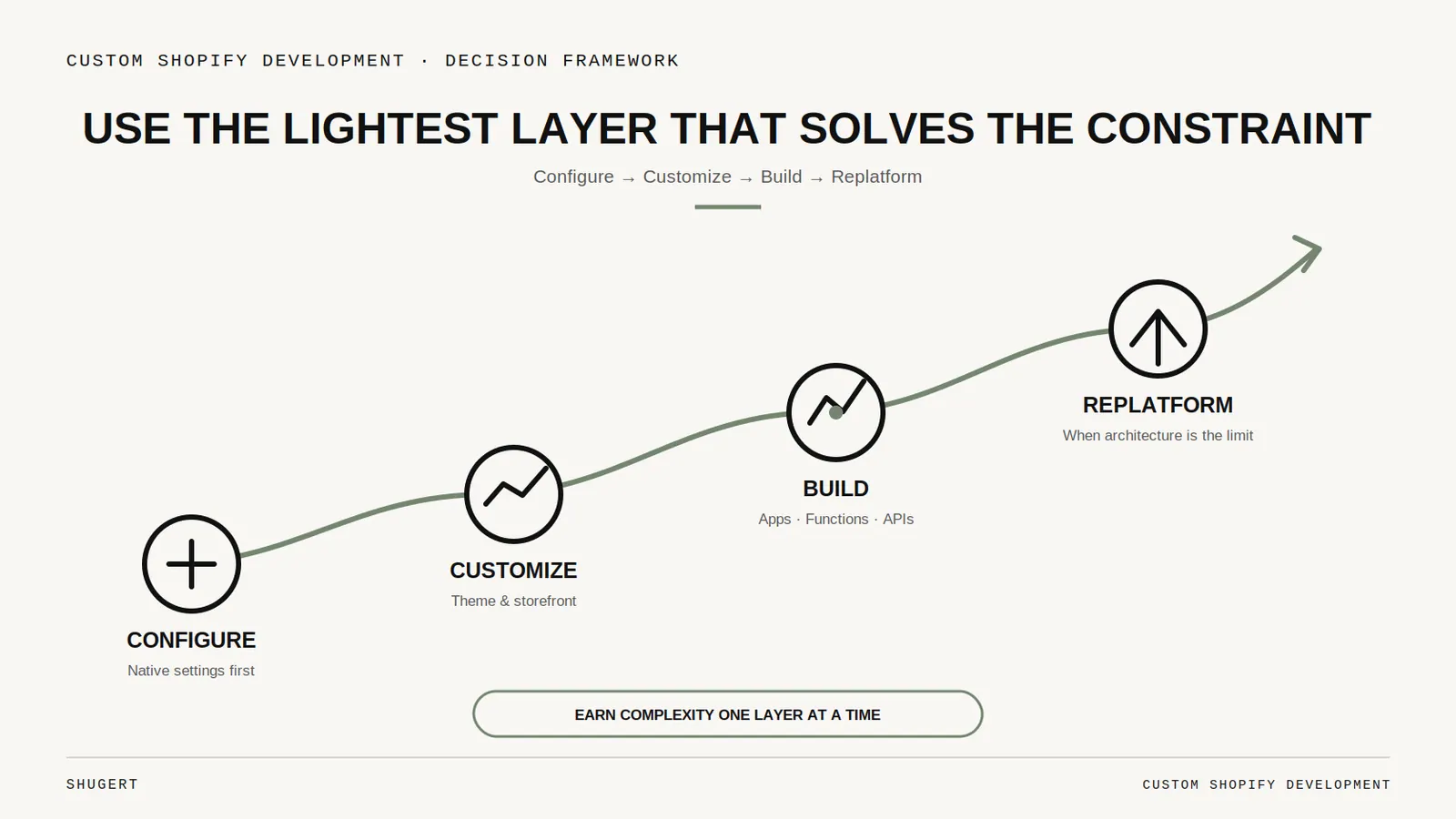
When Is Custom Shopify Development Worth It? Apps, Themes, or a Custom Build
A practical decision framework for established Shopify brands choosing between apps, themes, custom development, and replatforming.
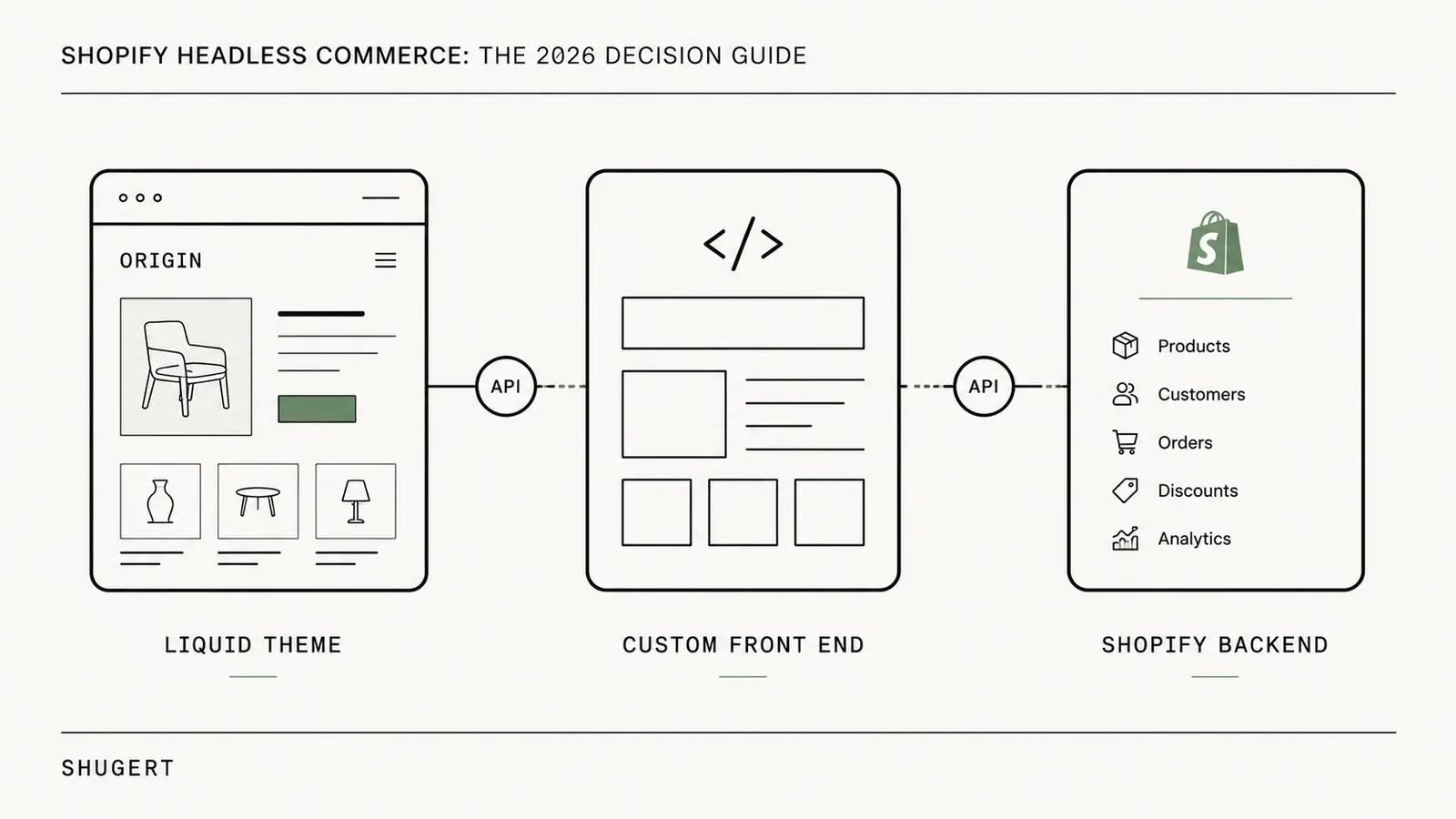
Shopify Headless Commerce: The 2026 Decision Guide
Shopify headless commerce keeps Shopify as the commerce engine and moves the storefront into a separate application. Here is when that trade is justified, how Hydrogen and Oxygen differ from a custom Next.js frontend, and the gates to clear before you rebuild.
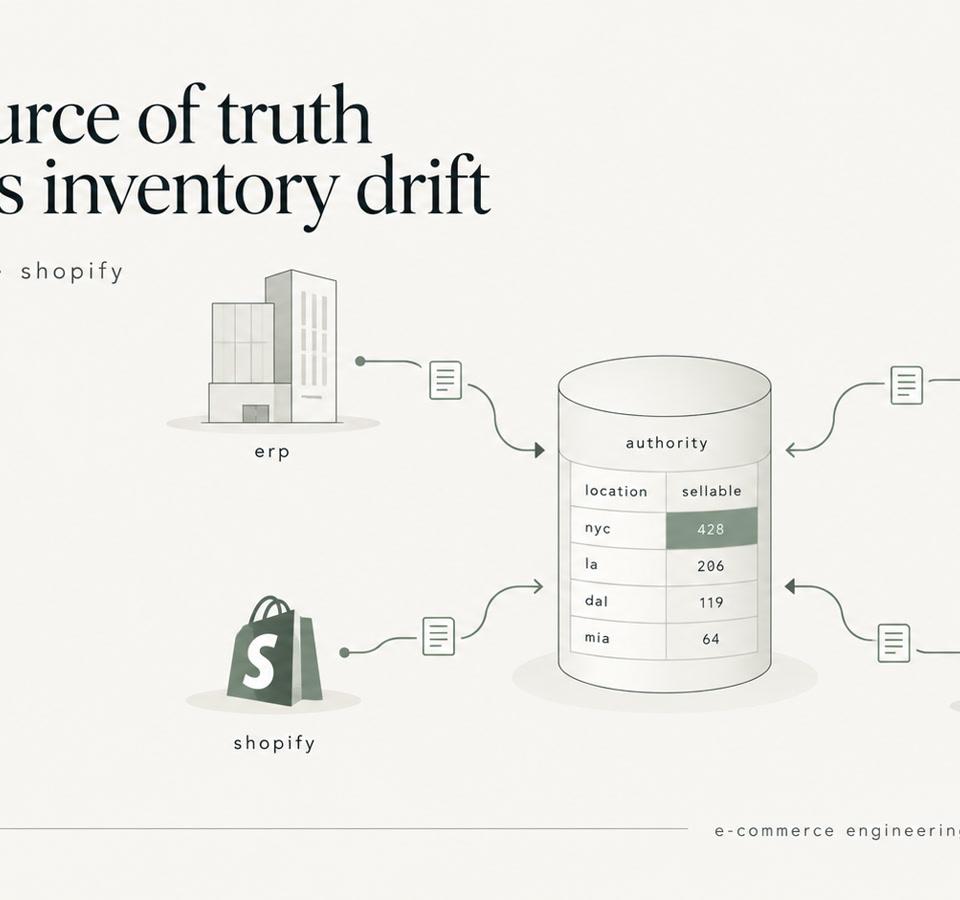
Shopify Inventory Sync: ERP, WMS, 3PL, and the Source of Truth
Shopify inventory sync explained for enterprise catalogs. Learn how to design ERP, WMS, and 3PL integrations that prevent race conditions and stock drift.