
Magento Extension Inventory: Decide What Shopify Needs Before Choosing Apps
An engineering framework for classifying Magento extensions before a Shopify migration: native capabilities, apps, custom solutions, external systems, or retirement.

Published
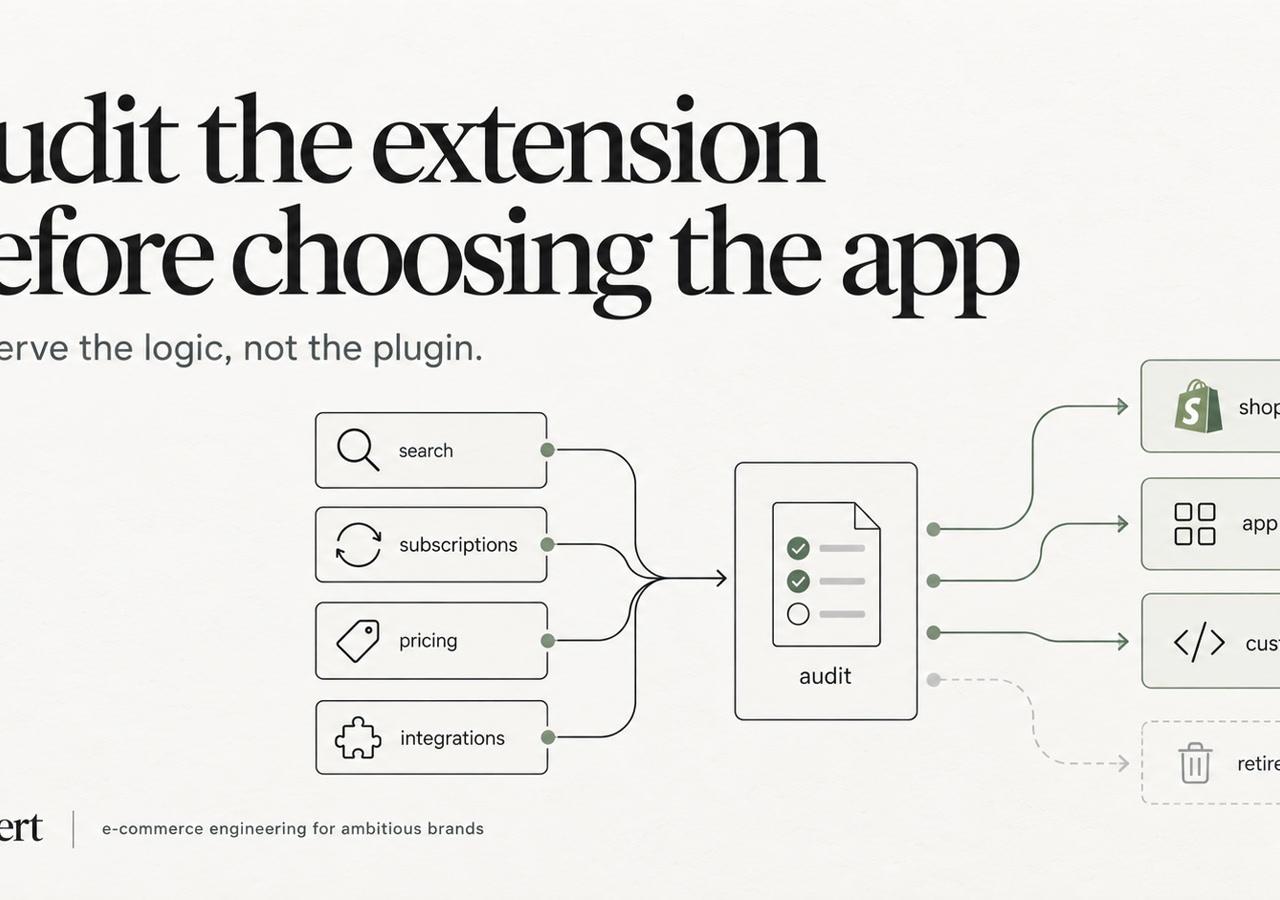
Magento Extension Inventory: Decide What Shopify Needs Before Choosing Apps
The popular advice is simple: find a Shopify app for every Magento extension and recreate the existing stack. That advice is usually wrong. A Magento module is an implementation detail, not proof that the underlying capability still matters, belongs in Shopify, or should be owned by an app.
The right Magento extensions to Shopify apps process starts with requirements, dependencies, and ownership. Some functionality should move to native Shopify features, some should be rebuilt with Shopify Functions or custom development, some belongs in an ERP or middleware layer, and some should disappear. Established merchants should treat migration as a portfolio cleanup, not a procurement exercise.
Table of Contents
- Why Extension Replacement Is the Wrong Default
- How Magento Stores Accumulate Extension Stacks
- Building the Magento Extension Inventory
- Five Dispositions for Each Magento Extension
- Technical Debt From a One-to-One Swap
- Where Native Shopify, Functions, and Custom Code Actually Win
- A Realistic Stack Reduction After Migration
- Sequencing the Migration and a Decision Checklist
Why Extension Replacement Is the Wrong Default
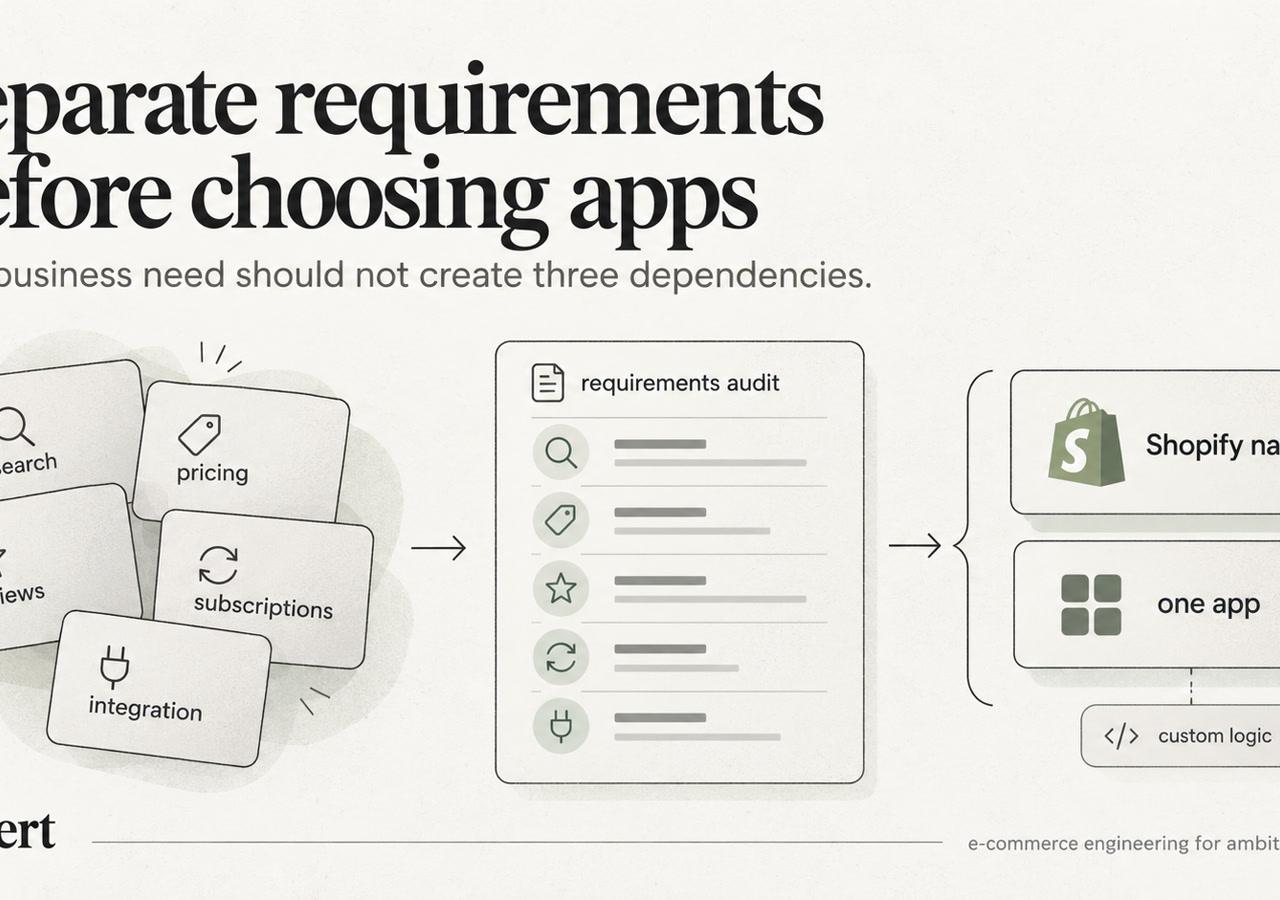
A Magento extension is not a migration requirement. It is evidence that someone once chose a particular implementation for a business need. During a Magento extensions to Shopify apps migration, the first question should be whether that need still exists, not which app can reproduce the old module.
Magento extensions often sit inside a tightly coupled application codebase. One module may influence catalog attributes, customer groups, pricing rules, checkout behavior, scheduled jobs, order data, and ERP synchronization. Shopify distributes those responsibilities across native capabilities, hosted apps, APIs, webhooks, theme app extensions, checkout extensibility, and external systems.
The change affects data ownership, failure handling, permissions, vendor accountability, recurring cost, and technical SEO. A visible feature can appear equivalent while the workflow behind it is not. An app that displays a price rule may not understand which external system authorizes the price, which customer segment receives it, or how failed updates are reconciled.
Shopify's App Store had fewer than a dozen apps at launch in 2009, reached 100 apps by 2013, and surpassed 2,000 by September 2018. Shopify also reported that merchants used six times as many apps on average as they had in 2012, illustrating how central app-based extensibility became to the platform model (Shopify's App Store history). More choice increases the need for ownership rules, lifecycle reviews, and a clear reason for every installed capability.
The migration decision belongs in discovery. Build an inventory matrix that records each extension's business purpose, inputs, outputs, dependencies, owner, failure response, and disposition. Then choose whether to retain, replace, rebuild, move the responsibility to another system, or retire it. Shugert's migration work addresses this architectural evaluation for established Magento stores moving to Shopify or Shopify Plus. The migration mistakes agencies make when moving from Magento to Shopify commonly start when this evaluation is skipped.
Magento modules versus Shopify apps at a glance
| Dimension | Magento extension | Shopify app |
|---|---|---|
| Execution model | Runs within or alongside the Magento application codebase | Runs through Shopify permissions, APIs, webhooks, extensions, or hosted services |
| Data relationship | Often reads and writes directly to Magento entities and custom attributes | Usually depends on API access, metafields, webhooks, and external storage |
| Failure impact | Can affect application behavior, indexes, queues, checkout, or deployments | Can affect storefront scripts, checkout surfaces, synchronization, or vendor-managed services |
| Ownership | Merchant or implementation team can often inspect and modify the module | Capability may depend on an external vendor's release cycle and data model |
| Migration question | What does this module control? | Should the requirement be native, app-based, custom, external, or retired? |
A one-for-one replacement can satisfy a project checklist while preserving unnecessary logic, duplicated data flows, and unclear ownership. App selection should follow the capability decision, not determine it.
How Magento Stores Accumulate Extension Stacks
Magento catalogs grow incrementally. A marketing request adds a promotion module, a merchandising team adds search controls, an operations team adds an ERP connector, and a B2B team adds customer-group pricing. Later, another vendor replaces one part of the original workflow without removing the first module.
The result is rarely a clean collection of independent capabilities. Extensions may add product attributes to Magento's EAV model, attach observers to the same events, create scheduled jobs, inject frontend blocks, alter checkout layouts, and exchange data with the same external system. A later extension can depend on behavior that no longer has a clear owner.
Common symptoms include:
- Overlapping promotions: Multiple modules can calculate discounts, stack rules, or display inconsistent prices.
- Duplicate discovery layers: Search, filters, recommendations, and merchandising tools may each maintain separate indexes or ranking rules.
- Abandoned experiments: A/B testing, personalization, or campaign extensions remain installed after the commercial program ends.
- Obsolete connectors: Legacy ERP, PIM, WMS, or CRM integrations continue to run because nobody has confirmed that the connected system is still authoritative.
- Layered SEO behavior: Several modules can emit canonical tags, structured data, redirects, or metadata for the same page.
Magento's flexibility makes these additions possible, but flexibility can conceal responsibility. A module may appear inactive in the storefront while still populating attributes, running cron jobs, or exporting data. A literal Magento extensions migration that preserves every installed package transfers those obligations into a different ecosystem without proving that they remain useful.
The migration window creates a rare opportunity to ask a more uncomfortable question: which behavior is revenue-critical, which behavior is merely familiar, and which behavior exists only because Magento once lacked a simpler option?
Building the Magento Extension Inventory
The inventory should be completed before the target Shopify architecture is finalized. A package list alone isn't enough. The team needs to connect each Magento module to a business requirement, a data owner, dependent systems, user groups, and a testable outcome.
Start with the installed extension list, then enrich it through interviews with ecommerce operations, merchandising, customer service, finance, fulfillment, marketing, and engineering. Review configuration, scheduled jobs, database attributes, API credentials, queue consumers, checkout modifications, frontend output, and export files. A module that nobody claims may still control a critical process.
The fields that matter
For every extension, capture:
- Business problem: What decision, transaction, or workflow does the extension support?
- Primary users: Identify whether shoppers, customer-service agents, merchandisers, buyers, warehouse staff, finance, or administrators depend on it.
- Data owned: Record products, EAV attributes, prices, customer groups, orders, subscriptions, loyalty balances, promotions, SEO metadata, or tracking events.
- System dependencies: Document ERP, PIM, WMS, CRM, tax, payment, search, analytics, marketing, and middleware connections.
- Surface area: Mark whether the module changes catalog rendering, pricing, inventory, checkout, customer data, accounts, SEO, or back-office workflows.
- Required status: Confirm whether the capability is still used, legally required, commercially required, or merely retained for historical reasons.
- Replacement architecture: Assign native Shopify, app, Shopify Functions, theme app extension, custom app, middleware, external system, or retirement.
- Migration risk: Assess data loss, transaction failure, SEO impact, performance exposure, operational disruption, and rollback complexity.
A simplistic CSV export can flatten Magento's EAV attributes and lose the relationships that extensions use. Customer groups, shared catalogs, regional pricing, and custom product data need explicit mapping. Shopify's B2B catalog documentation is useful when translating legacy websites, account rules, and shared catalogs into Shopify catalogs, Markets, companies, and company locations.
Magento extension inventory matrix
| Magento extension | Business requirement | Data dependency | Shopify replacement | Disposition | Migration risk |
|---|---|---|---|---|---|
| Customer-group pricing module | Different prices for approved accounts | Customer groups, ERP price lists, product eligibility | Shopify B2B catalogs plus external price synchronization | Move and rebuild | High |
| Layered SEO module | Metadata, canonicals, and schema output | Product URLs, category paths, templates | Theme and migration scripts with controlled metadata ownership | Consolidate | High |
| Search extension | Relevance, filters, merchandising | Product attributes, inventory, collections | One specialized search capability with controlled indexing | Replace with app | Medium |
| Legacy ERP connector | Orders, inventory, fulfillment updates | SKUs, order states, warehouse records | Middleware and Admin API/webhooks | Move to system of record | High |
| Unused loyalty module | Historical points and rewards | Customer balances and campaign rules | CRM-owned program or retirement | Retire or move | Medium |
The matrix becomes the source of truth for architecture, migration scope, test coverage, owners, and cutover decisions. Without it, teams tend to select apps based on feature labels rather than business behavior.
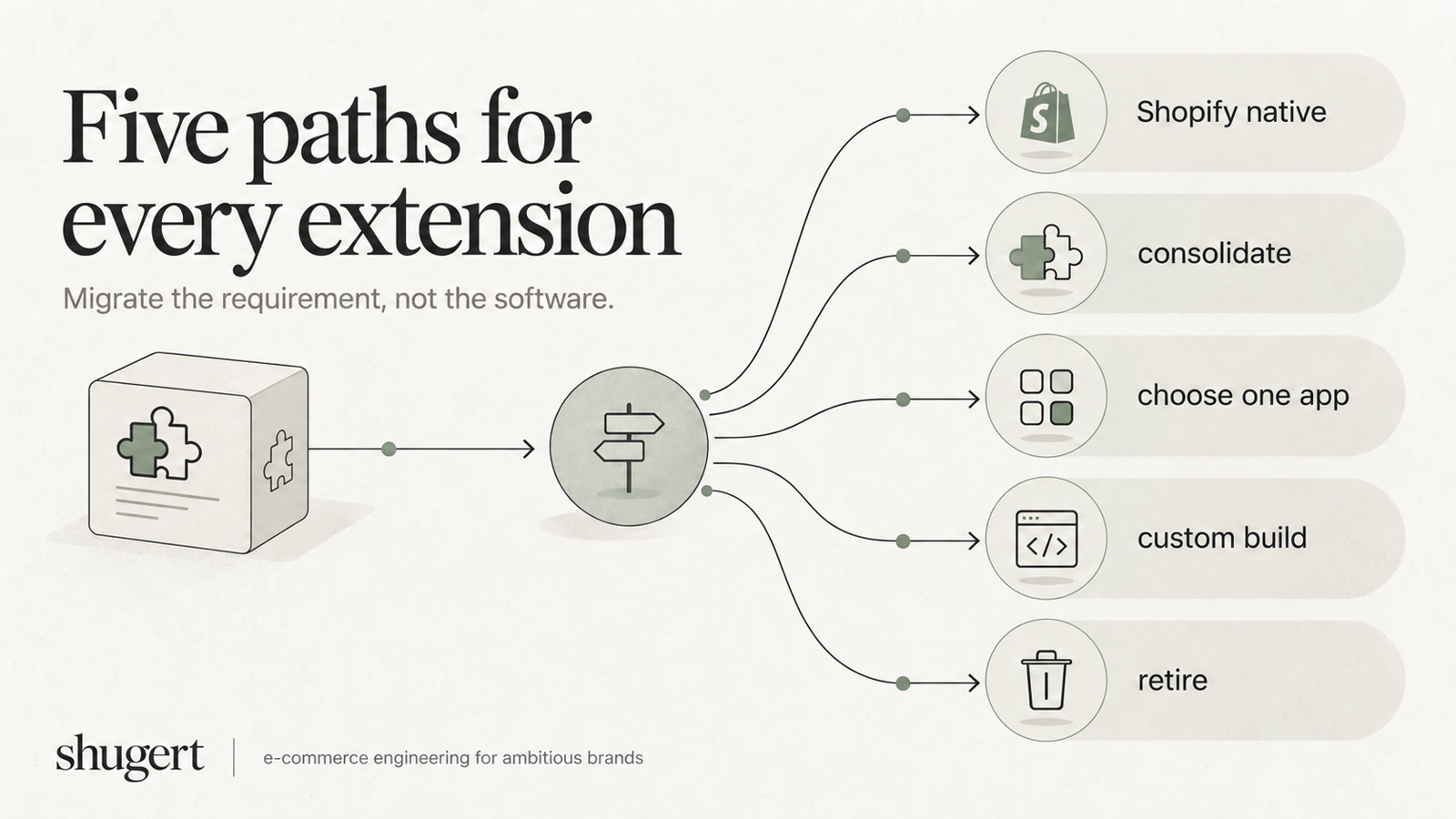
Five Dispositions for Each Magento Extension
Every module should receive one explicit disposition. “To be decided later” is not a neutral status. It usually becomes an urgent app purchase during implementation.
Replace with native Shopify
Use native capabilities when the requirement is standard and Shopify already owns the relevant data and workflow. Basic discounts, standard product and collection behavior, customer accounts, markets, ordinary checkout behavior, and common shipping profiles often belong here.
The warning sign is unnecessary customization. If the module exists only to work around a Magento limitation that doesn't exist in Shopify, rebuilding it adds cost without preserving meaningful value.
Replace with a Shopify app
An app is appropriate when the requirement is specialized, widely needed, and better maintained by a dedicated vendor than by the merchant's engineering team. Reviews, subscriptions, advanced search, loyalty, returns, or a particular operational workflow may fit this route.
The app still needs evaluation for data export, historical records, permissions, theme impact, checkout behavior, internationalization, B2B support, support quality, and replacement risk. A matching feature name doesn't prove functional equivalence.
Rebuild with Shopify Functions or custom development
Custom development fits proprietary rules, unusual workflows, and functionality with no acceptable app equivalent. Shopify Functions can handle selected discount, delivery, and payment customization scenarios, while Liquid, theme app extensions, app blocks, custom apps, and backend services can cover storefront and operational behavior.
This route is wrong when custom code merely recreates a commodity feature that Shopify already provides. It is also wrong when the logic belongs in an ERP, PIM, WMS, or other authoritative system.
Move to a system of record
Some Magento modules are orchestration layers around data that should be owned elsewhere. ERP-owned pricing, PIM-owned enrichment, WMS-owned fulfillment logic, CRM-managed loyalty, and marketing automation workflows should usually move toward the system that has authority over the data.
Shopify can remain the commerce execution layer without becoming the master for every business rule. The integration must define synchronization direction, timing, retries, reconciliation, and failure ownership.
Retire or merge
Retirement is the correct answer for duplicate extensions, unused features, abandoned experiments, obsolete workarounds, and functionality that creates more operational burden than value. Merging is appropriate when several modules solve related problems that can be covered by one controlled implementation.
Category-level routing helps expose the likely path:
| Magento category | First disposition to test | Secondary path |
|---|---|---|
| Search and merchandising | Specialized app or native collections | Custom indexing or middleware |
| SEO | Native theme ownership and migration scripts | Carefully scoped app support |
| Reviews | Specialized app | Native content and structured-data control |
| Subscriptions | Dedicated subscription architecture | Custom integration for unusual billing workflows |
| Loyalty | CRM or loyalty platform | App if the program is genuinely storefront-owned |
| Bundles and product options | Native Shopify modeling where sufficient | Custom development for complex configuration |
| B2B functionality | Shopify Plus catalogs, companies, and locations | ERP or middleware for account-specific rules |
| Tiered pricing | Native discounts or Functions | ERP-owned pricing for contract-specific rates |
| Promotions | Native discounts | Functions for conditional proprietary logic |
| Shipping and tax | Native configuration or authoritative external service | Functions for targeted customization |
| Payments | Native checkout and approved payment customization | Custom integration for exceptional workflows |
| Product feeds | Controlled export from the source of truth | Middleware transformation |
| ERP, PIM, and WMS integrations | Middleware and API synchronization | Custom app where orchestration is merchant-specific |
| Analytics and tracking | One governed event model | Custom instrumentation |
| Consent and privacy | Centralized consent architecture | App only where it fills a defined gap |
| Internationalization | Shopify Markets and controlled localization | External translation or regional systems |
A strong disposition is specific about who owns the data and what happens when synchronization fails. If those answers are missing, the replacement decision is incomplete.
Technical Debt From a One-to-One Swap
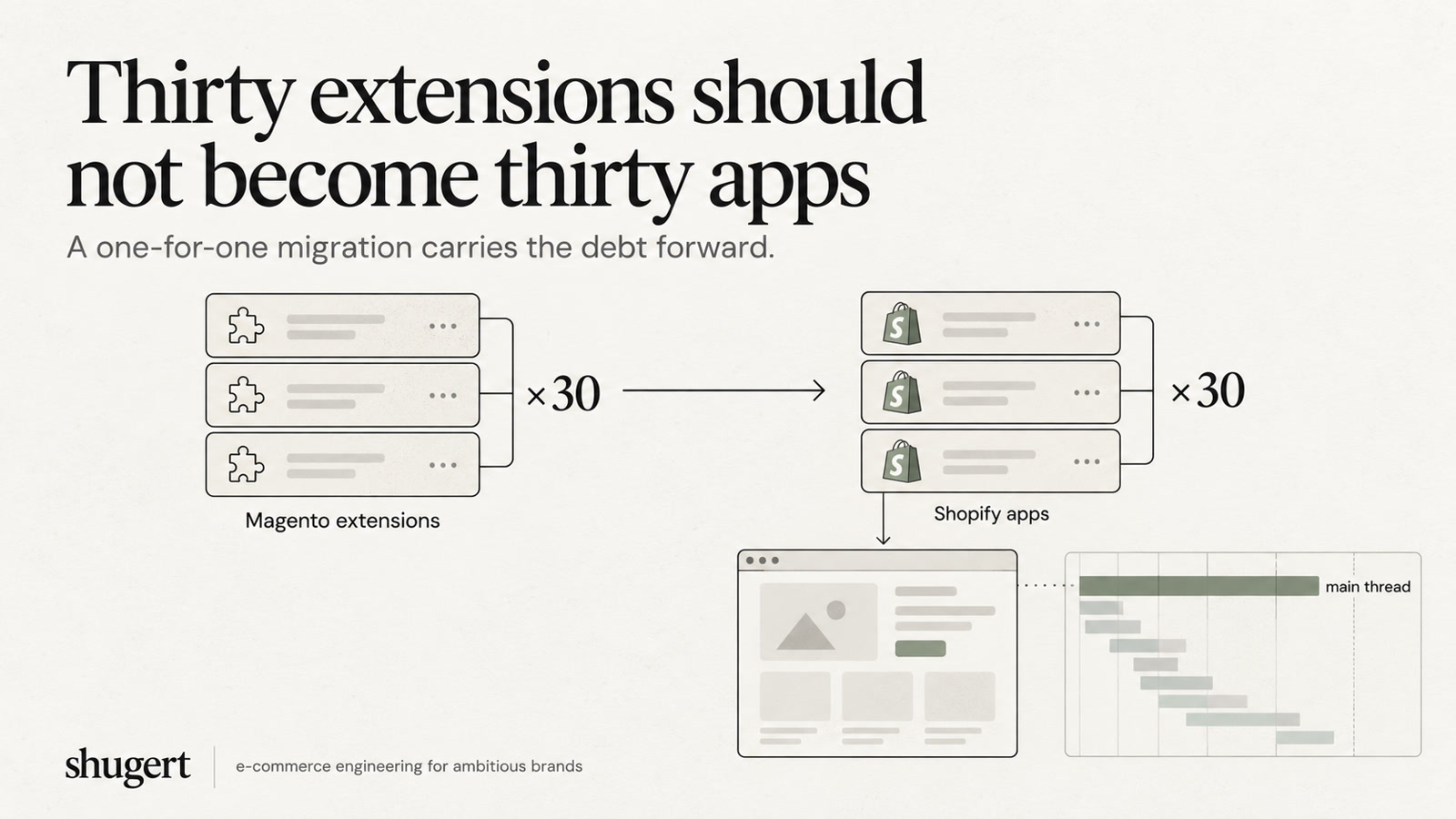
Replacing 30 Magento extensions with 30 Shopify apps can make a project look complete while leaving the new store slow, fragile, expensive, and difficult to operate. The dependency model has changed, but the underlying habit of adding a package for every request has not.
Each storefront-facing app can introduce theme app extensions, app blocks, JavaScript, third-party requests, or duplicate markup. Several apps may inject structured data for the same product, add competing recommendations, listen for the same cart event, or render overlapping account and loyalty components. On the operational side, separate apps may create duplicate webhooks, competing synchronization jobs, different retry rules, and unclear data ownership.
Performance is an acceptance criterion
Shopify publishes app performance guidance. For a specific store, evaluate the actual performance change by template and device before and after app installation; a platform review benchmark does not predict production Core Web Vitals.
That constraint makes app selection an engineering decision. A migration team should baseline representative mobile pages, then test the same templates with the app installed, configured, and populated with equivalent catalog and personalization conditions.
Monitor:
- JavaScript payload and request count
- Render-blocking assets and third-party calls
- LCP, INP, and CLS
- Client-side errors
- Duplicate schema and canonical output
- Theme section and app-block behavior
- Checkout extensibility impact
- Post-launch regressions over time
The problem isn't limited to page speed. Every recurring app subscription adds financial exposure, while every external vendor adds dependency on permissions, data export, support, release timing, and vendor continuity. When a checkout issue appears, the merchant may need to coordinate across several app owners before identifying which integration changed the behavior.
The Shopify app bloat and performance guide is relevant because app count should be governed like an engineering KPI. The objective isn't the smallest possible number in isolation. It is the smallest controlled stack that preserves required business outcomes.
Where Native Shopify, Functions, and Custom Code Actually Win
Architecture improves when each requirement is routed to the simplest layer that can own it safely. Native Shopify should handle standard commerce behavior. Functions should handle bounded, deterministic rules. Custom applications and middleware should handle proprietary logic, orchestration, reconciliation, and external system authority.
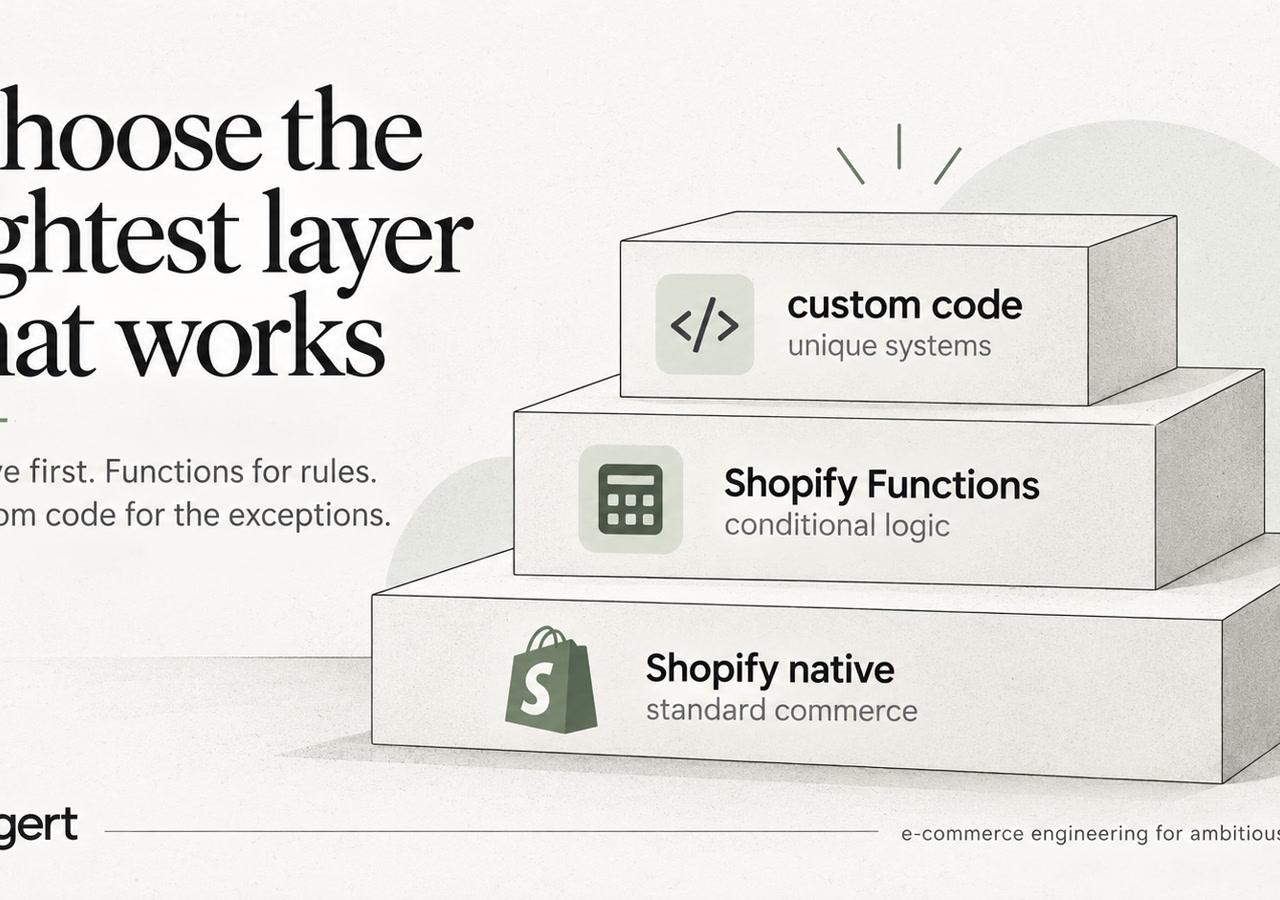
Route standard behavior to native features
Native Shopify is the preferred destination for ordinary products, collections, standard discounts, markets, customer accounts, and common checkout behavior. Native features reduce vendor dependencies and keep data inside the platform's supported operating model.
Theme app extensions and app blocks are preferable to uncontrolled legacy script injection when storefront UI requires an app. The theme should retain ownership of layout, rendering conditions, and structured data wherever possible.
Use Functions within their boundaries
Shopify Functions can support discount, delivery, and payment customization, but they aren't a general-purpose Magento runtime. Limits vary by Shopify Function API and platform version. Verify the applicable Shopify Functions documentation before designing payload size, execution budget, and supported customization points.
Large B2B calculations, broad price transformations, and ERP-driven rules may need catalogs, targeted product logic, or middleware instead. Payment customization also has a store limit of 25 payment customization Functions. Payment Functions don't run in Shopify POS, can't rename branded methods such as Shop Pay, Apple Pay, or Google Pay, and can't reorder wallets. B2B checkout also requires manual payment capture when fulfillment occurs, which makes ERP and warehouse status design part of the migration.
Reserve custom code for ownership and control
A custom Shopify app or middleware service is justified when it transforms ERP or PIM data, synchronizes custom attributes into metafields, applies proprietary rules, manages retries, or reconciles divergent records. Backend services should use the Admin API and webhooks with explicit idempotency, error handling, and audit trails.
Shugert's Shopify Functions resource covers the platform layer relevant to custom discount, checkout, and commerce logic. The architectural principle is straightforward: an app can provide commodity functionality, while merchant-controlled code owns the business-specific behavior that must remain replaceable and observable.
A Realistic Stack Reduction After Migration
Consider a Magento merchant with two search and merchandising extensions, several SEO modules that emit overlapping metadata, a loyalty extension duplicating a CRM-managed program, and a custom B2B tiered-pricing module that reads ERP data. A literal migration would seek an app for each function and preserve the same number of moving parts.
Discovery produces a different result. The duplicated search layers are reduced to one specialized search capability. Standard promotion rules move to native Shopify discounts. B2B assortment and account relationships move into Shopify Plus catalogs, companies, and company locations where appropriate. The ERP remains authoritative for contract pricing, while controlled synchronization exposes the required values through Shopify data structures.
The loyalty extension is retired because the CRM already owns the program. The SEO modules are consolidated into theme and migration logic, with one owner for canonicals, structured data, metadata, and redirects. Tiered pricing that cannot be represented by catalogs or native discounts is rebuilt as targeted Shopify Function logic, while ERP synchronization and reconciliation remain outside the storefront.
What changes operationally
The resulting architecture has fewer customer-facing scripts, fewer competing data writers, and clearer ownership. Product and collection templates can be tested without several overlapping rendering layers. Support teams know which system owns loyalty, pricing, inventory, and fulfillment instead of investigating multiple modules that claim partial authority.
The financial outcome also becomes easier to govern. Native functionality carries no separate app subscription, while the remaining specialized app has a defined purpose and replacement boundary. Custom integration code is maintained by the merchant's engineering partner rather than hidden inside several vendor-managed packages.
A broader marketing tech stack guide can help teams document adjacent systems, but the migration matrix must remain commerce-specific. The useful comparison isn't the number of tools before and after. It is whether every remaining dependency has an owner, a failure path, a test case, and a reason to exist.
No isolated performance result should be attributed to one replacement without controlled measurement. The defensible improvement in this pattern comes from reducing overlap, clarifying data flow, and removing unnecessary storefront work.
Sequencing the Migration and a Decision Checklist
Sequence extension decisions by dependency, not by marketplace availability. Resolve catalog structure, product attributes, customer groups, pricing, inventory, accounts, subscriptions, checkout, fulfillment, and external integrations before final product and order migration. This order prevents teams from testing downstream behavior against incomplete data or unsettled ownership.
Catalog and PIM decisions come first. Products, variants, options, collections, and metafields feed search, merchandising, SEO, pricing, and external feeds. Pricing and B2B rules follow because they rely on customer identity, company relationships, catalogs, markets, ERP records, and discount logic. Test inventory and fulfillment before moving orders, so warehouse and back-office synchronization works under realistic conditions.
Run representative transaction tests for checkout, payments, subscriptions, and customer accounts before cutover. SEO work runs in parallel, covering URL inventories, redirect mapping, canonical control, structured data, crawlability, and organic landing-page monitoring. Validate historical orders for reporting, customer service, warranties, and support workflows, not only record counts.
A practical discovery and cutover checklist
- Inventory complete: Every Magento module, custom observer, scheduled job, connector, frontend change, and data export has an owner.
- Requirement separated: Each extension has a documented business outcome independent of its current implementation.
- Disposition assigned: Native, app, rebuild, external system, merge, or retire is recorded with a reason.
- Data authority defined: Product, price, inventory, customer, order, subscription, and loyalty ownership is explicit.
- B2B mapped: Legacy websites, customer groups, shared catalogs, regional pricing, companies, locations, and account permissions are reconciled with the Shopify plan and catalog model.
- Function limits budgeted: Instruction, payload, output, query, memory, payment-customization, and cart-size constraints are tested against real rules.
- App stack tested: Theme app extensions, app blocks, JavaScript, requests, structured data, checkout behavior, webhooks, and permissions are reviewed.
- Integration recovery tested: Failed webhooks, duplicate events, retries, reconciliation, and manual recovery procedures have named owners.
- SEO acceptance defined: Redirects, canonicals, structured data, crawlability, and priority landing pages have prelaunch and postlaunch checks.
- Rollback owner identified: Each business-critical capability has a rollback or manual fallback plan.
The migration is complete when every retained capability has a justified home, an accountable owner, a test case, and a recovery path. An old extension should be retired when its behavior no longer supports a current requirement. Rebuild only when the rule still matters and native features or an app cannot express it cleanly. Keep ERP synchronization, reconciliation, and other operational responsibilities outside the storefront when that boundary reduces duplicate data writers.
A migration-ready extension inventory should record the owner, business requirement, dependencies, replacement decision, and acceptance test for each capability. For additional context, see Shugert.
Keep exploring this topic
Deeper references from the Shugert library and the service that turns this work into a fixed scope.
Related resources
- MagentoMagento to Shopify Migration: What Agencies Get WrongA real scenario from 30+ migrations: what breaks, what gets silently missed, and how serious agencies handle URL mapping, metafields, and Shopify Functions…
- MigrationMigrating to Shopify in 2026: What Actually ChangedA practical Shopify migration guide for inventory, data contracts, storefront scope, SEO continuity, integrations, QA, cutover and launch validation.
Related services
Keep reading
Variants, Metafields, Tags, or Metaobjects? Modeling Large Catalogs Before Migration
Large Shopify migrations become easier when product attributes have clear ownership before import. Here is how we decide what belongs in variants, metafields, tags and metaobjects.

Magento Configurable Products to Shopify: A Smart Move
Learn how to migrate your Magento configurable products to Shopify in 2026 with this practical guide. Preserve data, save time, and boost sales.

7 Best BigCommerce-to-Shopify Migration Agencies in 2026
A source-platform-specific shortlist for BigCommerce merchants comparing Shopify migration partners on named cases, catalog/options complexity, ERP and B2B integration, SEO and cutover ownership.